29
ENTERING SETTINGS -SET MODE #2
These settings are ones that are not likely to change. To save
time at the dive site, verify the set points and adjust them as
desired prior to departing on the day's dive trip.
TO SET - UNITS OF MEASURE
(while in the Surface Mode)
Factory set for Imperial, Units of Measure can also be set for
Metric.
• Press Both buttons simultaneously, release when SET: 2
appears (4 seconds).
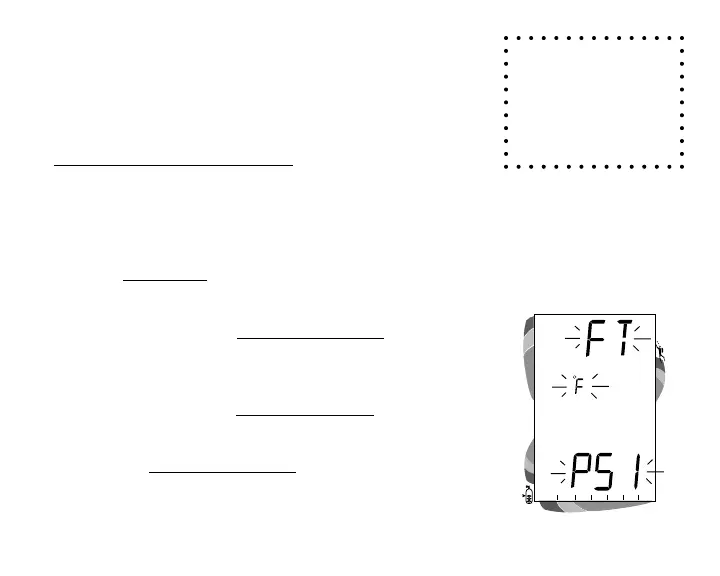
• Press and release the Left (Advance) button, the Units
screen appears with the graphics FT, F, and PSI (or M, C,
and BAR) flashing (Fig. 24).
• Press and release the Right (Select) button to toggle
between Imperial and Metric units.
• Press the Left (Advance) button to accept the setting and
advance to Set Hour Format, or press and hold Both
buttons for 2 seconds to revert to Surface Mode.
Fig. 24 - Set Units of Measure
To return to Sur-
face Mode at any
time while in Set
Mode, press and
hold Both buttons
for 2 seconds.



 To Next Page