15
PROPLUS X OPERATING MANUAL
© Pelagic, 2016 Doc. No. 12-5655-r01 (8/19/16)
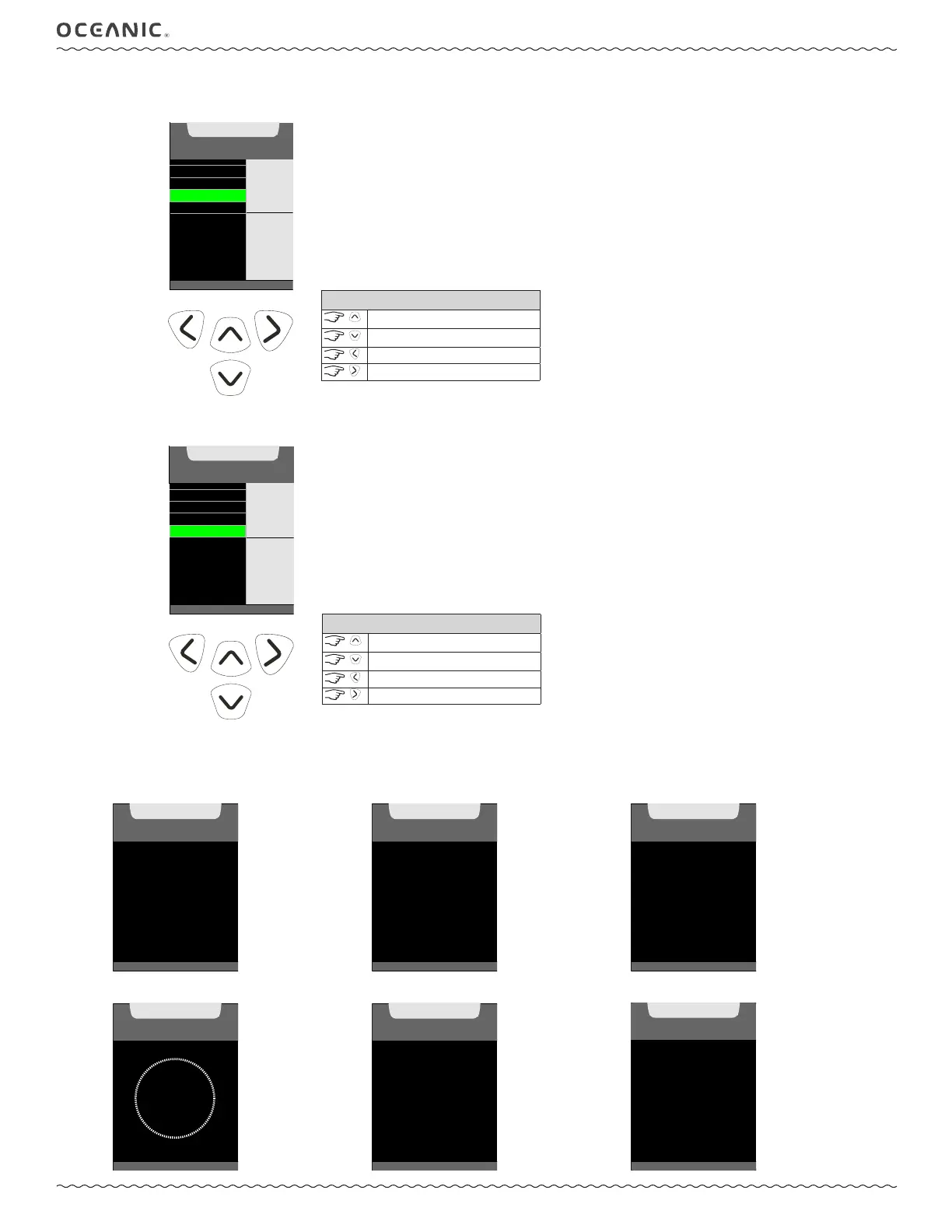
C: Set time FormAt
Choose your preferred hour format.
(>) TO SET
DATE FORMAT
DATE
TIME
TIME FORMAT
DATE, TIME
SET MENU
12
hr
(AM, PM)
SELECT
TO
ACCESS
CONTROLS
toggle setting
toggle setting
back to Set Menu
to save setting
D: Set time
Set the time of day.
(<) BACK TO MENU
DATE FORMAT
DATE
TIME
TIME FORMAT
SET
TIME OF DAY
10:15
AM
hr:min
VALUE
^
- INCREASE
v
- DECREASE
>
- SAVE
CONTROLS
increase value
decrease value
back to Set Menu
to save value
4: CALIBRATE COMPASS
You may need to calibrate the compass from time to time to compensate for any magnetic changes (new dive location or other surround-
ing changes). Follow the prompts to calibrate the compass. The ProPlus X will then indicate if the calibration passed or failed.
CALIBRATE
COMPASS
TURN
FACE UP
FACE DOWN
UNTIL BEEP,
THEN TURN
(<) BACK TO MENU
step 1. face down
CALIBRATE
COMPASS
(<) BACK TO MENU
TURN
FACE UP
UNTIL BEEP,
THEN ROTATE
step 2. face up
CALIBRATE
COMPASS
(<) B ACK TO MENU
ROTATE
360°
KEEP LEVEL
step 3. rotate
CALIBRATE
COMPASS
PROGRESS
status
CALIBRATE
COMPASS
READY
PASSED
CALIBRATION
passed
COMPASS
FAILED
CALIBRATE
AGAIN
failed



 To Next Page