37
PROPLUS X OPERATING MANUAL
© Pelagic, 2016 Doc. No. 12-5655-r01 (8/19/16)
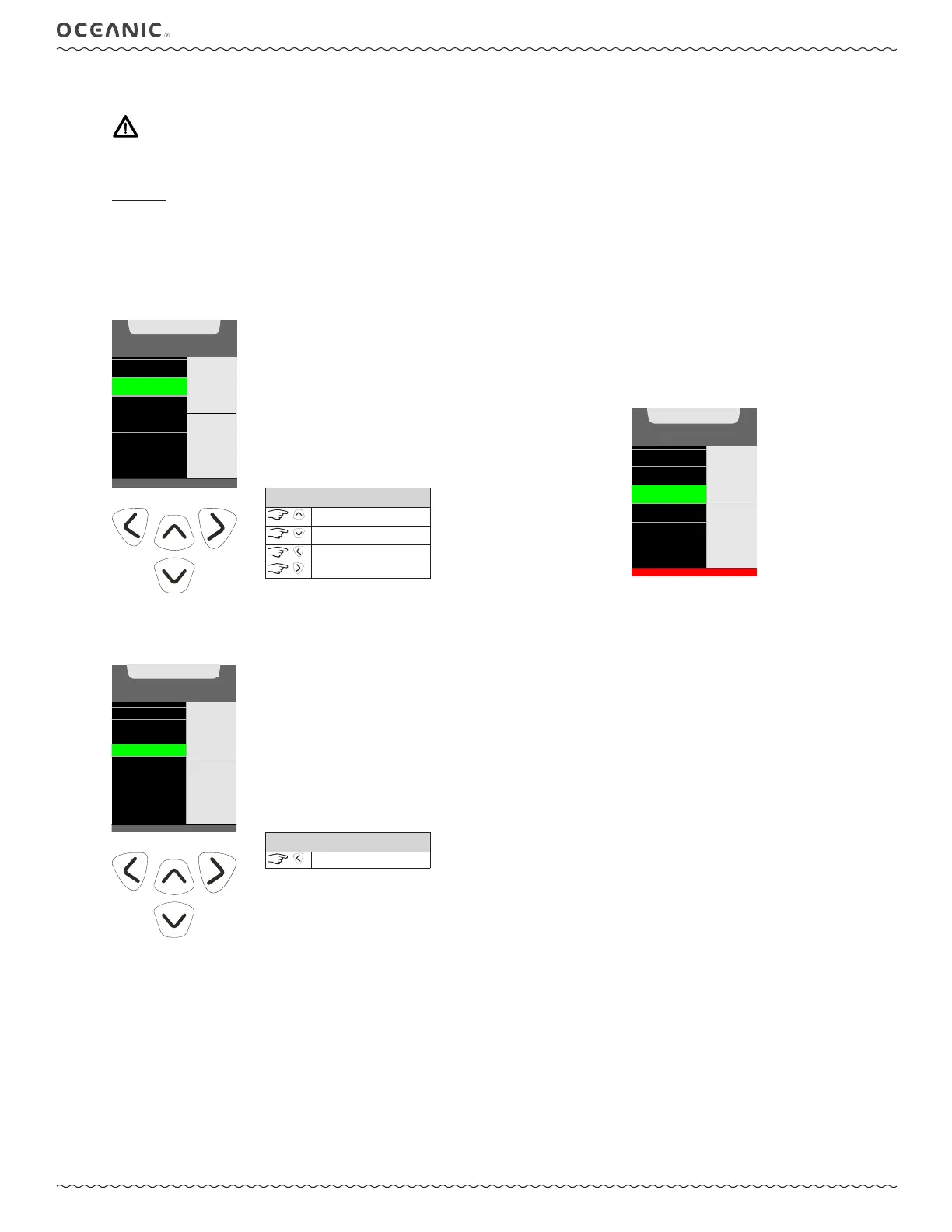
3: GAS SWITCH
WARNING: Historically, many accidents and near misses have occurred by switching to the wrong gas at the wrong
depth. DO NOT attempt gas switch decompression dives without proper education and training to do so from an inter-
nationally recognized training agency.
Overview
• All dives begin with gas 1.
• The GAS defaults to # 1 after 10 minutes on the surface.
• Gases cannot be switched while in surface mode.
• The Gas Switch Menu cannot be accessed during the sounding of alarms.
• If an alarm strikes while in the Gas Switch Menu, the switch operation is terminated (reverting to the Dive Main screen.
• If a gas has a prohibitive PO
2
value (≥ 1.6 PO
2
), a warning will be displayed. Though the diver will not be prevented from chosing the
gas. If the diver proceeds to select said gas a high PO
2
alarm will then trigger.
GAS SWITCH
AIRGAS 1
32%GAS 2
80%
OFF
GAS 3
GAS 4
PO2
0.84
^ - UP LIST
v - DOWN LIST
> - TO SWITCH
CONTROLS
scroll up
scroll down
to Dive Menu
to switch gas
GAS SWITCH
AIR
32%
1
80%
2
3
OFF
4
PO2
1.64
^ - UP LIST
v - DOWN LIST
> - TO SWITCH
DO NOT S WITCH TO GAS 3, HIGH PO2
Gas Switch Warning
4: DEEP STOP PREVIEW
If Deep Stop was set to ON in the Utilities Menu, the Deep Stop Preview screen is available after exceeding 80 ft (24 m) of depth. The
Deep Stop is always at a depth half that of your maximum depth during the dive. This preview screen keeps track of that depth for you.
SET BRIGHTNESS
GAS SWITCH
MORE DATA
DS PREVIEW
PREVIEW
53FT
2:00
min:sec
CONTROLS
to Dive Menu



 To Next Page