50
PROPLUS X OPERATING MANUAL
© Pelagic, 2016 Doc. No. 12-5655-r01 (8/19/16)
74°F
147°
12:36
PM
:
1:56
70%
L
%
SURF
147°
CONTROLS
to North Mode
to Norm/Gauge Main
to apply earmark
to Set Heading
Reference Main
REFERENCE/REVERSE REFERENCE
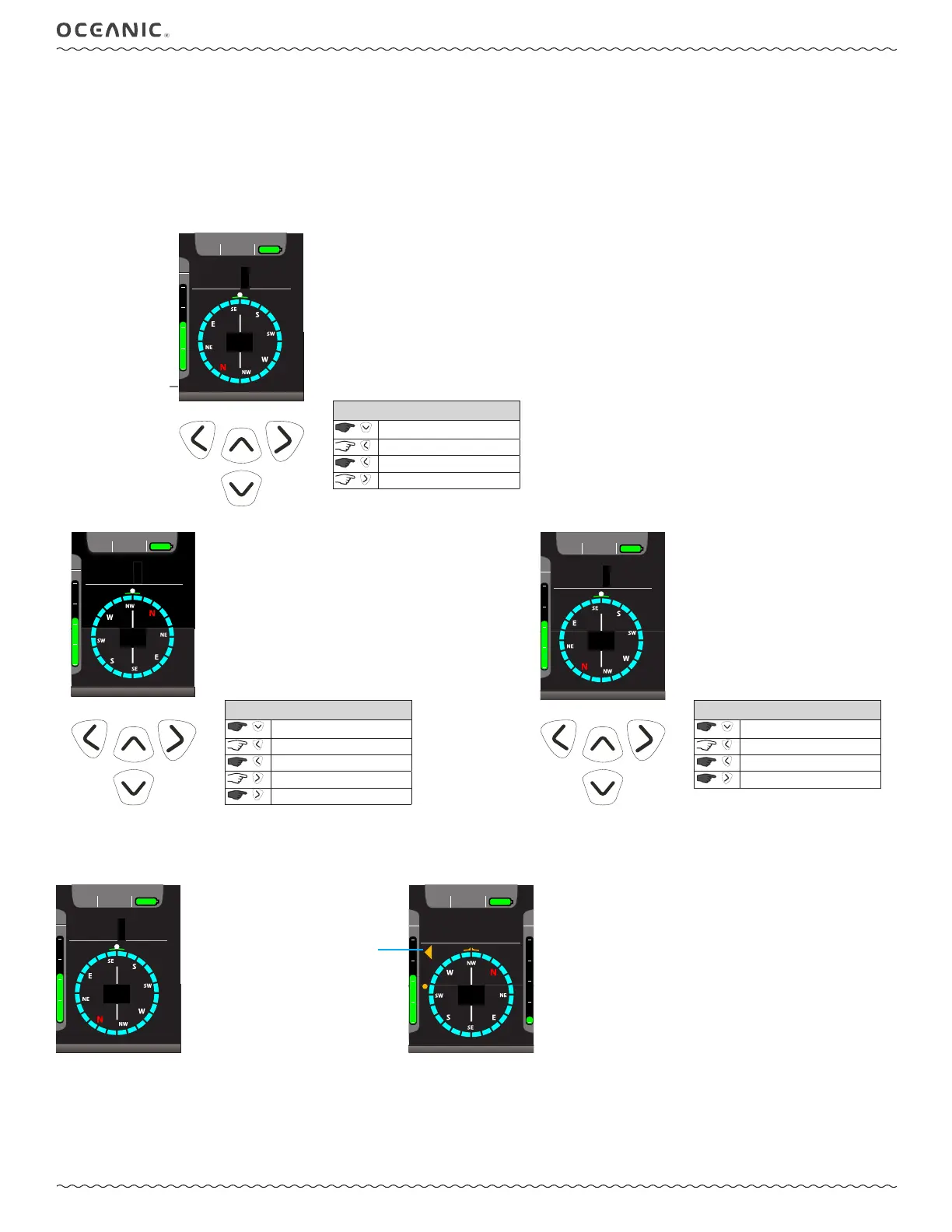
The Reference modes allow you to select course headings. The heading marker and course correction arrows will aid you in navigating. When rst
entering this mode the reference heading in the lower left of the screen will be ashing.
• Press the right button to allow you to set or reset the heading.
• Point the heading index in the direction you wish to travel.
• Press the righ button again to lock the heading.
• Press and hold the right button to reverse the reference (set the reciprical heading).
74°F
320°
12:36
PM
:
1:56
70%
22 sec
54
TL
%
ROTATE - KEEP LEVEL - (>) TO LOCK
SURF
320°
CONTROLS
to North Mode
to Norm/Gauge Main
to apply earmark
to lock heading
to Reverse Reference
Choose Heading
74°F
147°
12:36
PM
:
1:56
70%
54
TL
%
SURF
147°
CONTROLS
to North Mode
to Norm/Gauge Main
to apply earmark
to original Reference
Reverse Reference Main
Once a heading is set, the heading degrees, heading index (lubber line), and heading marker will change to amber color when off course. To get
back on course, an amber heading correction arrow will point in the direction to turn.
74°F
147°
12:36
PM
:
1:56
70%
L
%
SURF
147°
On Course
(heading 147°)
74°F
260°
22 sec
54
TL
%
AR
%
11
12:36
PM
22
70%
FT
315°
Off Course
(heading 260°)
reference heading,
ashing until set
correction arrow,
ashing



 To Next Page