24
PROPLUS X OPERATING MANUAL
© Pelagic, 2016 Doc. No. 12-5655-r01 (8/19/16)
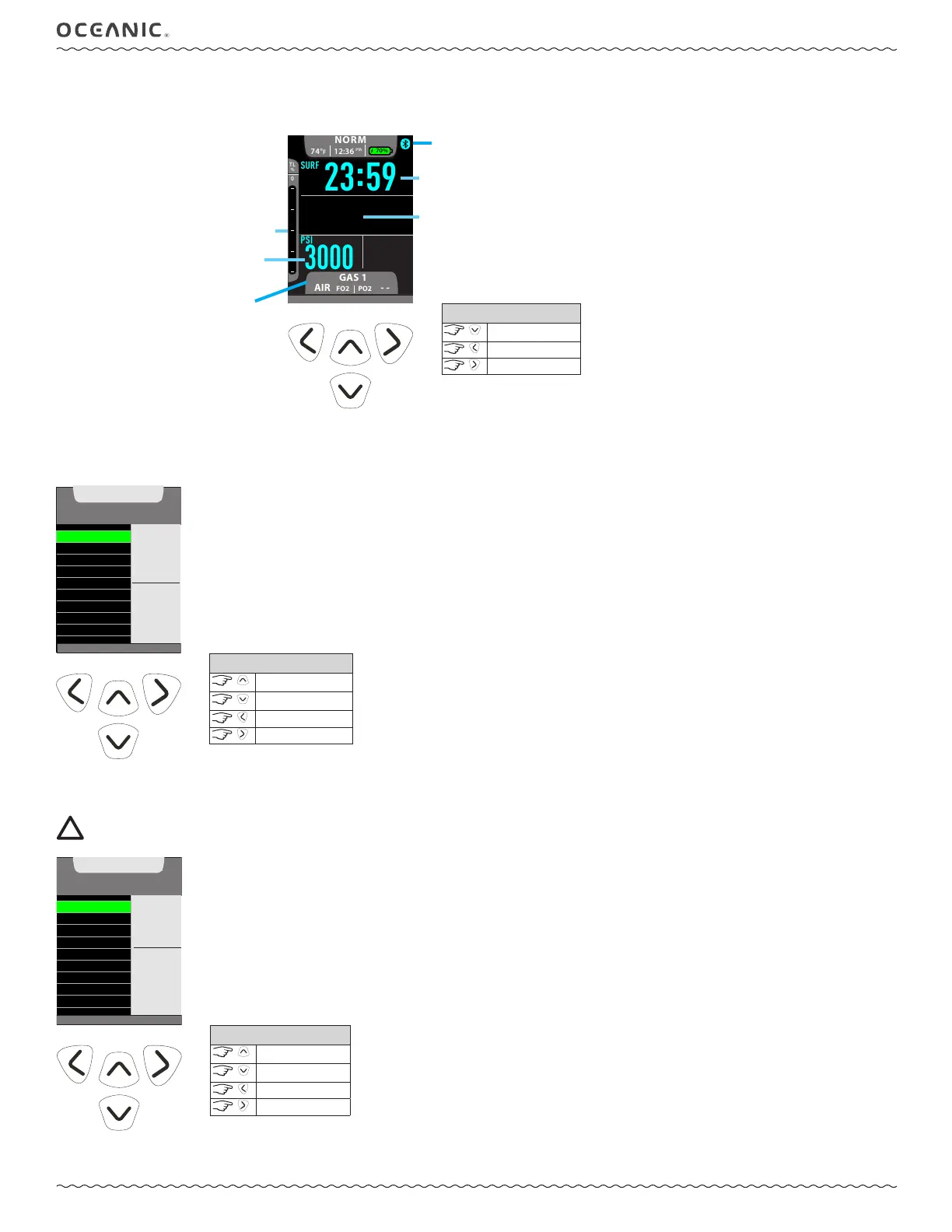
ON THE SURFACE BEFORE A DIVE
The Norm Surface Main screen will display the SURF (Surface Time), dive number, gas pressure, any residual nitrogen loading, and the selected
FO
2
of the breathing gas. The surface time displayed is the time since activation or the surface interval after a dive.
GAS 1
-AIR
FO2
PO2
-
SURF
:
23 59
74°F
12:36
PM
70%
0
TL
%
3000
PSI
S1A
(v) TO M ENU - (>) TO CO MPASS
0
DIVE
--
GTR
CONTROLS
to Main Menu
to Home Menu
to Compass
NORM MAIN MENU
To view dive data, plan dives, or change settings you must navigate through the Norm Main Menu. Some screens simply display data. While other
screens are lead-ins to sub menus and settings. Press the Right button to choose menus or options from the Main Menu when available.
(>) TO SET
SET BRIGHTNESS
LAST DIVE DATA
PLAN
MORE DATA
SET GAS
SET ALARMS
SET UTILITIES
SET PREVIEW
VIEW PREVIEW
NORM
MAIN MENU
60 %
SELECT
TO
ADJUST
BY %
CONTROLS
scroll up
scroll down
to Surface Main
to access
SET BRIGHTNESS
The level (%) of screen brightness can be adjusted to optimize screen appearance in different lighting conditions or to conserve battery power.
NOTE: During a Low Battery Warning or Alarm condition, the level will be limited to 60% maximum.
SET BRIGHTNESS
LAST DIVE DATA
PLAN
MORE DATA
SET GAS
SET ALARMS
SET UTILITIES
SET PREVIEW
VIEW PREVIEW
BRIGHTNESS
80 %
VALUE
^
- INCREASE
v - DECREASE
> - SAVE
(<) B ACK TO MENU
CONTROLS
increase value
decrease value
to Main Menu
to save value
tissue loading
gas pressure
gas number, mix, and PO
2
alarm
setting (- - if FO
2
is AIR)
Bluetooth on
dive #
surface interval



 To Next Page