21
Linearity CalibrationLinearity Calibration
Linearity CalibrationLinearity Calibration
Linearity Calibration
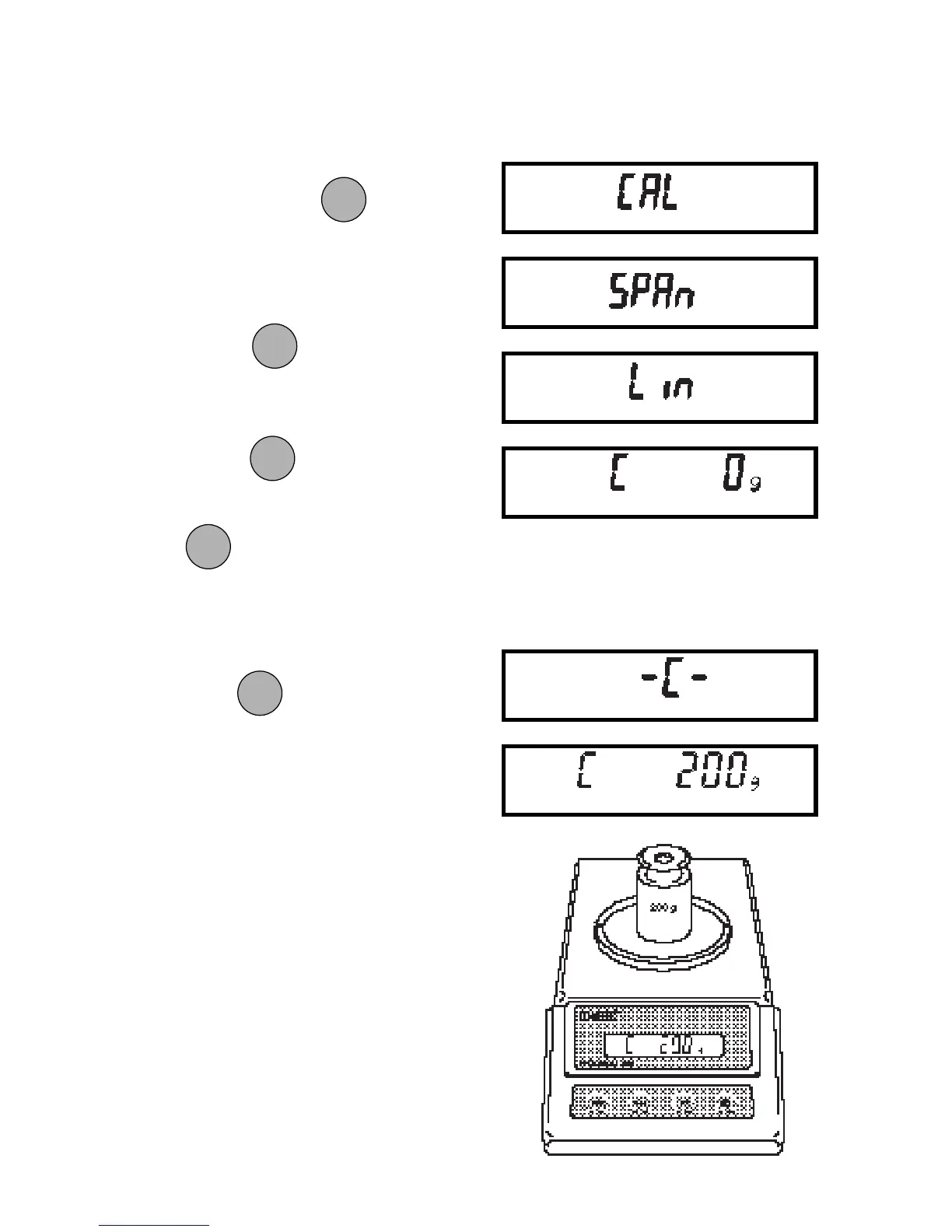
1. Turn Balance on. After zero reading,
press and hold
until CAL is
displayed, then release. Balance will
display SPAN.
2. Press
and the display will
show LIN.
3. Press
to start the Linearity
Calibration Procedure. When the
is released, C 0g will be
displayed, indicating that no weight
should be in the pan.
4. Press . The display will show
-C- followed by the value of the weight
which must be placed on the pan.
5. Place the required weight on the pan.
ONON
ONON
ON
TARETARE
TARETARE
TARE
ONON
ONON
ON
TARETARE
TARETARE
TARE
MODEMODE
MODEMODE
MODE
ONON
ONON
ON
TARETARE
TARETARE
TARE
ONON
ONON
ON
TARETARE
TARETARE
TARE







 To Next Page