22
EndEnd
EndEnd
End
If you have entered the Calibration menu
and do not wish to calibrate the balance,
use END to return to normal weighing
operations.
Repeately press
until END is dis-
played.
Press
, when released, the balance
will returned to normal weighing opera-
tions.
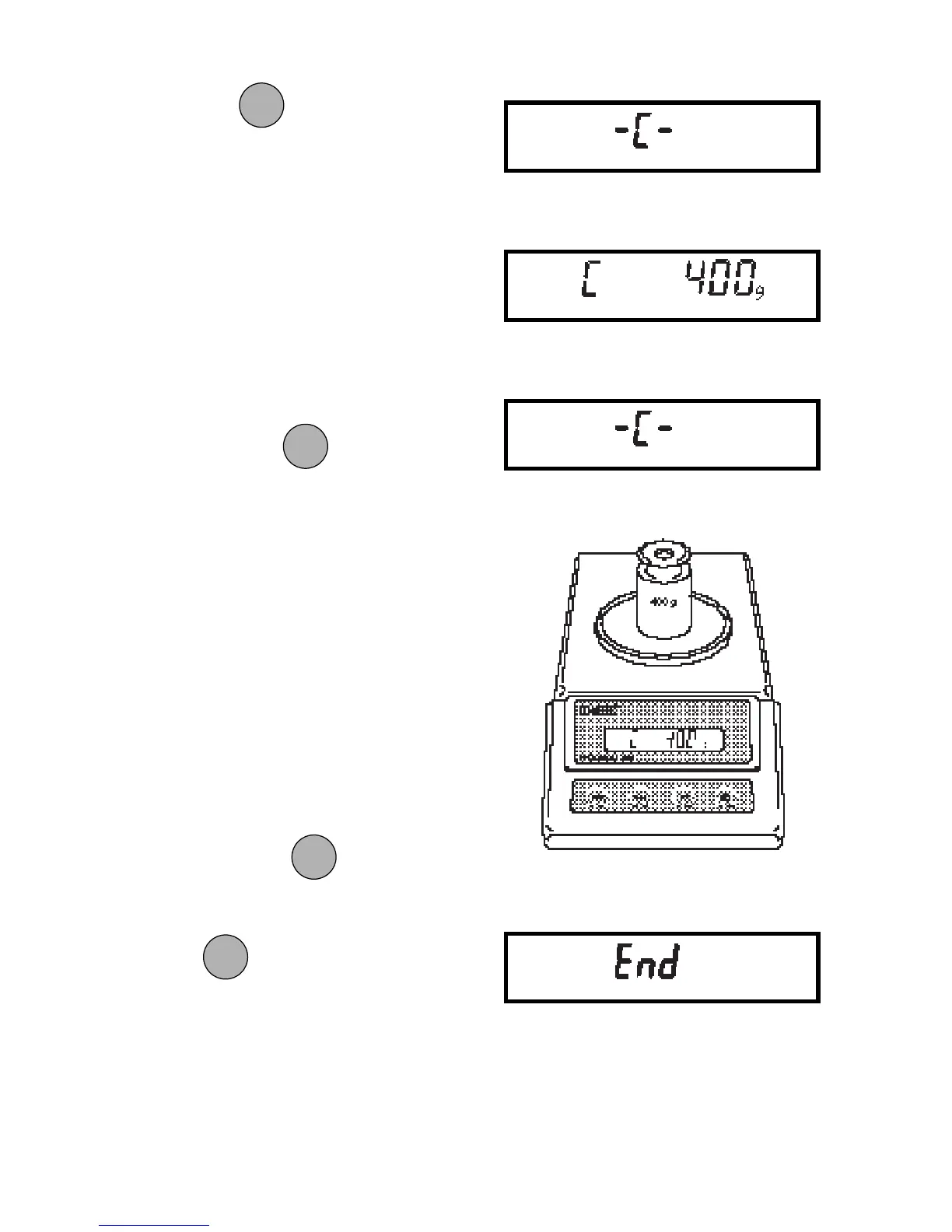
6. Press . The display will show
-C- momentarily, then C followed by
the next weight to be placed on the
pan. Do not disturb the balance when
-C- is displayed. Disturbances will
result in improper calibration.
7. Place the required weight on the pan,
then press
. The display will
show -C- while the balance
recalibrates. When the weight on the
pan is displayed along with the cur-
rent indicator, the balance is
recalibrated.
ONON
ONON
ON
TARETARE
TARETARE
TARE
ONON
ONON
ON
TARETARE
TARETARE
TARE
ONON
ONON
ON
TARETARE
TARETARE
TARE
MODEMODE
MODEMODE
MODE







 To Next Page