23
TV Installation and Connection Guide
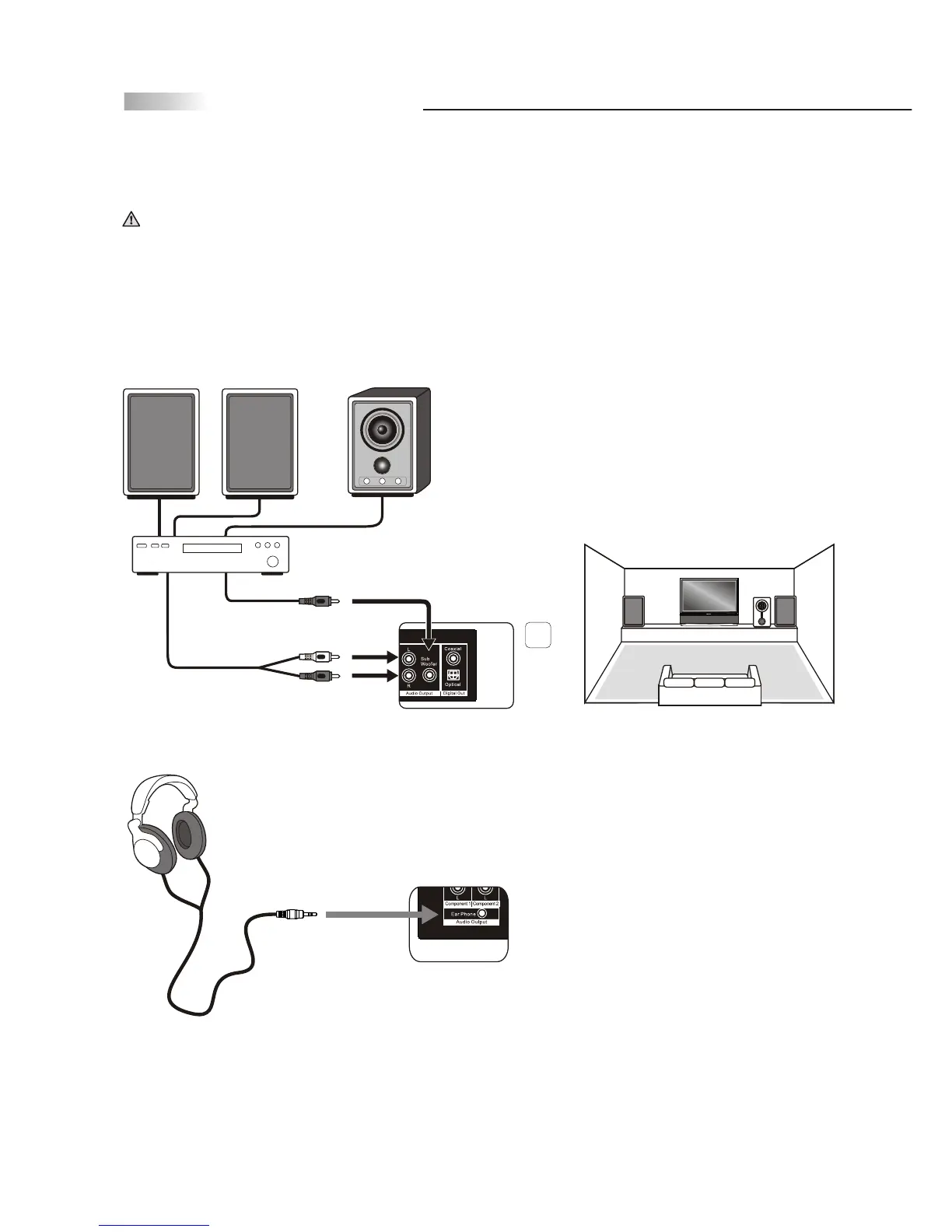
Audio Output
See setup instructions for: Connecting to an Audio Receiver on page 22.
Note: Speakers must be amplified using an audio receiver such as a Home
Theater System to amplify the audio from the TV.
Headphone Set
Speaker Outputs
Note: When headphone is plugged in the speaker, it will turn into mute mode.
Disconnect all power sources before making any connections.
Red
White
6
Rear of TV
Rear of TV
RCA cable
Subwoofer Output
Audio cable (R/L)



 To Next Page