57
Adjusting On Screen Displays (OSD)
OSD-DTV
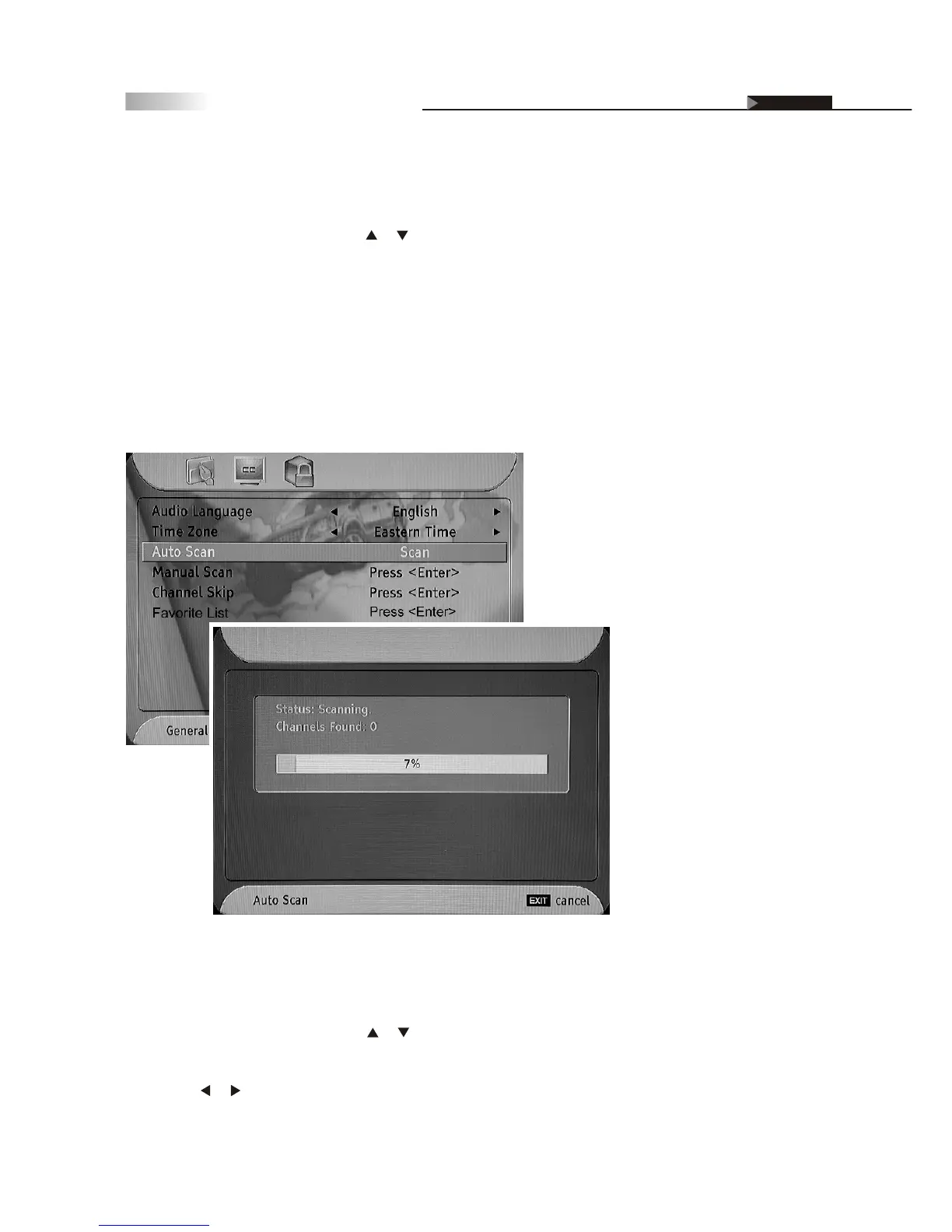
Auto Scan
To automatically scan your channels, follow these steps:
1. On the "General" menu page, p
Once the digital TV signal is scanned, the total number of found
channels will be shown in the upper of the scan status bar.
ress or button to select "Auto Scan",
and then press the "ENTER" button. An Auto-Scan window will display
the SCAN status.
2.
3. It takes about three minutes to complete the entire scanning process.
4. Press the "EXIT" button to return to the main menu or press the "MENU"
button to exit the menu system.
Manual Scan
Add-
You can add channels manually if they aren't detected by the Auto Scan
utility using the following steps:
on Mode:
1. On the "General" menu page, press or button to select "Manual Scan",
and then press the "ENTER" button to enter the sub-menu.
2. Press the or button to select "Add-on Mode".
3. Press the "ENTER" button to start searching for the add-on channels.



 To Next Page