64
Adjusting On Screen Displays (OSD)
OSD-DTV
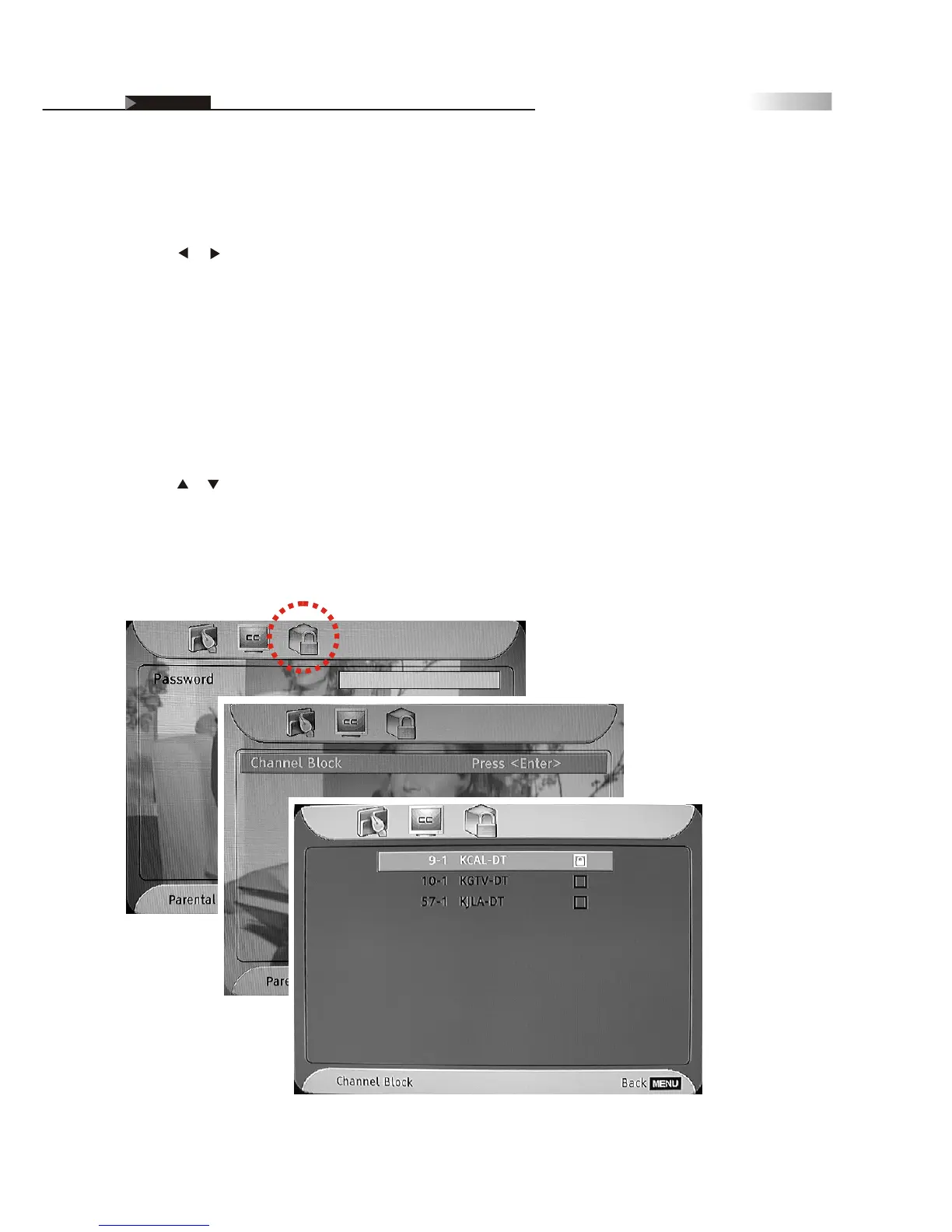
Password
1. On the "Parental" menu page, press the "ENTER" button to highlight
the password input column.
2. Press the numeric key to input the password correctly.
(The default password is "9999".)
3. After the password is entered, the "Channel Block" screen will display.
Then press the "ENTER" button to enter the sub-menu.
4. Press or button to select the channel you wish to lock.
5. Press the "ENTER" button to lock or unlock the selected channel.
NOTE: You will see a lock icon next to the locked channel after setting.
6. Press the "EXIT" button to return to the main menu or press the "MENU"
button to exit the menu system.
Parental
Access to certain channels with content that might not be suitable for
younger viewers can be controlled by password.
1. Press or button to highlight the " " icon.Parental
NOTE: If you wish to lock programs by rating, press the "P.CTRL" hotkey
on the remote control. (For the details, please refer to Page 43-44)



 To Next Page