55
Adjusting On Screen Displays (OSD)
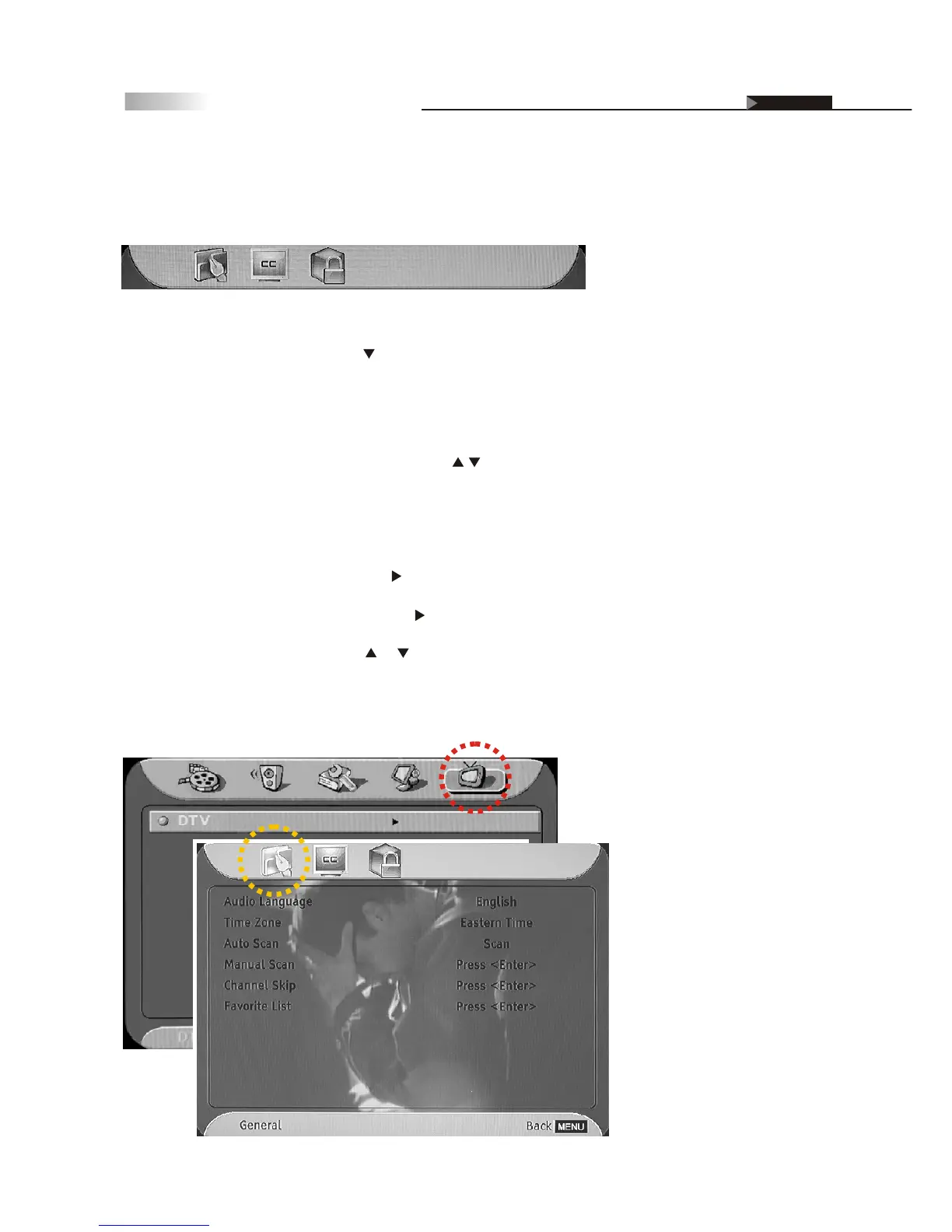
OSD-DTV
General
Caption
Parental
Setting up the DTV Receiver
From your DTV OSD Menu, you can personalize your TV options in the
following settings:
General
NOTE: Before setting the DTV OSD Menu, press the "SEARCH" hotkey
on the remote control, and then press button to select and switch to DTV
channel in advance.
1. Press the "MENU" key, and then press button to select "DTV" icon.
2. Press the "ENTER" button, and then press button to enter the main menu.
3. On the "General" menu page, press or button to select "Auto/Manual
Scan". Then press the "ENTER" button to scan channels.
4. Press the "EXIT" button to return to the previous menu or press the
"MENU" button to exit the menu system.
Before you can use any of the channel buttons (CH , FAV.), the
available channels must first be scanned and memorized.
The first time the receiver is powered on, you will see the message "Please
Scan Channels". Then do the following:
Initial Screen



 To Next Page