-
25
Remote Control Guide
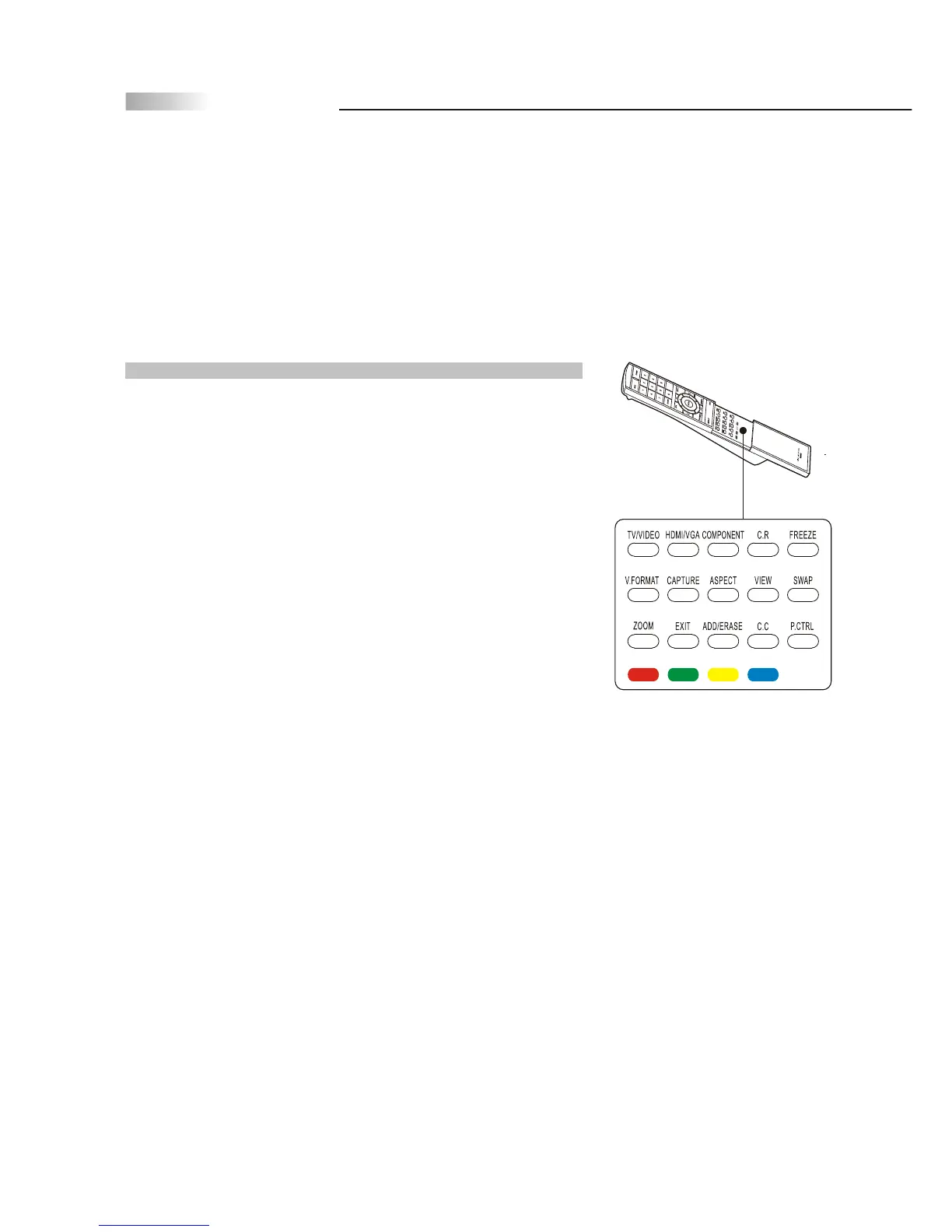
HOT KEY FUNCTION
Hot Keys Tutorial
The remote control contains 15 additional "Hotkeys" that represent
direct access to a certain function on your TV. Hotkeys enable you to
directly change the setting to your preference without having to
navigate through the OSD (On Screen Display) Menu.
How to Use Your Hot Keys
P.CTRL Press to access Parental Control password and/ or program
parental locks.
C.C. Press to call up the Closed Caption (CC) and Caption Service (CS)
list. You can pre-select one to see Closed Caption.
EXIT Press to go back to the previous menu.
ZOOM Press to select zoom function (2X,4X,8X,16X,32X,1/2,1/4,1/8,
1/16,1/32).
SWAP Press to swap the positions of the source when in PIP or Split
Screen modes.
VIEW Press to select and program PIP and Split Screen viewing
options.
ASPECT Press to change the aspect ratio (Full, 4:3, 16:9, Panoramic)
and letterbox modes.
CAPTURE (Optional function currently unavailable)
C.R. (Optional function currently unavailable)
COMPONENT Press to switch between Component 1 and Component 2.
TV/VIDEO Press to switch between TV and source as Video 1and
Video 2 Mode.
HDMI/VGA Press to switch to HDMI or VGA Mode.
FREEZE Press to freeze the picture. Press again to unfreeze the picture.
V.FORMAT (Optional function currently unavailable)
ADD/ERASE Press to add or erase your favorite channel.
COLOR BUTTONS (Optional function currently unavailable)



 To Next Page