2-36
Installing and Setting up the Machine > Installing Software
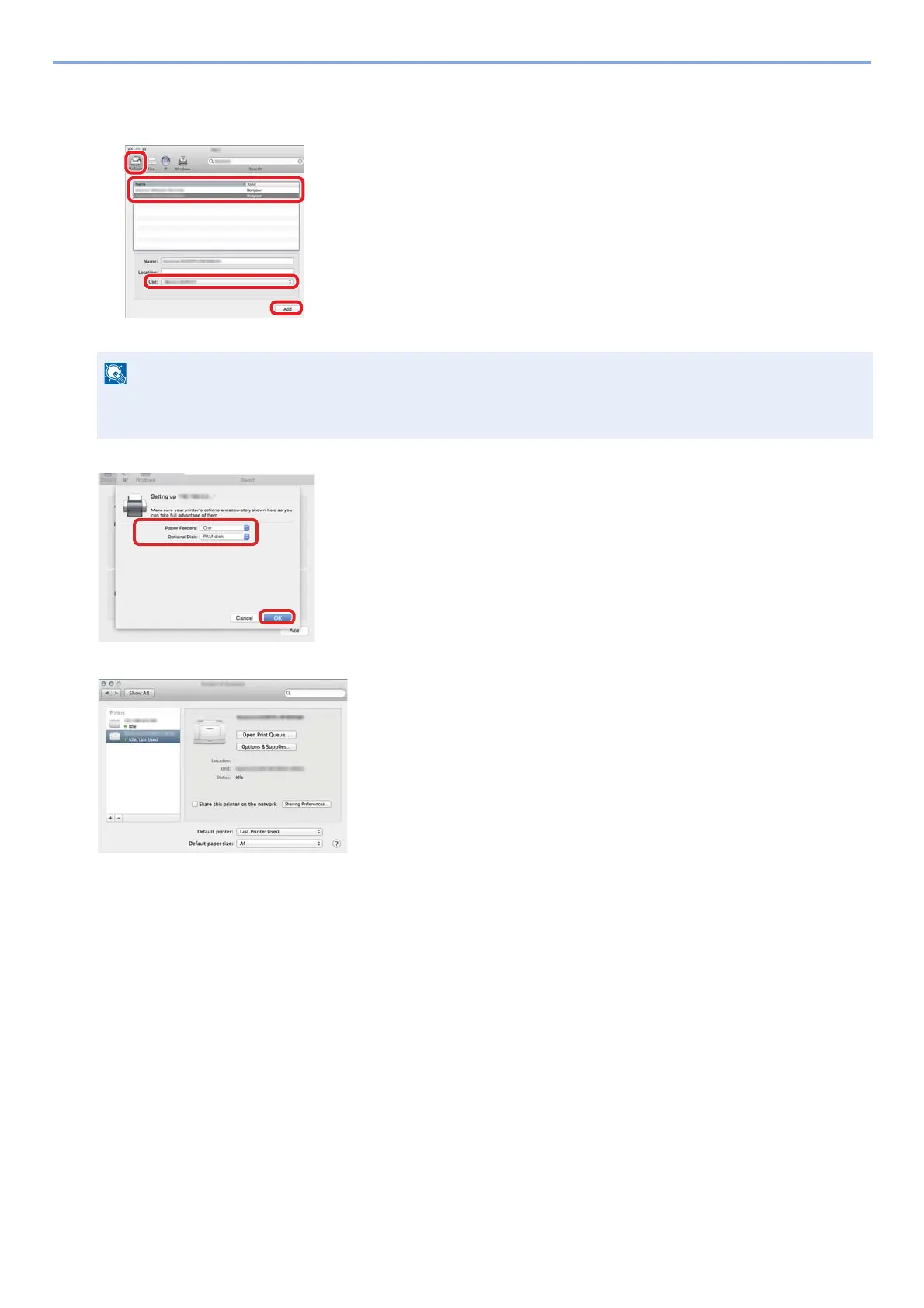
2 Select [Default], click the item that appears in "Name" and then select the driver.
3 Select the options available for the machine.
4 The selected printer is added.
When using an IP connection, click [IP] and then enter the host name or IP address. The number entered in
"Address" will automatically appear in "Name". Change if needed.
4



 To Next Page