11-37
Troubleshooting > Clearing a Staple Jam
Clearing a Staple Jam
Clearing a staple jam of the Document Finisher
1
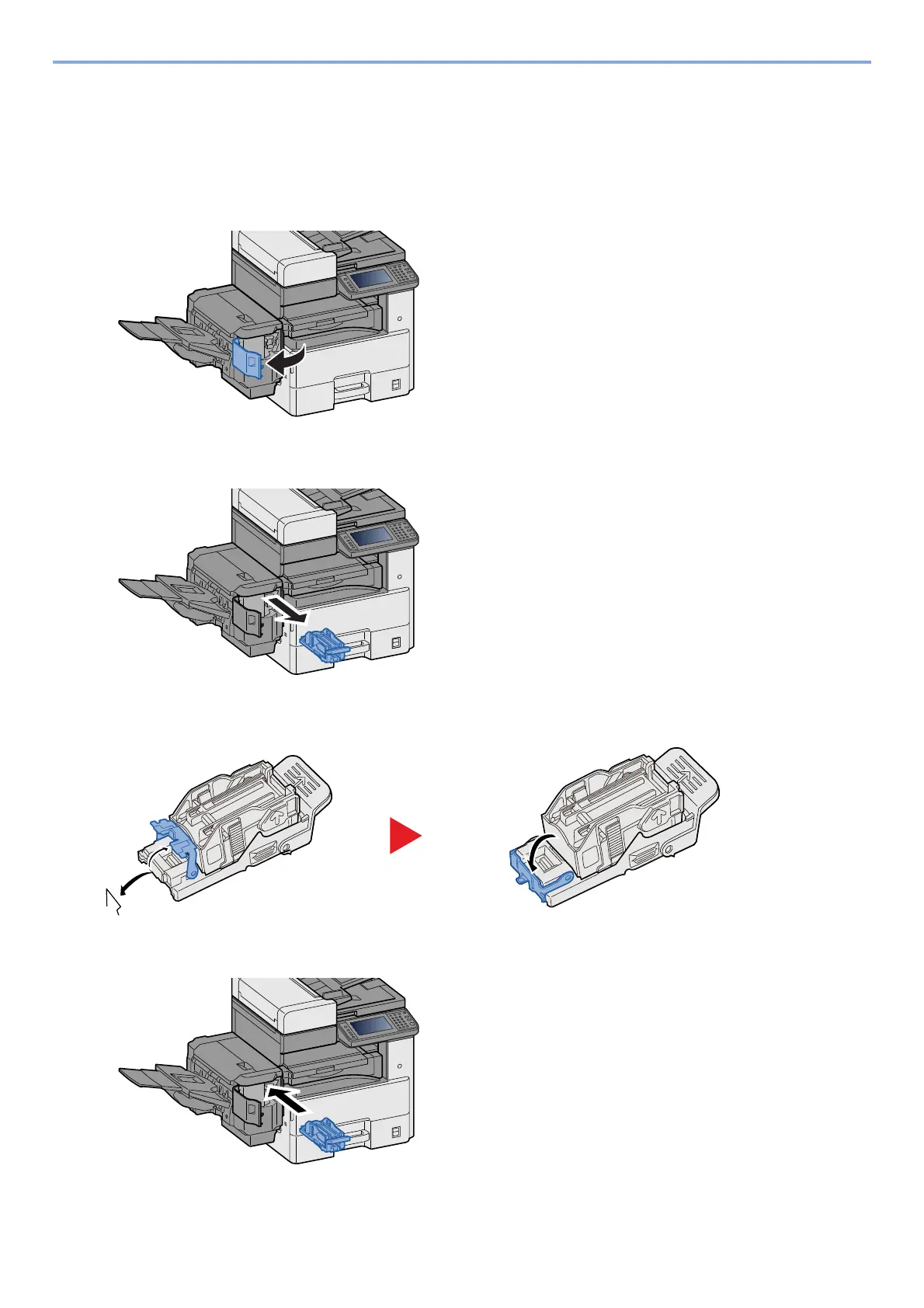
Open the staple cover of the Document Finisher
2
Remove the Staple Cartridge Holder.
3
Remove the jammed staple.
4
Install the Staple Cartridge Holder.










 To Next Page