11-31
Troubleshooting > Clearing Paper Jams
1
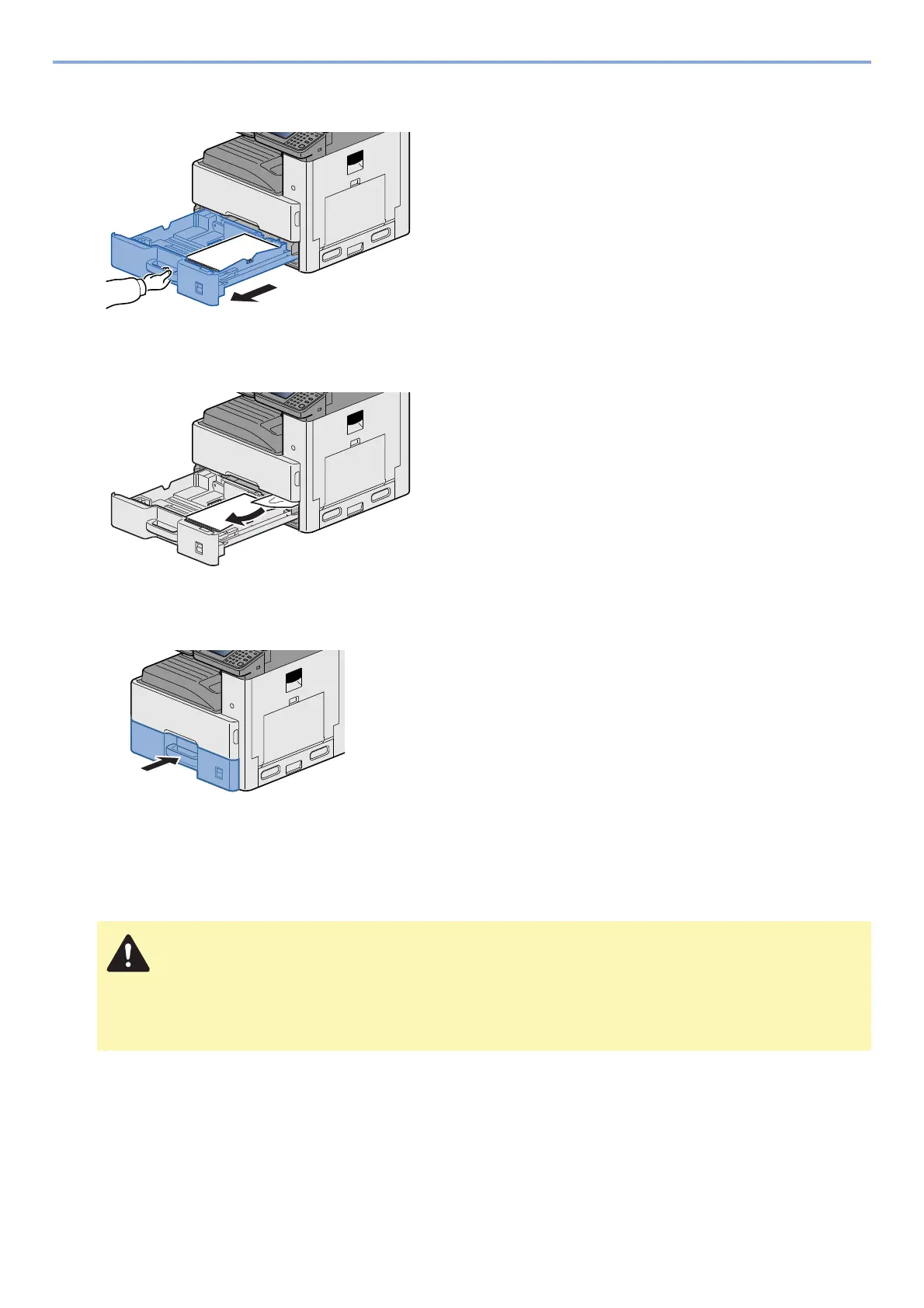
Pull Cassette 1 out toward you until it stops.
2
Remove any jammed paper.
3
Push Cassette 1 back in.
Remove any jammed paper in Right Cover 2, 3
CAUTION
• Do not reuse jammed papers.
• If the paper tears during removal, be sure to remove any loose scraps of paper from inside the
machine. Scraps of paper left in the machine could cause subsequent jamming.




 To Next Page