Setup and Registration
OPERATION GUIDE 6-15
6
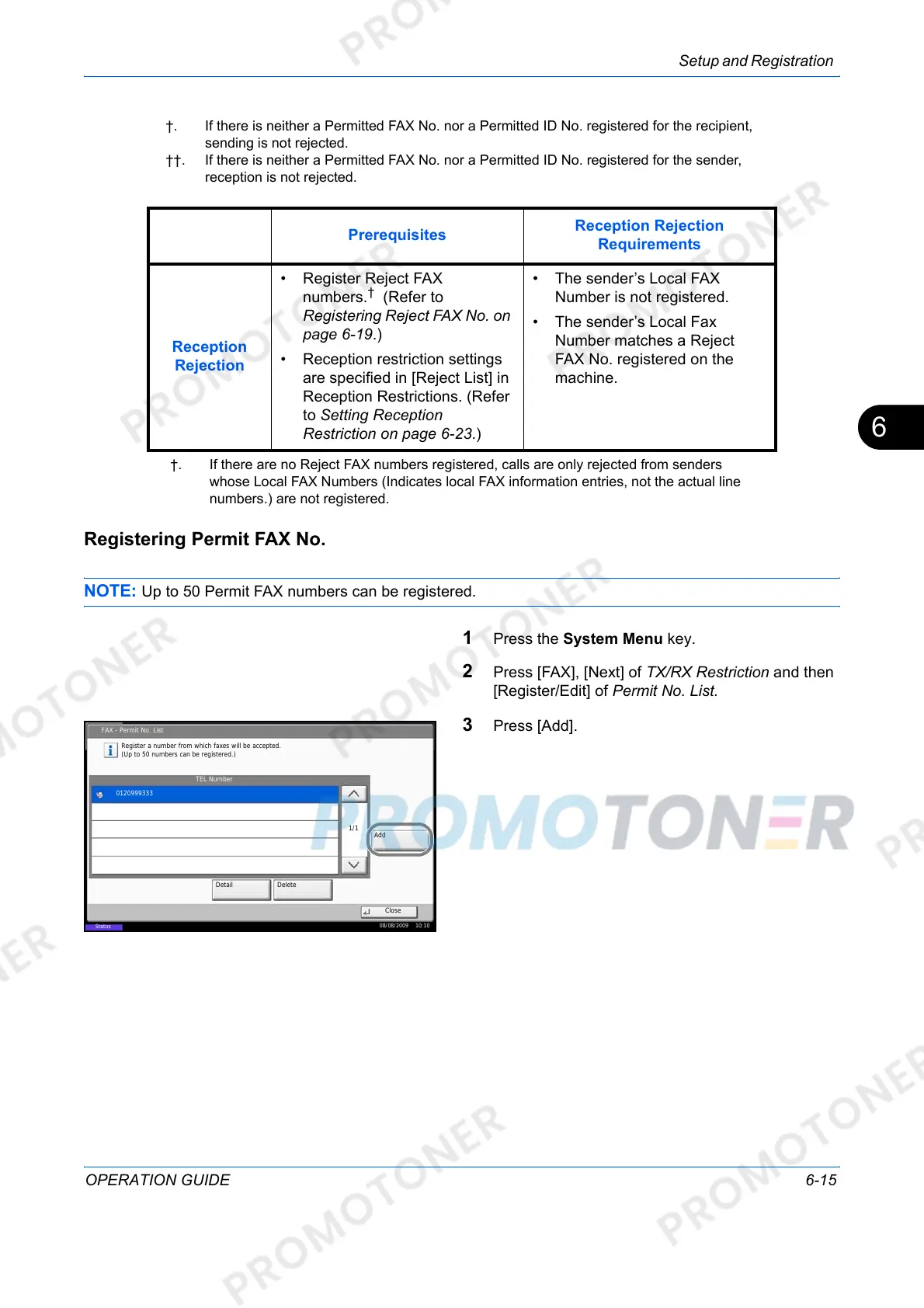
Registering Permit FAX No.
NOTE: Up to 50 Permit FAX numbers can be registered.
1 Press the System Menu key.
2 Press [FAX], [Next] of TX/RX Restriction and then
[Register/Edit] of Permit No. List.
3 Press [Add].
†. If there is neither a Permitted FAX No. nor a Permitted ID No. registered for the recipient,
sending is not rejected.
††. If there is neither a Permitted FAX No. nor a Permitted ID No. registered for the sender,
reception is not rejected.
Prerequisites
Reception Rejection
Requirements
Reception
Rejection
• Register Reject FAX
numbers.
†
(Refer to
Registering Reject FAX No. on
page 6-19.)
• Reception restriction settings
are specified in [Reject List] in
Reception Restrictions. (Refer
to Setting Reception
Restriction on page 6-23.)
• The sender’s Local FAX
Number is not registered.
• The sender’s Local Fax
Number matches a Reject
FAX No. registered on the
machine.
†. If there are no Reject FAX numbers registered, calls are only rejected from senders
whose Local FAX Numbers (Indicates local FAX information entries, not the actual line
numbers.) are not registered.
FAX - Permit No. List
Close
TEL Number
Register a number from which faxes will be accepted.
(Up to 50 numbers can be registered.)
Add
Detail Delete
1/1
0120999333
08/08/2009 10:10
Status













 To Next Page