Setup and Registration
6-16 OPERATION GUIDE
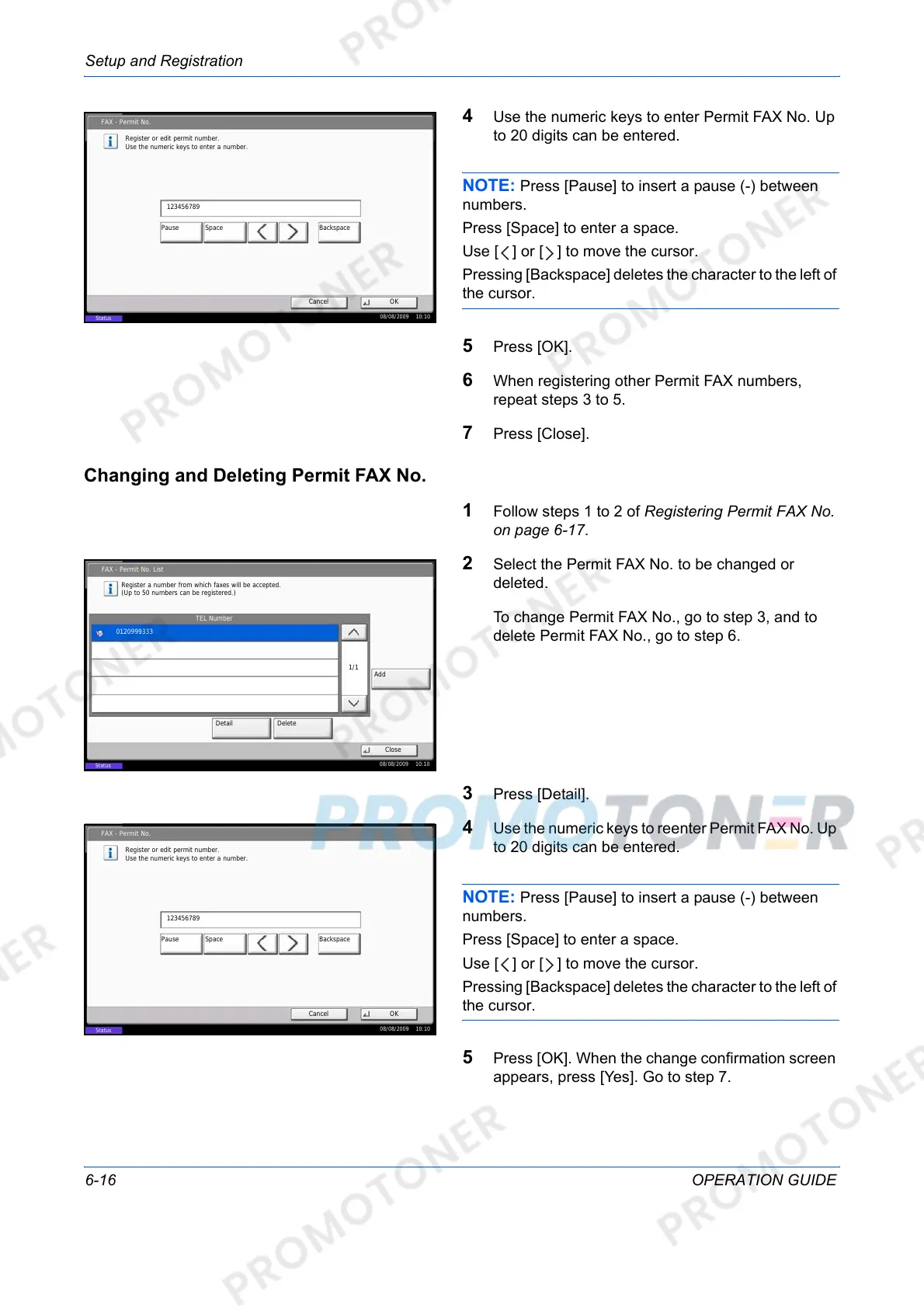
4 Use the numeric keys to enter Permit FAX No. Up
to 20 digits can be entered.
NOTE: Press [Pause] to insert a pause (-) between
numbers.
Press [Space] to enter a space.
Use [ ] or [ ] to move the cursor.
Pressing [Backspace] deletes the character to the left of
the cursor.
5 Press [OK].
6 When registering other Permit FAX numbers,
repeat steps 3 to 5.
7 Press [Close].
Changing and Deleting Permit FAX No.
1 Follow steps 1 to 2 of Registering Permit FAX No.
on page 6-17.
2 Select the Permit FAX No. to be changed or
deleted.
To change Permit FAX No., go to step 3, and to
delete Permit FAX No., go to step 6.
3 Press [Detail].
4 Use the numeric keys to reenter Permit FAX No. Up
to 20 digits can be entered.
NOTE: Press [Pause] to insert a pause (-) between
numbers.
Press [Space] to enter a space.
Use [ ] or [ ] to move the cursor.
Pressing [Backspace] deletes the character to the left of
the cursor.
5 Press [OK]. When the change confirmation screen
appears, press [Yes]. Go to step 7.
FAX - Permit No.
Register or edit permit number.
Use the numeric keys to enter a number.
Cancel OK
123456789
Pause BackspaceSpace
08/08/2009 10:10
Status
FAX - Permit No. List
Close
TEL Number
Register a number from which faxes will be accepted.
(Up to 50 numbers can be registered.)
Add
Detail Delete
1/1
0120999333
08/08/2009 10:10
Status
FAX - Permit No.
Register or edit permit number.
Use the numeric keys to enter a number.
Cancel OK
123456789
Pause BackspaceSpace
08/08/2009 10:10
Status













 To Next Page