FAX Operation (Advanced)
4-26 OPERATION GUIDE
Cancelling the Setting of RX/Forward Requirements
To cancel the memory forwarding, follow the steps below.
1 Press the System Menu key.
2 Press [FAX] and then [Next] of RX/Forward
Requirements.
3 Press [Off] and then [OK].
Forwarding Detail Settings
With the forwarding settings, you can change the following detail settings.
Activating Time Setting
Specify the times when the preset requirements are activated and deactivated.
1 Follow steps 1 to 3 of Using Requirements for All
Receptions on page 4-19.
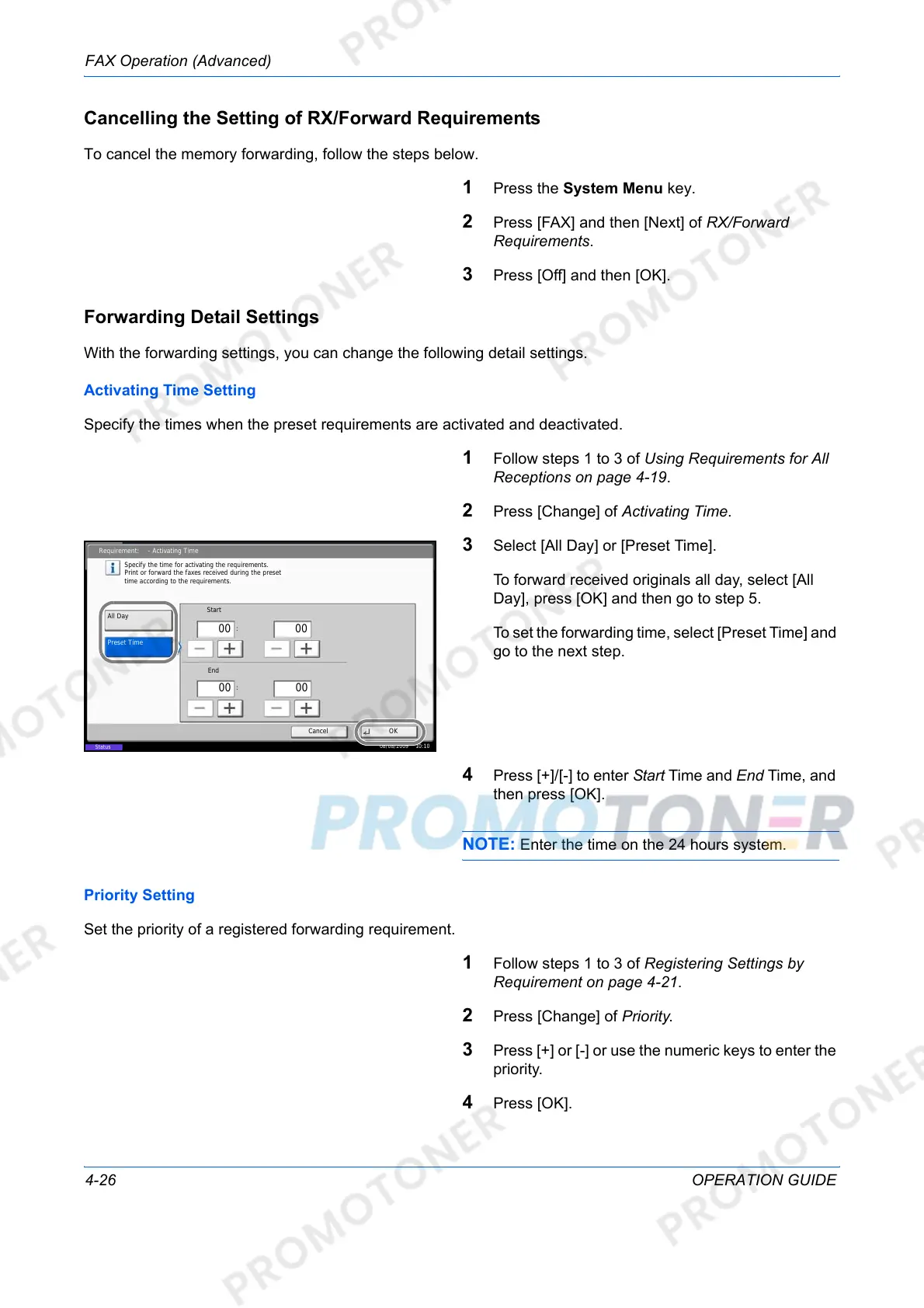
2 Press [Change] of Activating Time.
3 Select [All Day] or [Preset Time].
To forward received originals all day, select [All
Day], press [OK] and then go to step 5.
To set the forwarding time, select [Preset Time] and
go to the next step.
4 Press [+]/[-] to enter Start Time and End Time, and
then press [OK].
NOTE: Enter the time on the 24 hours system.
Priority Setting
Set the priority of a registered forwarding requirement.
1 Follow steps 1 to 3 of Registering Settings by
Requirement on page 4-21.
2 Press [Change] of Priority.
3 Press [+] or [-] or use the numeric keys to enter the
priority.
4 Press [OK].
Requirement: - Activating Time
Specify the time for activating the requirements.
Print or forward the faxes received during the preset
time according to the requirements.
Cancel OK
All Day
Preset Time
Start
:
:
00
00
End
08/08/2009 10:10
Status
00
00













 To Next Page