viii
Conventions used in procedures for operating the machine
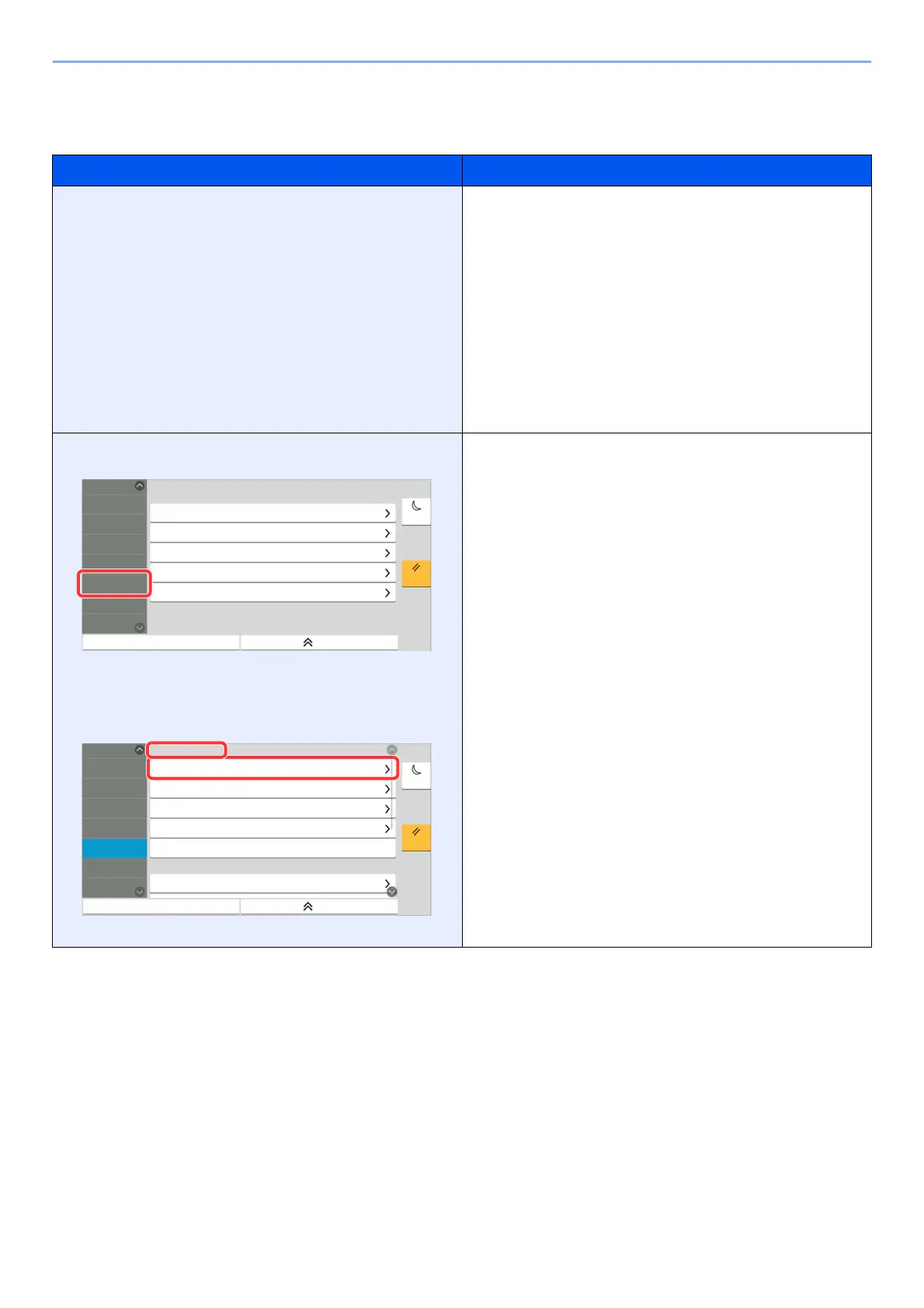
In this Operation Guide, continuous operation of the keys on the touch panel is as follows:
Actual procedure Procedure indicated in this guide
Select the [Home] key.
Select [...].
Select [System Menu].
Select [Device Settings].
Move the screen downwards (i.e. swiping)
Select [Sound].
[Home] key > [...] > [System Menu] > [Device Settings] >
[Sound]
Select [Job Accounting/Authentication].
Select [Job Accounting] of "Job Accounting Setting".
[Job Accounting/Authentication] > "Job Accounting Setting"
[Job Accounting]
4XLFN6HWXS:L]DUG
&RXQWHU
)D[6HWXS
(QHUJ\6DYHU6HWXS
1HWZRUN6HWXS
(PDLO6HWXS
6HFXULW\6HWXS
&ORVH
(QHUJ\6DYHU
5HVHW
6HWWLQJV
$GG'HOHWH
$SSOLFDWLRQ
1RWLILFDWLRQ
5HSRUW
)XQFWLRQ
6HWWLQJV
1HWZRUN
6HWWLQJV
6HFXULW\
6HWWLQJV
-RE$FFRXQWLQJ
$XWKHQWLFDWLRQ
$GMXVWPHQW
0DLQWHQDQFH
6HWWLQJV
$GG'HOHWH
$SSOLFDWLRQ
-RE$FFRXQWLQJ6HWWLQJ
1RWLILFDWLRQ
5HSRUW
)XQFWLRQ
6HWWLQJV
1HWZRUN
6HWWLQJV
&RXQWHU
-RE$FFRXQWLQJ
$GG(GLW-RE$FFRXQWLQJ
-RE$FFRXQWLQJ&RXQWHU
-RE$FFRXQWLQJ6HWWLQJ
3ULQW$FFRXQWLQJ5HSRUW
&ORVH
(QHUJ\6DYHU
5HVHW
6HFXULW\
6HWWLQJV
-RE$FFRXQWLQJ
$XWKHQWLFDWLRQ
8VHU/RJLQ
8VHU/RJLQ6HWWLQJ
$GMXVWPHQW
0DLQWHQDQFH



 To Next Page