6-6
Sending Faxes from PC > Setup
Uninstalling the FAX Driver
Perform the following procedure to delete the FAX Driver from your computer.
1
Display the screen.
Click [Search] in charms, and enter "Uninstall Olivetti Product Library" in the search box.
Select [Uninstall Olivetti Product Library] in the search list.
2
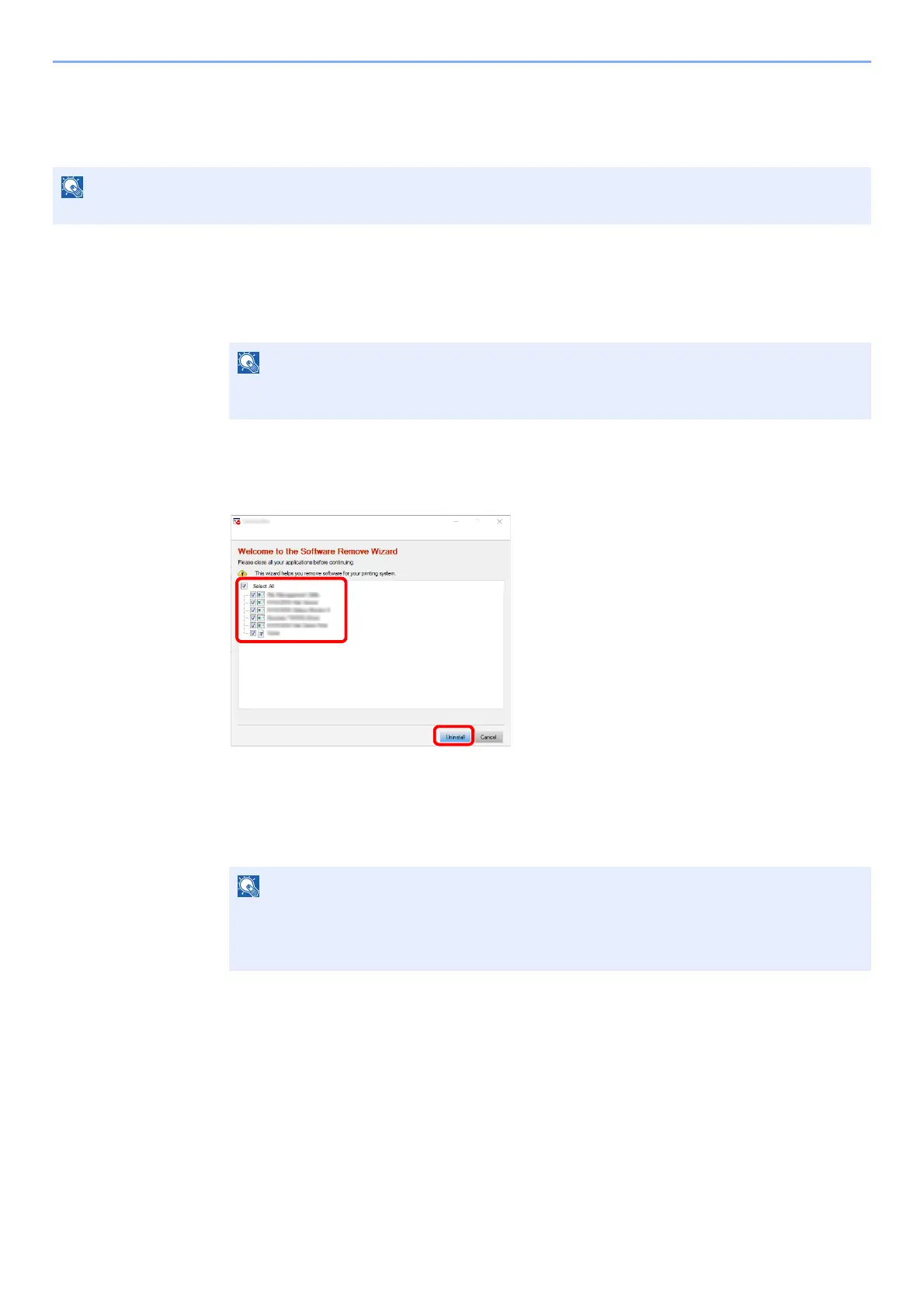
Uninstall the software.
Place a check in the check box of the driver to be deleted and click [Uninstall].
3
Finish uninstalling.
If a system restart message appears, restart the computer by following the screen prompts.
This completes the software uninstallation procedure.
Uninstallation on Windows must be done by a user logged on with administrator privileges.
NOTE
In Windows 7, click [Start] button on the Windows and then select [All Programs],
[
Olivetti], and [Uninstall Olivetti Product Library] to display the Uninstall Wizard.
The software can also be uninstalled using the Product Library.
In the Product Library screen, select to uninstall, and follow the on-screen instructions to
uninstall the software.
2
1



 To Next Page