3-18
Sending Faxes > Login/Logout
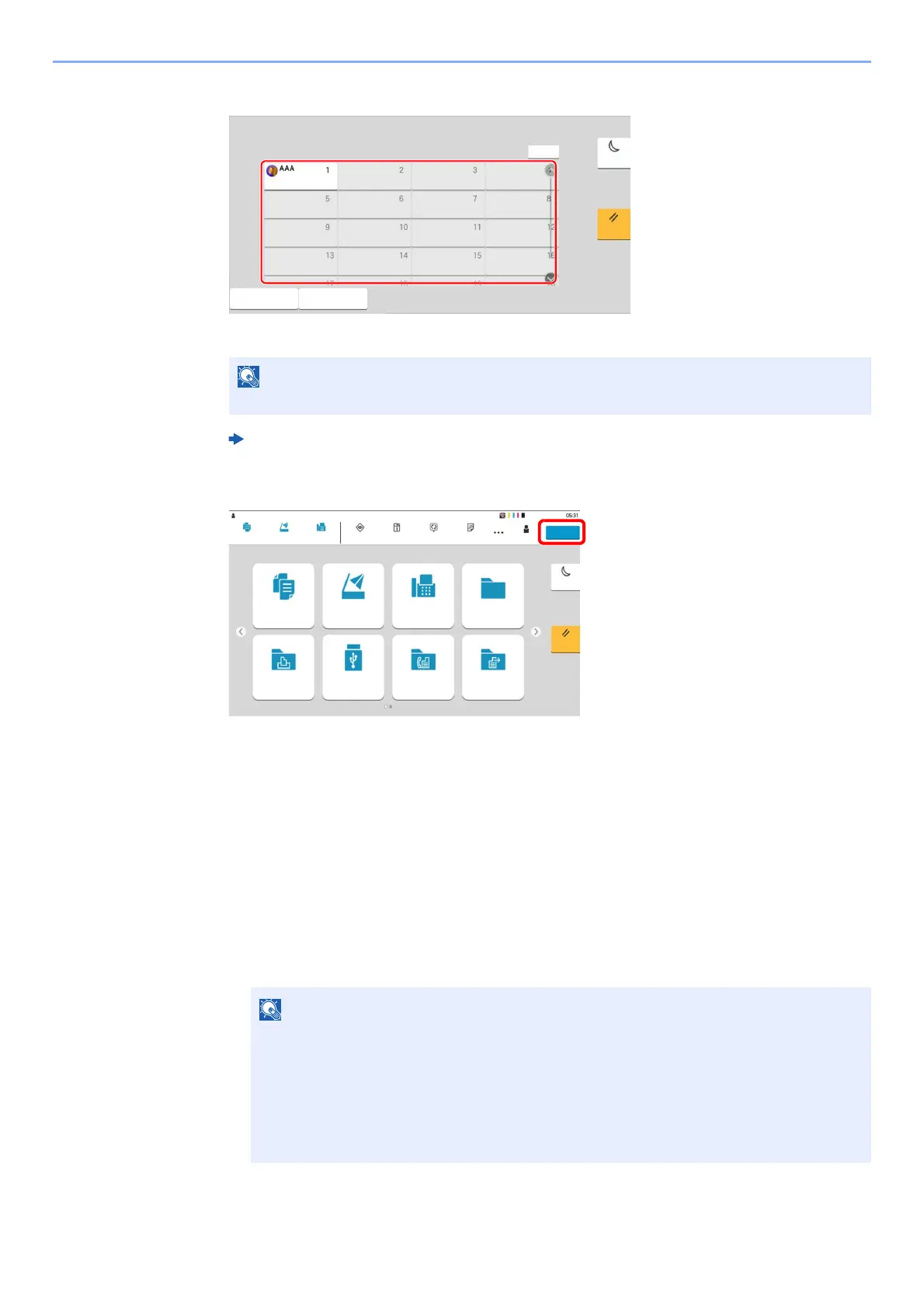
Simple Login
If this screen is displayed during operations, select a user and log in.
Logout
To logout from the machine, select the [Logout] key to return to the login user name/login
password entry screen.
Logging in when Job Accounting has been Enabled
When job accounting has been enabled, you need to enter an Account ID when using the machine.
Login
1 In the account ID entry screen, enter the account ID using the numeric keys and select
[Login].
If a user password is required, an input screen will be displayed.
Machine’s Operation Guide
• If you entered a wrong character, select the [C](Clear) key and enter the account ID
again.
• If the entered account ID does not match the registered ID, a warning beep will sound
and login will fail. Enter the correct account ID.
• By selecting [Check Counter], you can refer to the number of pages printed and the
number of pages scanned.
6HOHFWWKHXVHUWRORJLQ
1R
:L)L'LUHFW
6LPSOH/RJLQ.H\
2WKHU/RJLQ
(QHUJ\6DYHU
5HVHW
&XVWRP%R[6HQG
3ROOLQJ%R[
&RS\
-RE%R[ )D[%R[86%'ULYH
)D[
6WDWXV
-RE&DQFHO
'HYLFH
,QIRUPDWLRQ
/DQJXDJH 3DSHU6HWWLQJV
(QHUJ\6DYHU
5HVHW
&RS\ 6HQG )D[
8VHU 㻰㼑㼢㼕㼏㼑㻭㼐㼙㼕㼚㻘㻌㻣㻜㻜㻜
㻸㼛㼓㼛㼡㼠
㻰㼑㼢㼕㼏㼑㻭㼐㼙㼕㼚



 To Next Page