3-17
Sending Faxes > Login/Logout
Login/Logout
Logging in when User Login Administration has been
Enabled
When user login administration has been enabled, you need to enter a User ID and Password to use the machine.
Normal login
1
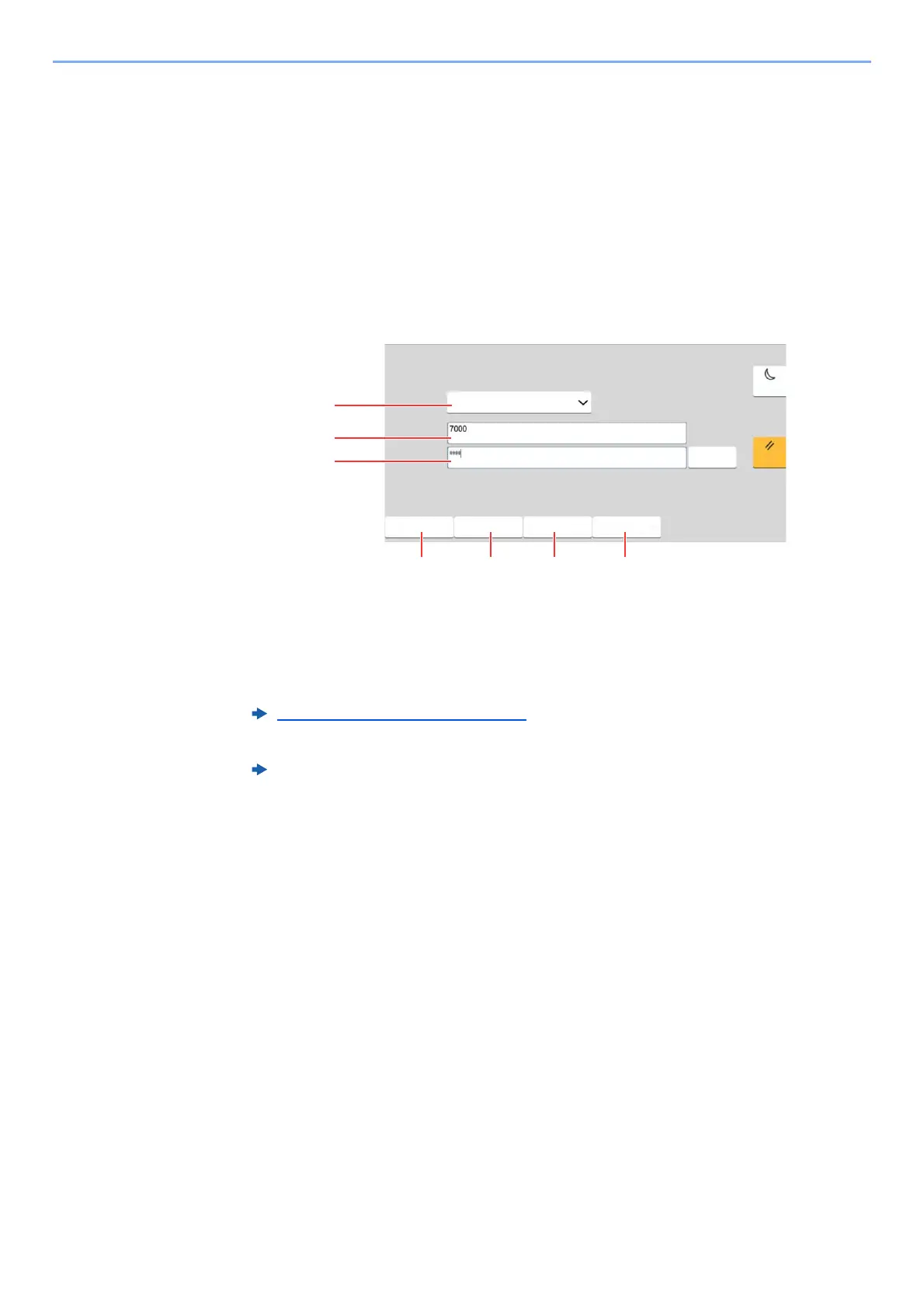
Enter the login user name and login password to login.
If this screen is displayed during operations, enter the login user name and login password.
2
Select [Login].
1 If [Network Authentication] is selected as the user authentication method, authentication
destinations are displayed and either [Local] or [Network] can be selected as the
authentication destination.
2 Enter the login user name.
3 Enter the login password.
Character Entry Method
(page 12-2)
4 Select the login method from [Simple login], [PIN code login] and [ID card login].
Machine’s Operation Guide
5 Check the Wi-Fi Direct environment.
6 Refer to the number of pages printed and the number of pages scanned. Displayed when
job accounting is enabled.
7 Set the language to use for the touch panel display.
(QWHUORJLQXVHUQDPHDQGSDVVZRUG
/RFDO
/RJLQ
/RJLQWR
:L)L'LUHFW
/RJLQ
8VHU1DPH
3DVVZRUG
.H\ERDUG/RJLQ
2WKHU/RJLQ
&KHFN&RXQWHU /DQJXDJH
(QHUJ\6DYHU
5HVHW



 To Next Page