2-2
Before Using the Fax Machine > Part Names and Functions
Part Names and Functions
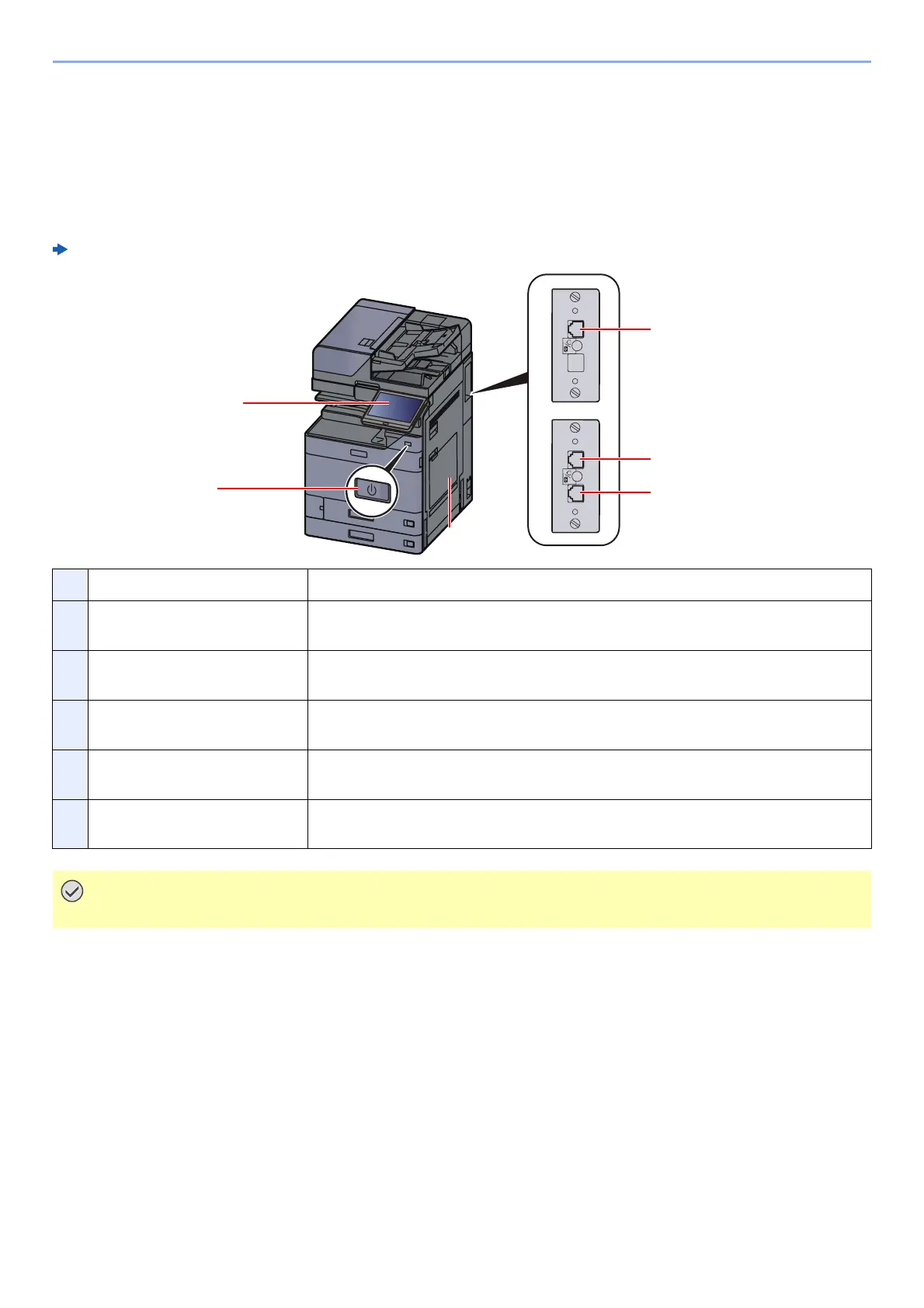
Machine
This chapter explains the names of parts when the machine is used as a fax machine. For the parts required when
functions other than FAX are used, refer to the following:
Machine’s Operation Guide
1 Operation panel Perform the fax operation with this panel.
2 Power switch Set this switch to the ON side when performing the fax or copier operation. The
touch panel lights to enable operation.
3 MP (Multipurpose) tray Set the paper in this tray when using a type of paper other than the cassette
(e.g., when using special paper).
4 LINE connector (L2) If you install 2 optional FAX Kits (Dual FAX option), you can use Port 2. Connect
the modular cord for the telephone line to this connector.
5 LINE connector (L1) Connect the modular cord for the telephone line to this connector. This
connector is Port 1.
6 TEL connector (T1) When using a commercially available telephone set, connect the modular cord
to this connector.
You cannot automatically receive a fax when the power switch is turned off.



 To Next Page