5-6
Using Convenient Fax Functions > Forward Settings
Forward only received documents that match the conditions
(Use Rule for Specific RX)
To register settings by each reception requirement, follow the steps below.
Up to 100 requirements can be registered.
1
Display the screen.
[Home] key > [...] > [System Menu] > [Function Settings] > [RX/Forward Rules/Fax Box] >
[RX/Forward Rules] > [Use Rule for Specific RX]
2
Configure the Requirements for Forwarding.
1 [Rule of forward setting] > [Add]
2 Select [+] or [-] or use the numeric keys to enter the Rule number (1 to 100) and Priority
number (1 to 100)
3 Enter the “Rule Name”.
4 Select [Rule].
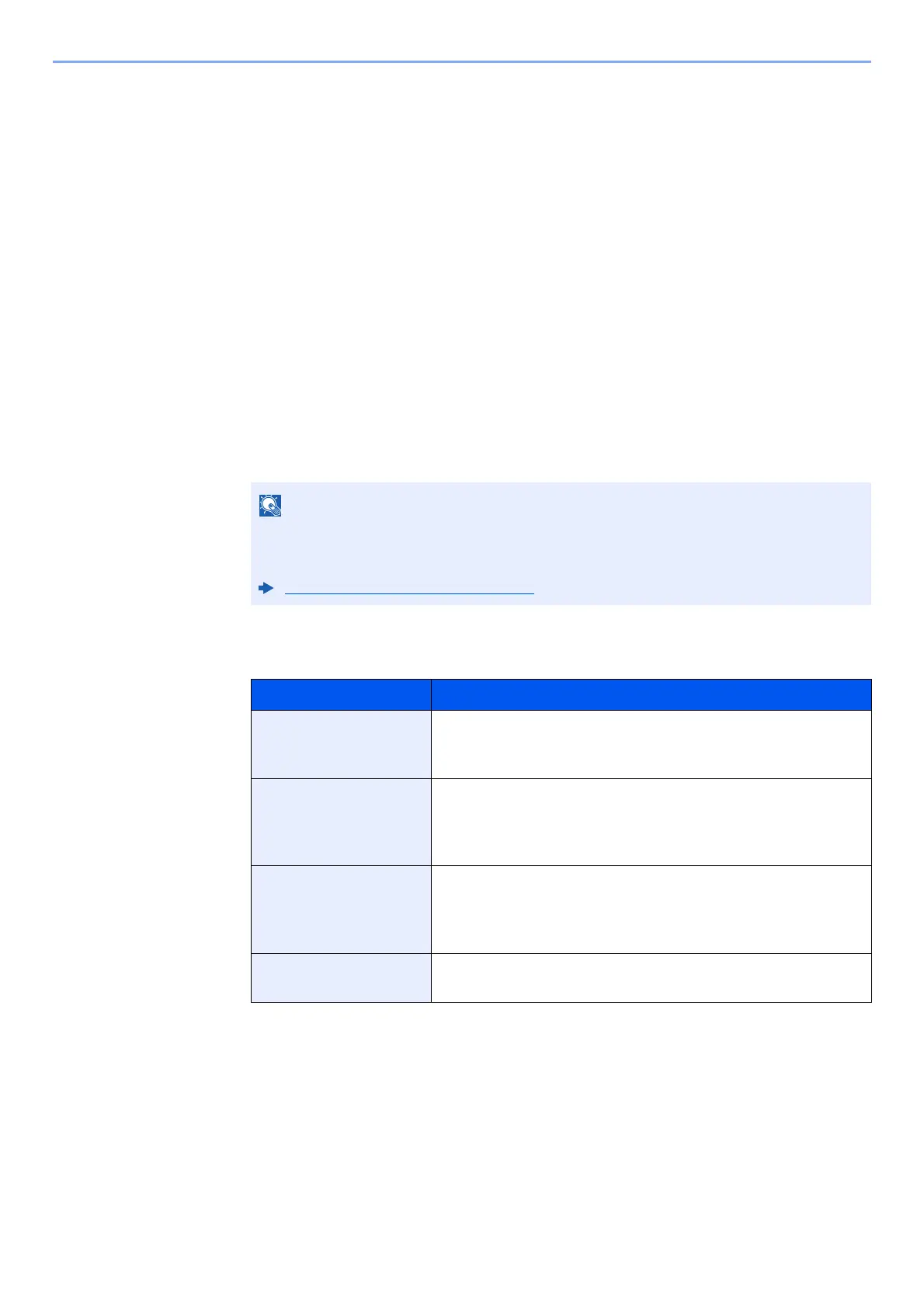
5 Register the requirements > [Close].
Up to 32 characters can be entered for the rule name.
For details on character entry, refer to the following:
Character Entry Method (page 12-2)
Requirements Registration method
Sender Fax Number Select [Sender FAX Number] and enter the sender’s fax
number using the numeric keys. You can enter up to 20
characters.
Sub Address Select [Sub Address] and enter the sub address using the
numeric keys. You can use up to 20 digits including the
numbers from 0 to 9, ‘ (space)’, ‘#’ and ‘*’ characters to enter a
sub address.
Port Select [Port] and select [Port 1] or [Port 2]. If the port is
selected, fax box forwarding will not be possible.
This setting only appears when 2 optional FAX Kits (Dual FAX
option) are installed.
iFax Address Select [iFax Address]. Enter the destination Internet FAX
address. You can enter up to 256 characters.



 To Next Page