2-4
Before Using the Fax Machine > Part Names and Functions
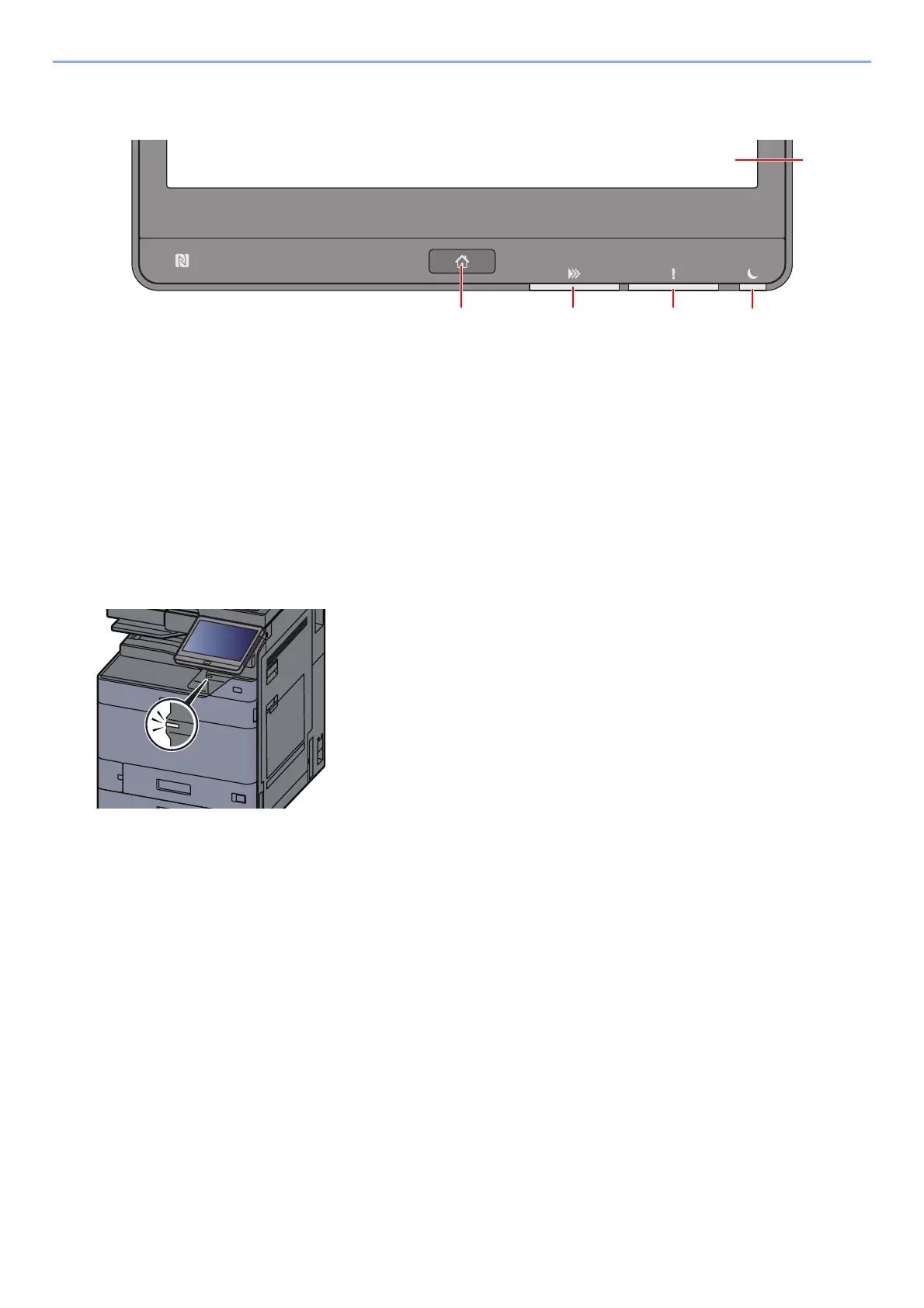
Operation Panel
1[Home] key: Displays the Home screen.
2[Data] indicator: Blinks while the machine is printing or sending/receiving, or accessing the hard disk/SSD. Also, it
lights when there is a sending job FAX using delayed transmission.
3[Attention] indicator: Lights or blinks when an error occurs and a job is stopped.
4[Energy Saver] indicator: Blinks while the machine is asleep.
5 Touch Panel: Displays icons for configuring machine settings.
[Job Separator] indicator
Blinks when there is paper in the job separator tray.



 To Next Page