3-23
Sending Faxes > 2-sided/Book Original
2-sided/Book Original
Select the type and orientation of the binding based on the original.
*1 If the document process is option, [2-sided] will be displayed once document processor is installed.
*2 [Top Edge on Top] is set for "Original Orientation".
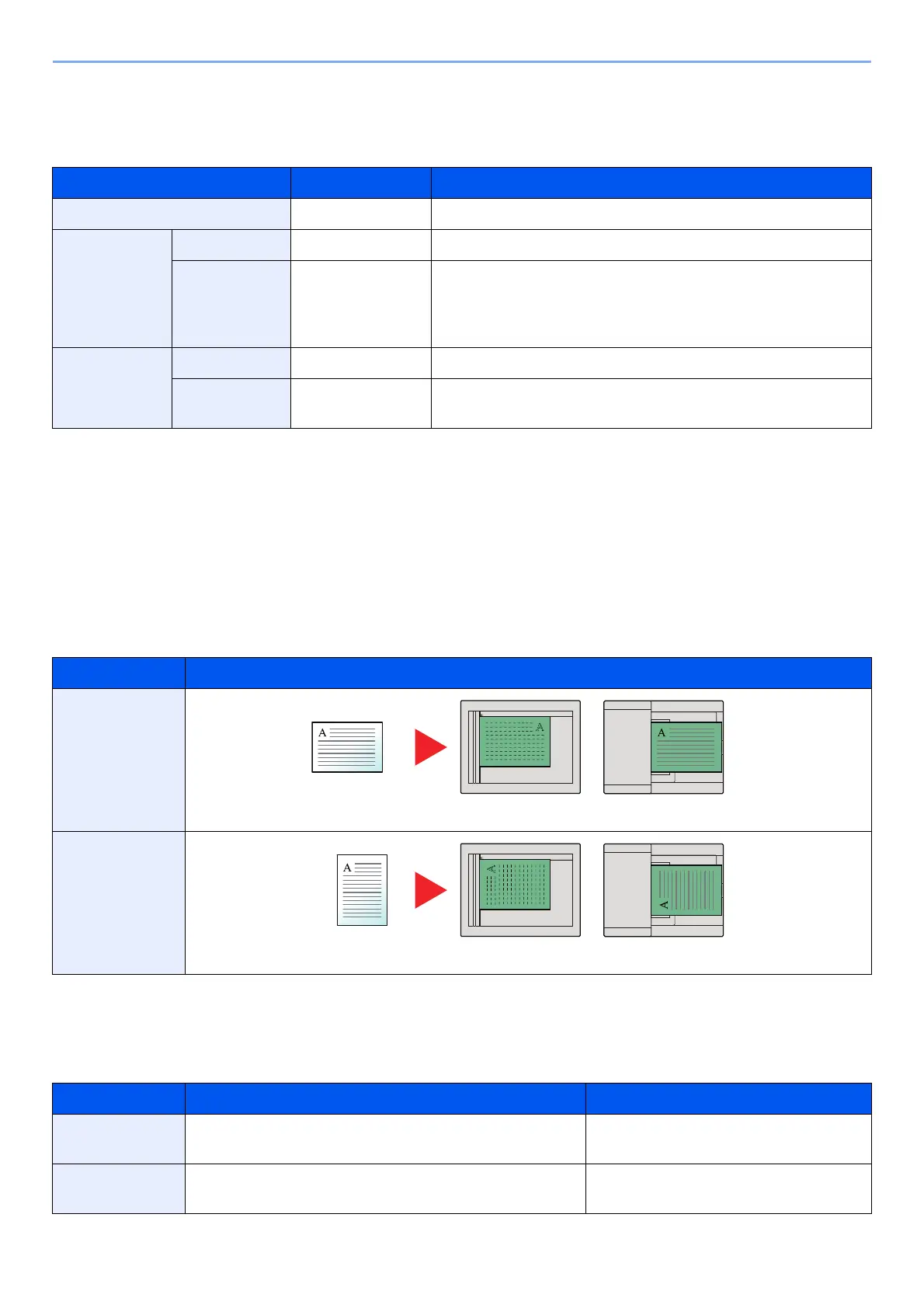
Original Orientation
To scan the original in the correct orientation, specify which side of the original is the top. To set a 2-sided original,
the orientation of the placed original must be set.
Select original orientation from [Top Edge on Top], [Top Edge on Left].
Sending Size
Select size of image to be sent.
Item Value Description
1-sided ― "2-sided/Book Original" is not set.
2-sided
*1
Binding Left/Right, Top Select the binding orientation of originals.
Original
Orientation
Top Edge on Top,
Top Edge on Left
Select the orientation of the original document top edge to
scan correct direction. Select [Original Orientation] to
choose orientation of the originals, either [Top Edge on Top]
or [Top Edge on Left]. Then select [OK].
Book
*2
Binding Left, Right Select the binding orientation of originals.
Original
Orientation
Top Edge on Top ―
Item Image
Top Edge on
Top
Top Edge on
Left
Item Value Description
Same as
Original Size
― Automatically sends the same size as
the original.
Metric A3, A4, A5, A6, B4, B5, B6, Folio, 216 × 340 mm Select from the Metric series standard
sizes.
Original Original orientation
Original Original orientation



 To Next Page