3-10
Sending Faxes > Methods For Entering the Destination
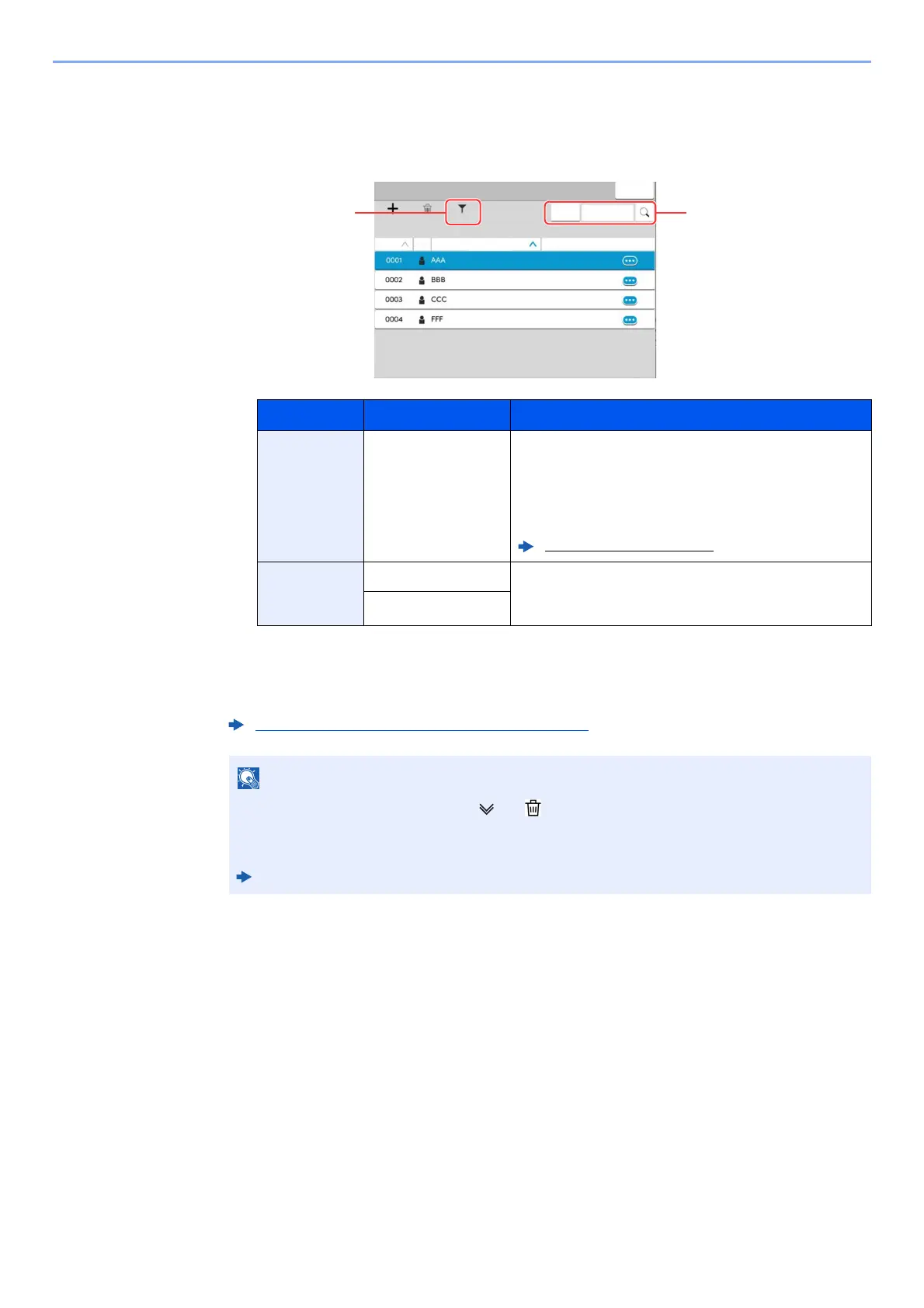
Destination Search
Destinations registered in the Address Book can be searched. Advanced search by type or by
initial letter is also available.
3
Accept the destination > [OK]
Destinations can be changed later.
.
Keys used Search type Subjects searched
1
Filter Advanced search by type of registered destination
(Email, Fax, iFax, Folder or Group).
You can set this function up so that destination types are
selected when the address book is displayed. For
details, refer to the following:
Machine’s Operation Guide
2
Search (No.) Search by registered address number or name. Select
either [Search (No.)] or [Search (Name)] to switch
between [Search (No.)] and [Search (Name)].
Search (Name)
Confirmation Screen of Destinations (page 7-13)
• To delete the destination, select [ ] > [ ] (delete icon) for the destination you want to
delete > [Delete]
• You can set the default sort setting of the address for the address book.
Machine’s Operation Guide
$GG
'HOHWH
$GG(GLW
1R 1DPH
'HWDLO
7\SH
)LOWHU
&ORVH
6HDUFK
1DPH
6HDUFK



 To Next Page