Sleep [Power Save]
When 10 minutes (default setting) has
elapsed with the recorder in stop mode
following power-on, the power turns off.
1
[Menu]
{
[Device Menu]
{
[Power Save]
3
Press the
+
/
−
button to select a
menu item.
[5 min.], [10 min.], [30 min.], and [1 hr.]
Set the preferred time.
[OFF]
Sleep mode does not function. If the
device is not put into sleep mode, the
battery runs out fast.
4
Press the
OK
button to finish the
setting.
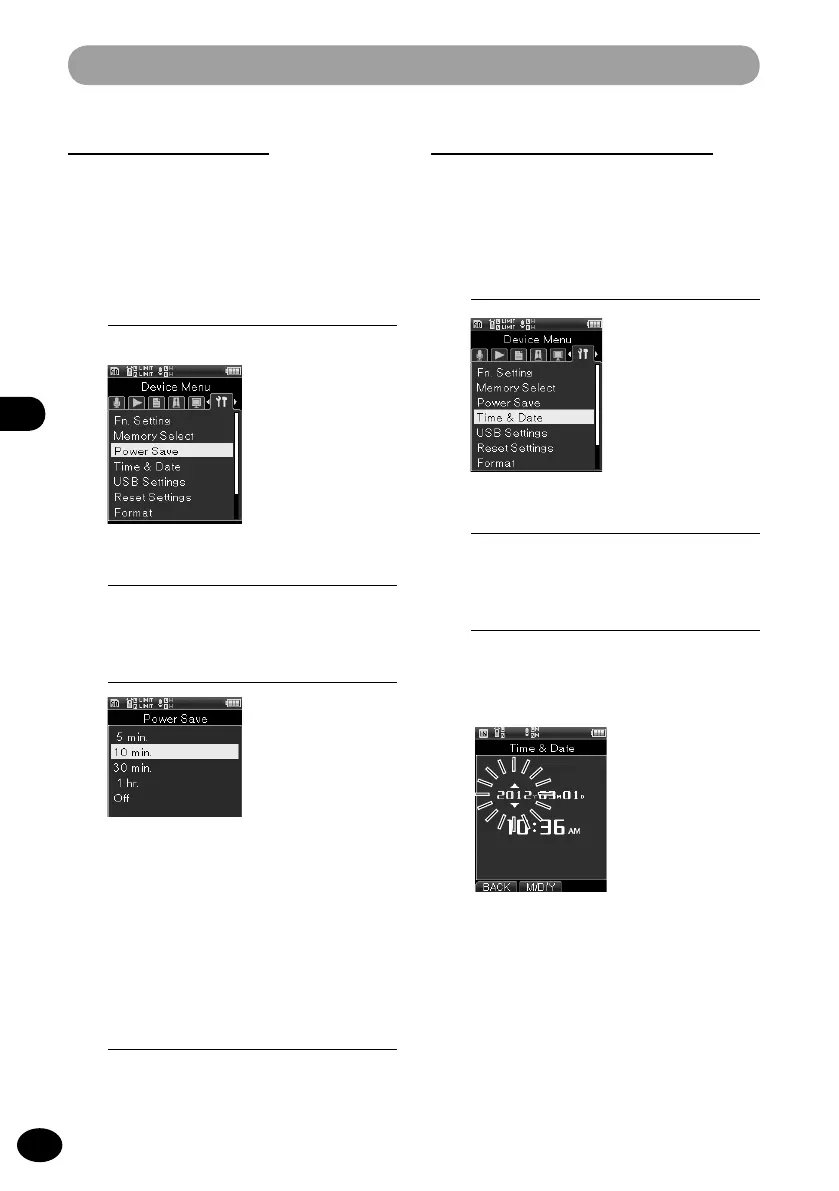
Device menu [Device Menu]
Time setting [Time & Date]
To reset the date and time, conduct the
following steps.
1
[Menu]
{
[Device Menu]
{
[Time & Date]
3
Press the
9
/
0
button to
select the setting item.
•
From "Year," "Month," "Day," "Hour,"
and "Minute," set the blinking cursor at
the item to be set.
2
Press the
OK
button.
2
Press the
OK
button.



 To Next Page