File Menu
File menu [File Menu]
File divide [File Divide]
When a file with a large capacity or a file that
has a long recording time is divided, the File
divide function makes it easier to manage
and edit the file.
A
•
Only the MP3 and PCM format files recorded with
this recorder can be divided.
1
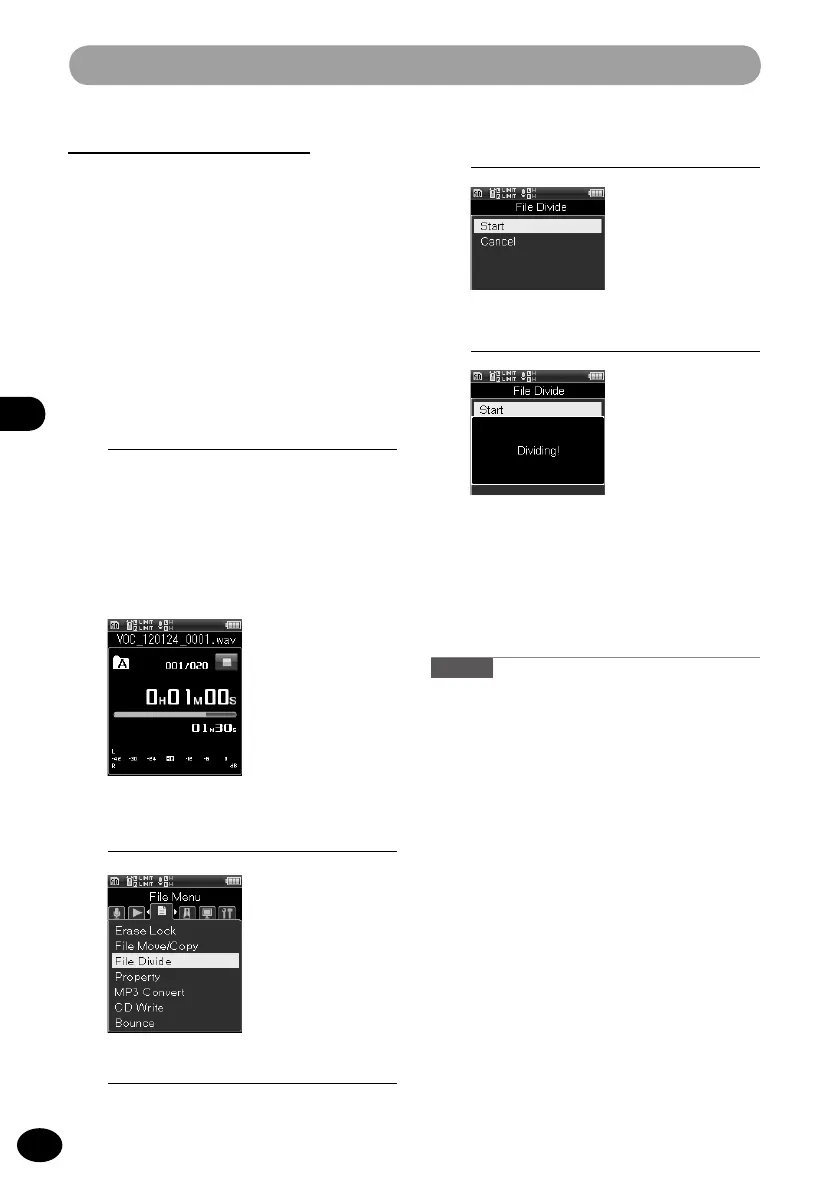
Stop at the position where the file
should be divided.
•
When the
9
or
0
button is kept
pressed, the recorder fast-forwards or
fast-reverses.
•
It is convenient if the dividing
positions are marked with an index
mark in advance.
3
Press the
OK
button.
5
Press the
OK
button.
•
The display shifts to [
Dividing!], and
file division starts.[When [File divide
completed] is displayed, file division
is finished.
Caution
•
[
File divide] is available only from the file
display screen.
•
When the number of files in the folder exceeds
999, the dividing process is unavailable.
•
Files with the Erase Lock (
☞
P.90) cannot be
divided.
•
After the dividing process, the front section is
called "File name_1.wav", and the rear section
is called "File name_2.wav."
•
Even MP3 or PCM files with a very short record
-
ing time may not be able to be divided.
•
Do not remove the batteries during the file-
dividing process. The data may be destroyed.
2
[Menu]
{
[File Menu]
{
[File divide]
4
Press the
+
button to select [Start].



 To Next Page