83
EN
6
Recording Menu
Recording menu [Rec Menu]
3
Press the
+
/
−
button to select a
menu item.
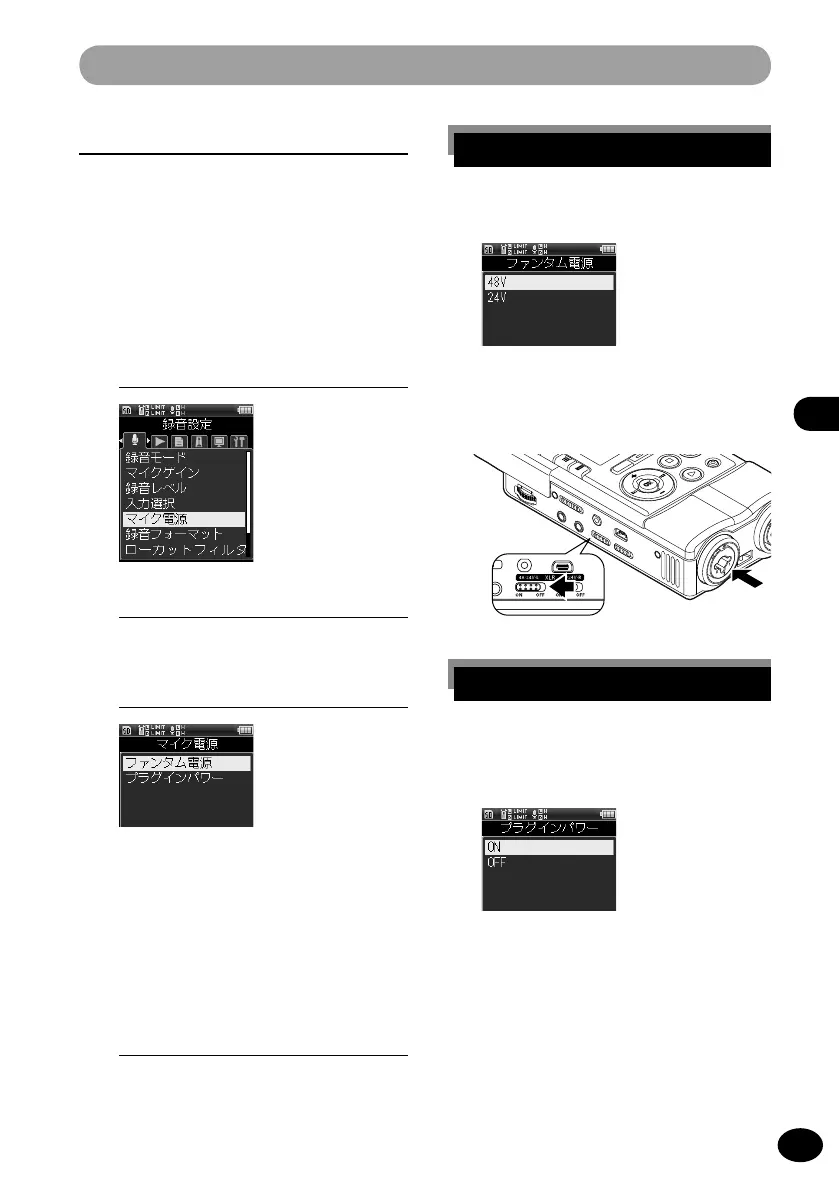
[Phantom Power]
This setting sets the voltage of the
phantom power.
[Plug-in Power]
This setting sets the power supply of
the plug-in power.
4
Press the
OK
button.
•
The selected menu screen appears.
Microphone power source [Mic Power]
This setting sets the voltage used when a
microphone or an external unit which needs
the phantom power supply is connected. It
also sets whether the power is supplied to
the external microphone corresponding to
the plug-in power function.
1
[Menu]
{
[Rec Menu]
{
[Mic Power]
2
To enable the setting, turn [
ON] the
XLR Power switch on the recorder.
[When [Phantom Power] is selected
1
Select the voltage by pressing the
+
/
−
button and then the
OK
button.
[When [Plug-in Power] is selected
1
By pressing the
+
/
−
button, select
either [ON] or [OFF] and then press
the
OK
button.
2
Press the
OK
button.



 To Next Page