50
EN
3
Erasing
Erasing
Erasing
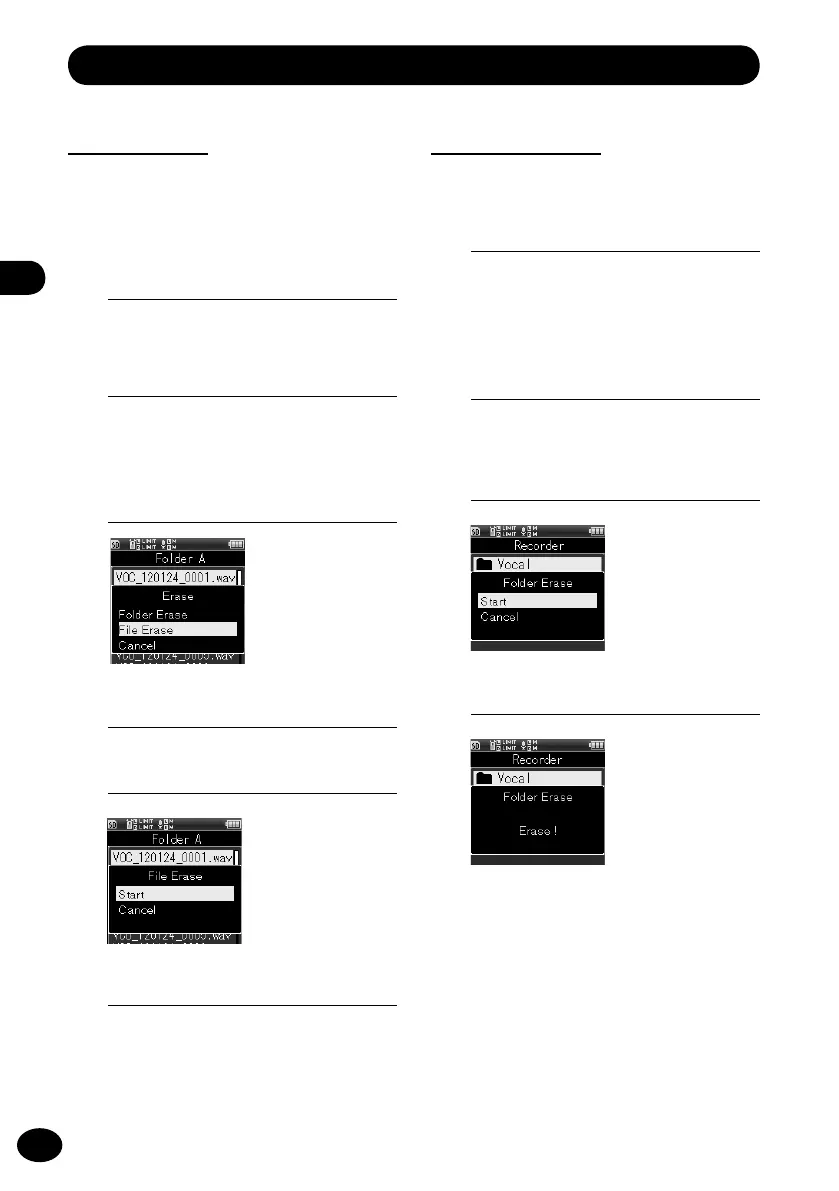
Erasing a File
You can erase a file from its folder. You can
also erase all files in a selected folder.
1
Select a file to erase
(
☞
P.34, P.45)
2
While the recorder is stopped,
press the ERASE button.
•
If no action is taken for 8 seconds, the
recorder will return to the stop mode.
3
Select [All in folder] or [One file]
with the
+
/
−
button.
4
Press the
OK
button.
5
Select [Start] with the
+
button.
Erasing a Folder
You can erase all files in a folder.
1
Select a folder to erase (
☞
P.34).
•
This recorder's default folders, [
Folder
A] through [Folder E], cannot be
erased.
2
While the recorder is stopped,
press the ERASE button.
•
If no action is taken for 8 seconds, the
recorder will return to the stop mode.
3
Select [Start] with the
+
button.
4
Press the
OK
button.
•
The display switches to [
Erasing!],
and erasing starts. [Erased] appears
when the folder is erased.
6
Press the
OK
button.
•
The display switches to [
Erasing!],
and erasing starts. [Erased] appears
when the file is erased.



 To Next Page