97
EN
6
File Menu
File menu [File Menu]
3
[Menu]
{
[File Menu]
{
[CD Write]
4
Press the
OK
button.
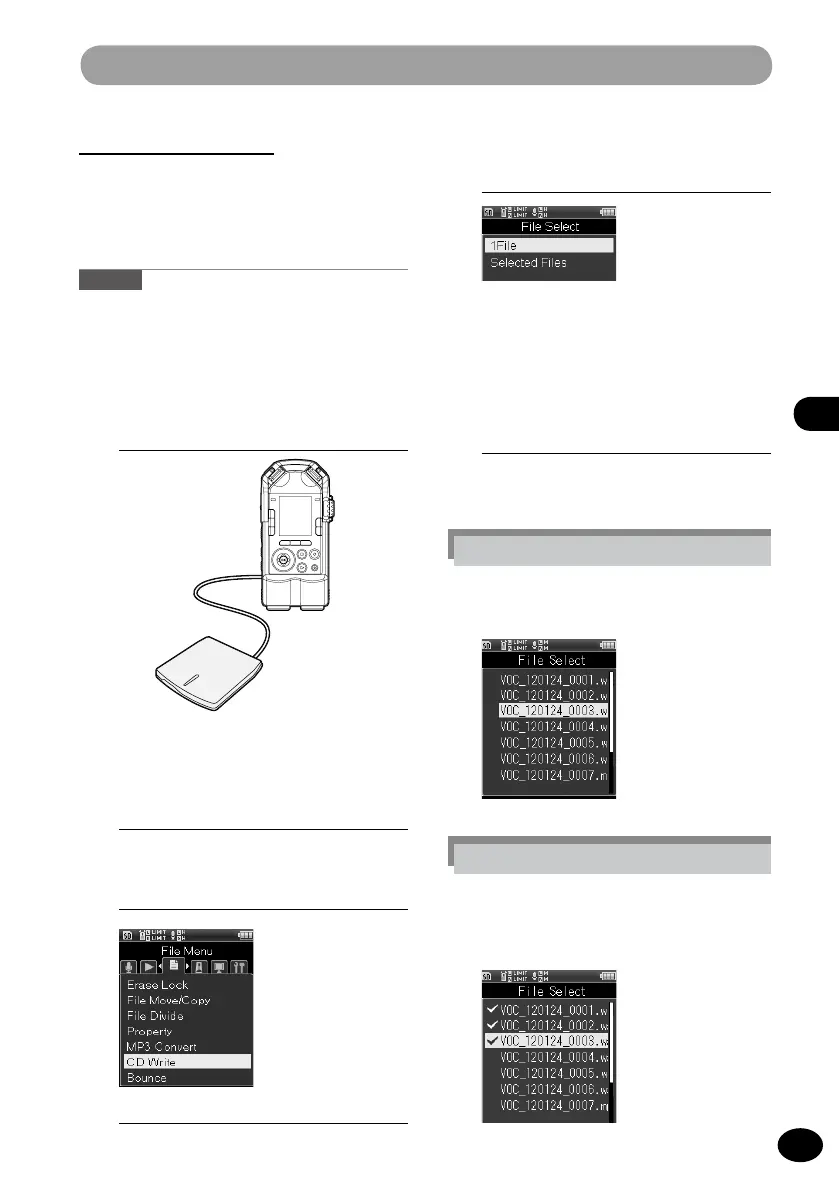
CD write [CD Write]
PCM (WAV) files recorded with this recorder
can be directly written to an external CD
drive.
Caution
•
Files that can be written to a CD are PCM format
[44.1kHz/16bit] files only.
1
Connect the recorder and the
external CD drive by using the USB
connection cable.
•
Insert an empty CD to the CD drive.
2
Select a WAV file to be written to
the CD.(P.34, P.45)
5
Press the +/− button to select how
many files to write to the CD.
[1File]
A single file will be written to the CD.
[Selected Files]
Multiple files will be written to the CD.
6
Pr
ess the OK button
•
The screen for your selection will
appear.
Setting [1File]
1
Select the file with the +/− button
and press the
OK
button.
Setting [Selected Files]
1
Select a file with the +/− button and
press the
OK
button to mark the
file.



 To Next Page