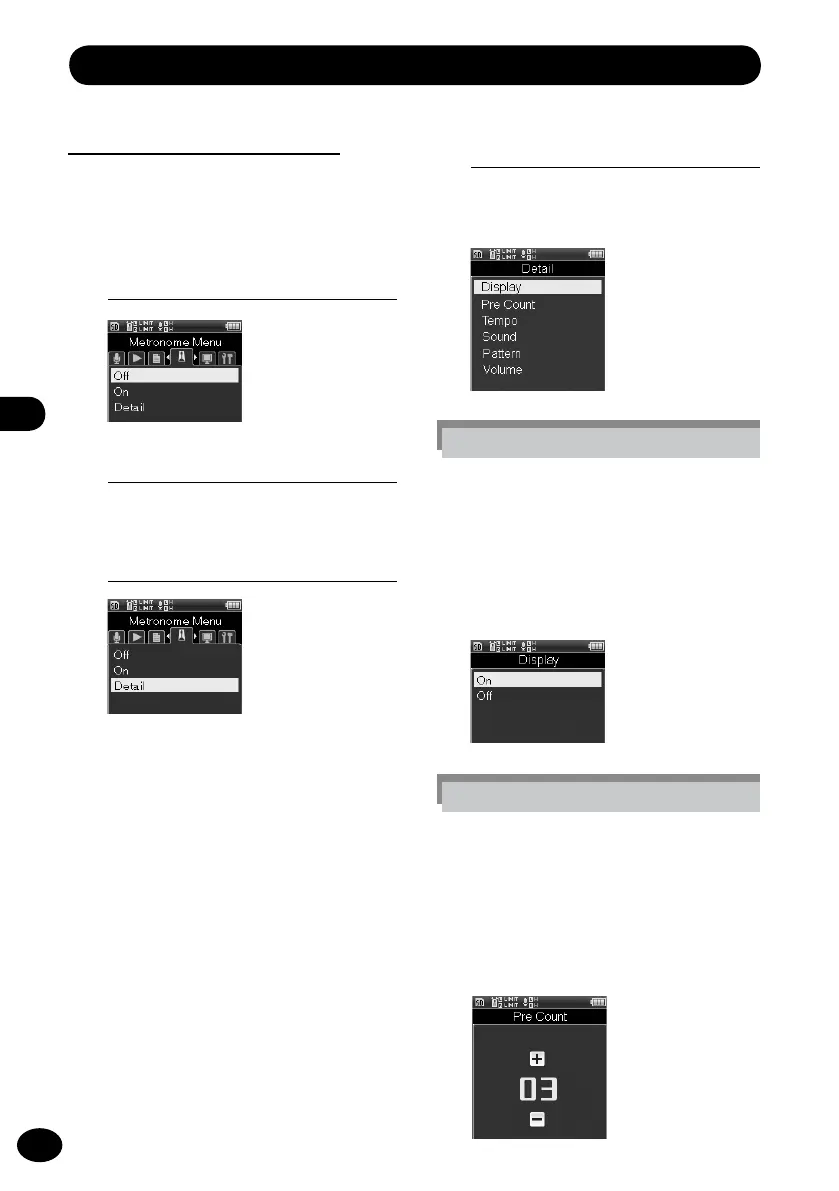
Metronome menu [Metronome Menu]
Metronome [Metronome]
Use this function as a guide when recording
an instrument playing or when practicing a
musical instrument.
1
[Menu]
{
[Metronome Menu]
3
Press the
+
/
−
button to select a
menu item.
[OFF]
The metronome does not function.
[ON]
The metronome functions in accor-
dance with the setting in [Setting].
[Setting]
You can set [Display], [Countdown],
[Tempo], [Sound], [Pattern], or
[Volume].
4
Press the
OK
button.
•
When [
Detail] is selected, the Menu
screen opens.
[Display] setting
This setting sets whether the
metronome is displayed on the
window or not.
1
Select a menu item by pressing
the
+
/
−
button and then the
OK
button.
2
Press the
OK
button.
[Countdown] setting
The number of counts before recording
starts can be adjusted between [00]
and [10].
1
Press the
+
/
−
button to select the
number of counts and then press
the
OK
button.



 To Next Page