37
EN
3
Recording
Before starting to record, select a folder from [Folder A] through [Folder E]. We recommend
that you selectively use the folders to organize your recordings based on their contents.
Recording
Normal Recording [Normal]
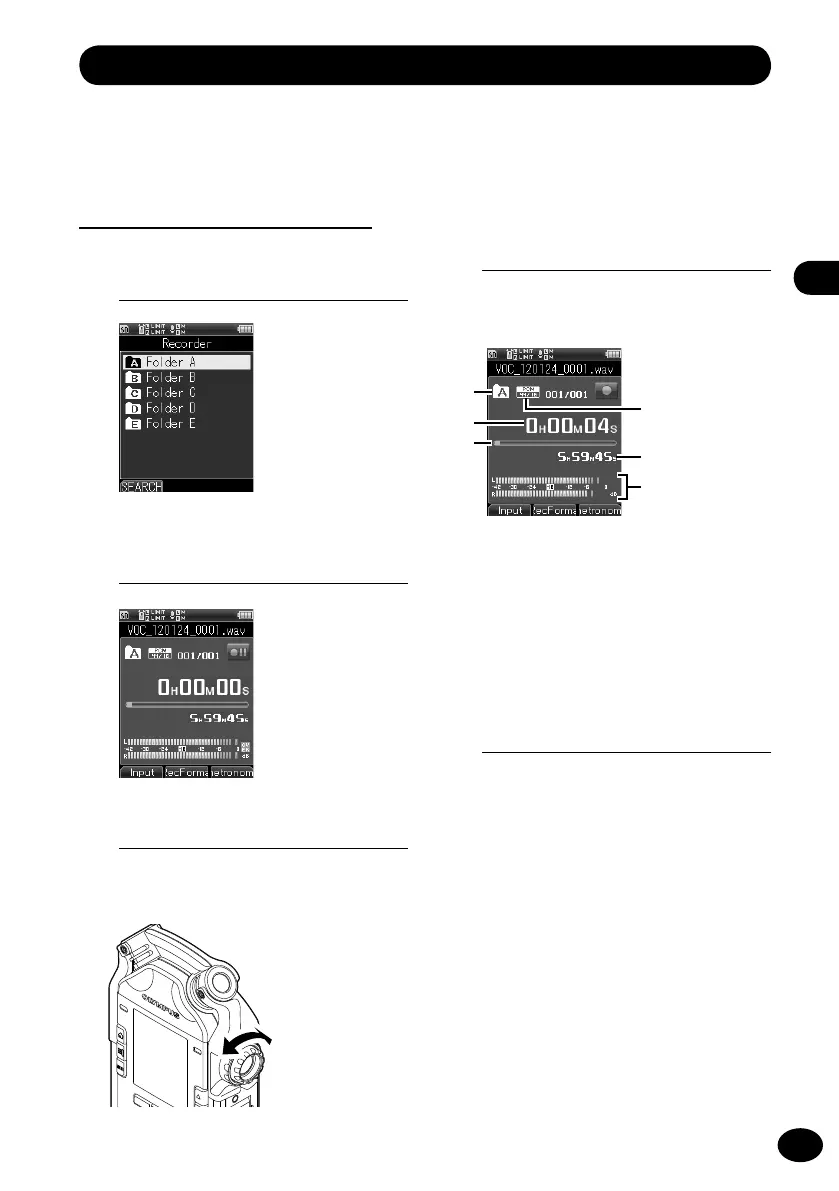
1
Select a folder for recording.
2
Press the REC button to enter the
recording standby mode.
3
Adjust the recording level.
•
Adjust the
REC LEVEL
dial according to
the sound source.
4
Press the REC button to start
recording.
•
[
K
] appears on the display, and
recording starts.
a
Recording folder
b
Elapsed recording time
c
Memory status bar
d
Recording format
e
Remaining time for recording
f
Recording level meter
5
Press the STOP button to stop
recording.
a
b
c
e
f
d
Adjust the
recording level.



 To Next Page