111
EN
6
Device Menu
Device menu [Device Menu]
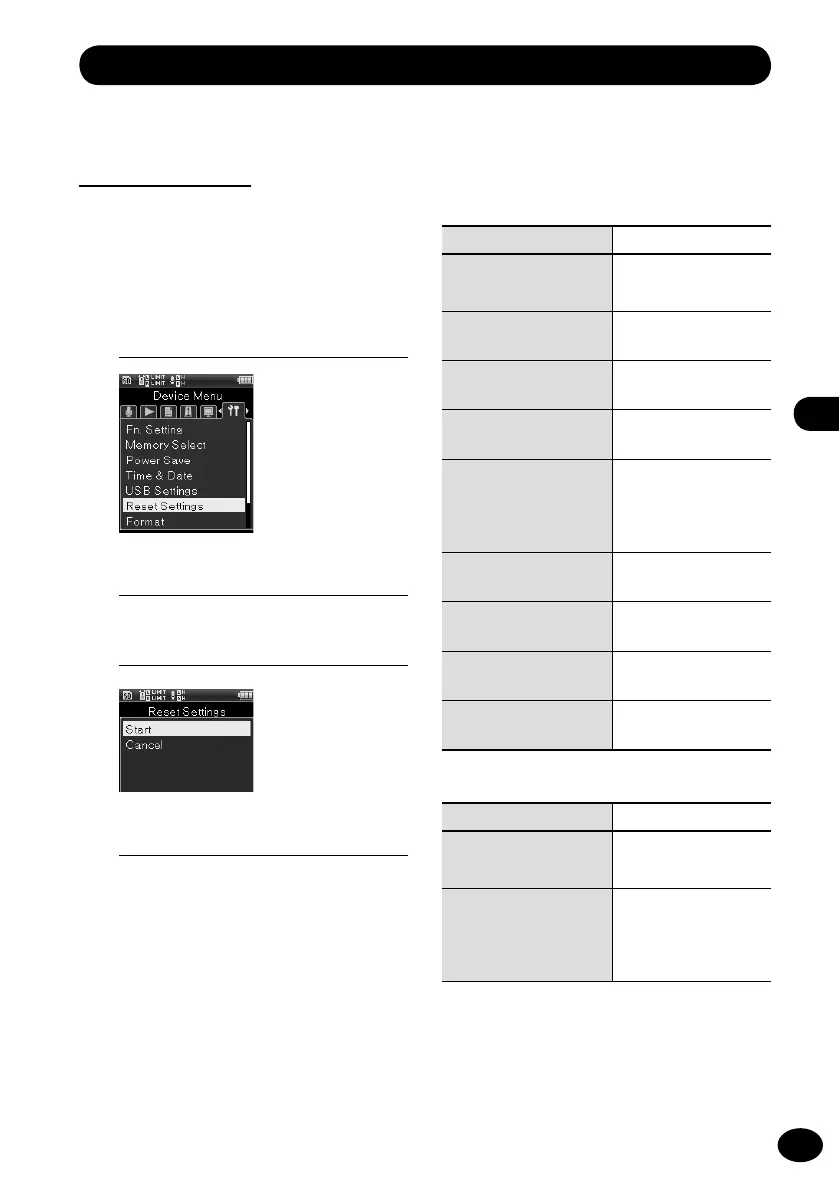
Setting reset
[Reset Settings]
This setting resets each function to the
default setting (the setting at the time of
shipping from the factory).
1
[Menu]
{
[Device Menu]
{
[Reset Settings]
3
Press the
+
button to select [Start].
4
Press the
OK
button.
•
Each setting returns to the default
setting.
Menu setting after setting reset
(default setting)
Recording Menu
Menu item Default setting
[Rec Mode]
(
☞
P.79)
[Normal]
[Mic Gain]
(
☞
P.80)
[Built-in Mic]:
[Mid]
[Rec Level]
(
☞
P.81)
[Manual]
[Input Select]
(
☞
P.82)
[Built-in Mic]
[Mic Power]
(
☞
P.83)
Phantom Power]:
[48V]
Plug-in Power:
[ON]
[Rec Format]
(
☞
P.84)
[PCM]:
[44.1 kHz/16 bit]
[Low Cut Filter]
(
☞
P.85)
[OFF]
[Pre-Recording]
(
☞
P.86)
[OFF]
[Rec Monitor]
(
☞
P.87)
[OFF]
Play menu
Menu item Default setting
[Play Mode]
(
☞
P.88)
[One file]
[Skip Space]
(
☞
P.88)
Skip:
[File Skip]
Reverse Skip:
[File Skip]
▌
2
Press the
OK
button.



 To Next Page