40
EN
3
Recording
Recording
1
Set the [Rec Mode
] to [
Ov
erdub]
(
☞
P.79)
2
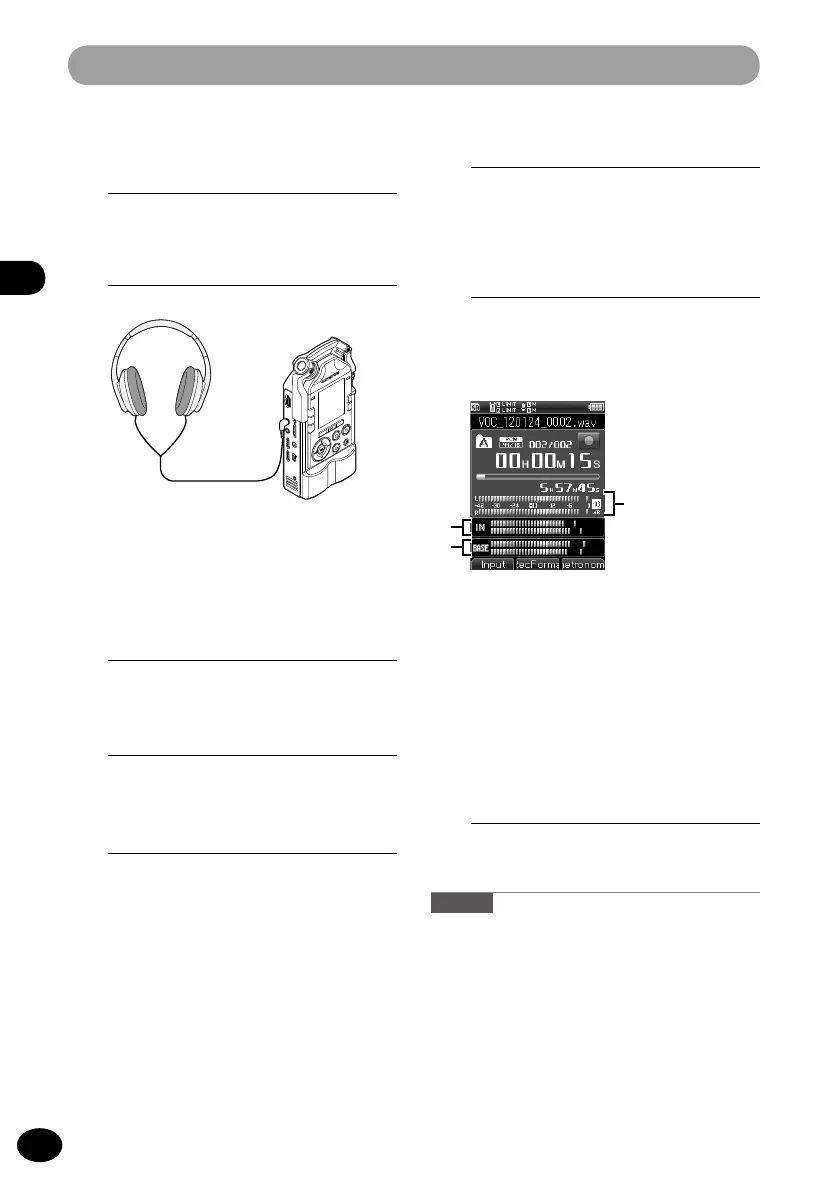
Connect headphones to the EAR
jack of the recorder.
6
Adjust the recording level.
•
Adjust the recording level to balance it
with the playback file.
7
Press the REC button to start
recording.
•
Playback will start from the beginning
of the file.
•
Recording of the input sound
a
c
b
and playback of the file will start
simultaneously..
a
Level of the output sound that is
being played back
b
Level of the input sound to be
recorded
c
Recording level meter
8
Press the STOP button to stop
recording.
Note
•
Dubbed files will be saved with different names.
•
The file to be dubbed over will be
played back through the EAR jack.
3
Select a file to dub over (
☞
P.34,
45).
4
Press the PLAY button to start
playback.
5
Press the REC button to enter the
recording standby mode.
•
Playback of the file will continue.



 To Next Page