60
EN
4
Creating a Multi-Track Project
a
b
c
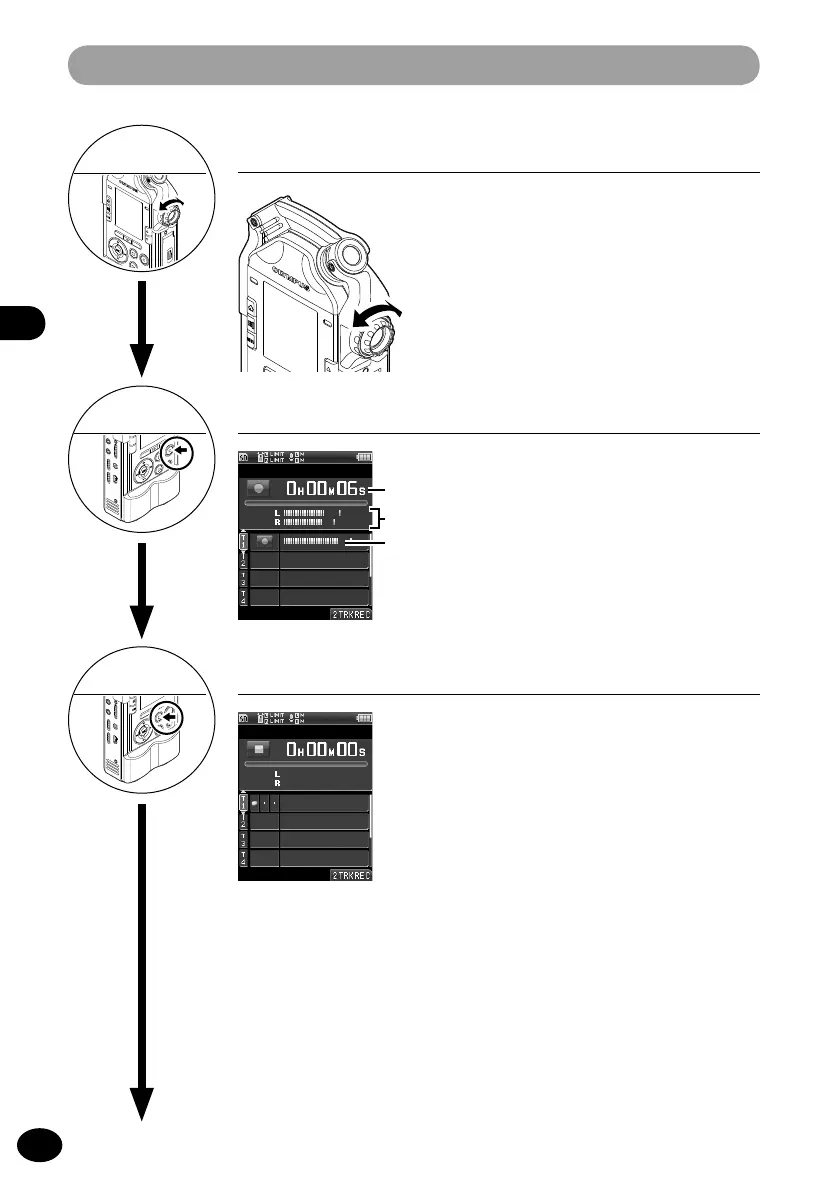
Adjust the recording level
1
Press the
REC button to enter the
recording standby mode.
2
Adjust the
REC LEVEL dial according to
the sound source (
☞
P.36).
Start recording
1
Press the
REC button.
•
[
K
] appears on the display, and recording
starts.
Stop recording
4
Creating a Multi-Track Project
5
a
Elapsed recording time
b
Recording level meter
c
Input level meter
6
1
Press the
STOP button.
•
To re-record, record over the same track. It
will not erase the previously recorded file.



 To Next Page