To select an image in index view
Use /k V<_[> to select an image, and press the (_)
button to display the selected image in single-image view.
To scroll an image in close-up view
Use/k V<_D to movethe viewingarea.
To stop photo surfing
Use/xV toselect[ALL],andpressthe _) button.
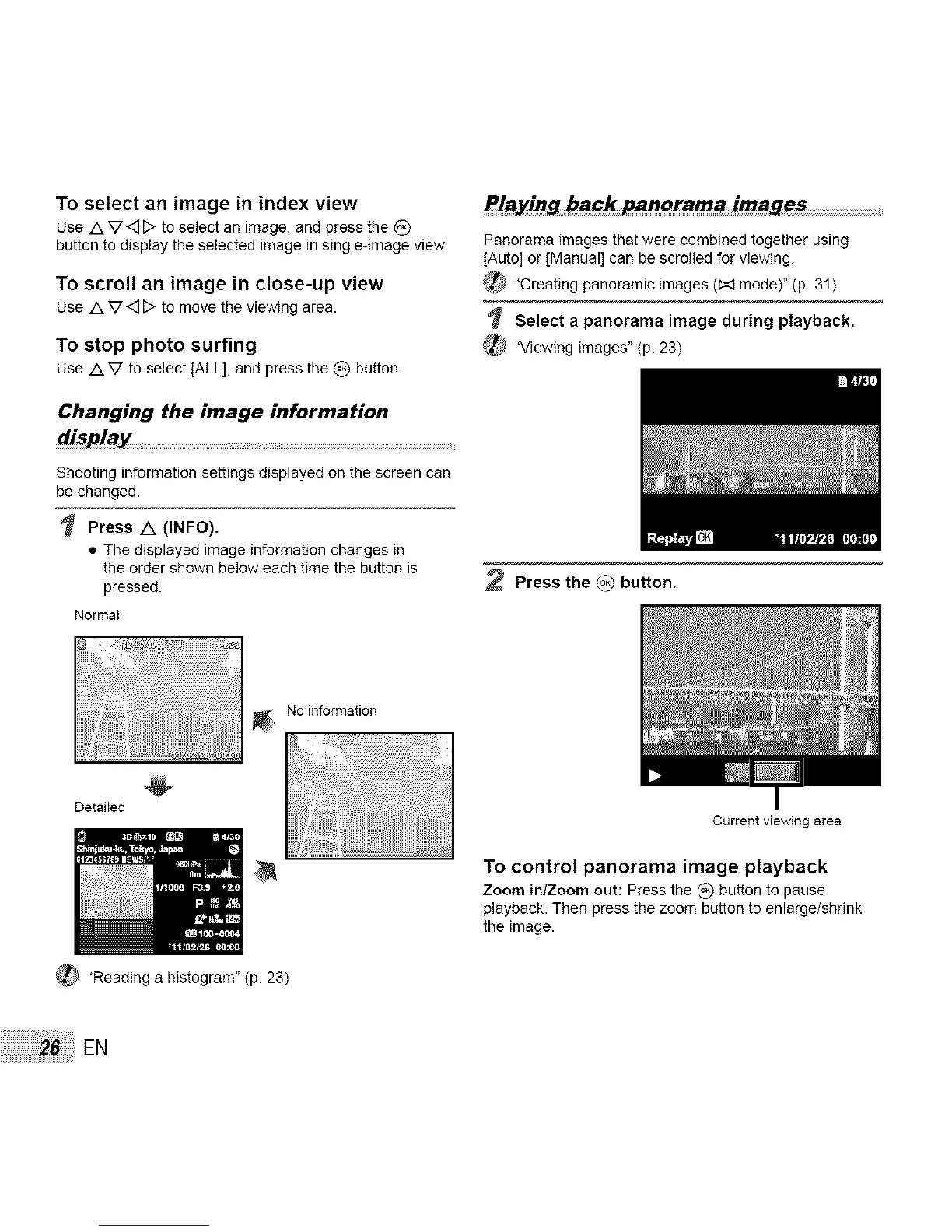
Changing the image information
display
Shooting information settings displayed on the screen can
be changed.
Press A (INFO).
• The displayed image information changes in
the order shown below each time the button is
pressed.
Normal
Detailed
Playing #ack panoram_ images ....................................................................
Panorama images that were combined together using
[Auto] or [Manual] can be scrolled for viewing.
"Creating panoramic images (1:_ mode)" (p. 31)
Select a panorama image during playback.
_ "Viewing images" (p. 23)
2 Press the (_ button.
No information
_ 'Reading a histogram" (p. 23)
Current viewing area
To control panorama image playback
Zoom in/Zoom out: Press the (_) button to pause
playback. Then press the zoom button to enlarge/shrink
the image.
EN



 To Next Page