Playback direction: Press the (_ button to pause
playback. Then press /k V <_D to scroll the image in the
direction of the pressed button.
Pause: Press the (_) button.
Restart scrolling: Press the _) button.
Stop playback: Press the MENU button.
Playing b_ck _D images ....................................................................................
3D images shot with this camera can be played back on
3D-compatible devices connected to this camera using an
HDMI cable (sold separately).
_ "Shooting 3D images (3D mode)" (p. 33)
_ When playing back 3D images, read the warnings in
the instruction manual for the 3D-compatible devices
carefully.
Connect the 3D-compatible device and
camera using the HDMI cable.
For the connection and setting method, see
"Connection vie HDMI cable" (p. 53)
2 Use /XV to select [3D Show] and then press
the _ button.
3 Use <]D to select the 3D image to play back
and then press the _o_button.
_ To start a slideshow, press the MENU button.
To stop the slideshow, press the MENU or _) button.
3D images are composed of JPEG files and MP files.
If any files are deleted on a computer, playback of 3D
images may not be possible.
Using the m#nu guide
Pressing the _ button in the setup menu displays a
description of the current item.
_ "Using the Menu" (p. 5)
Using the camera guide .........................................................................
Use the camera guide to look up camera operations.
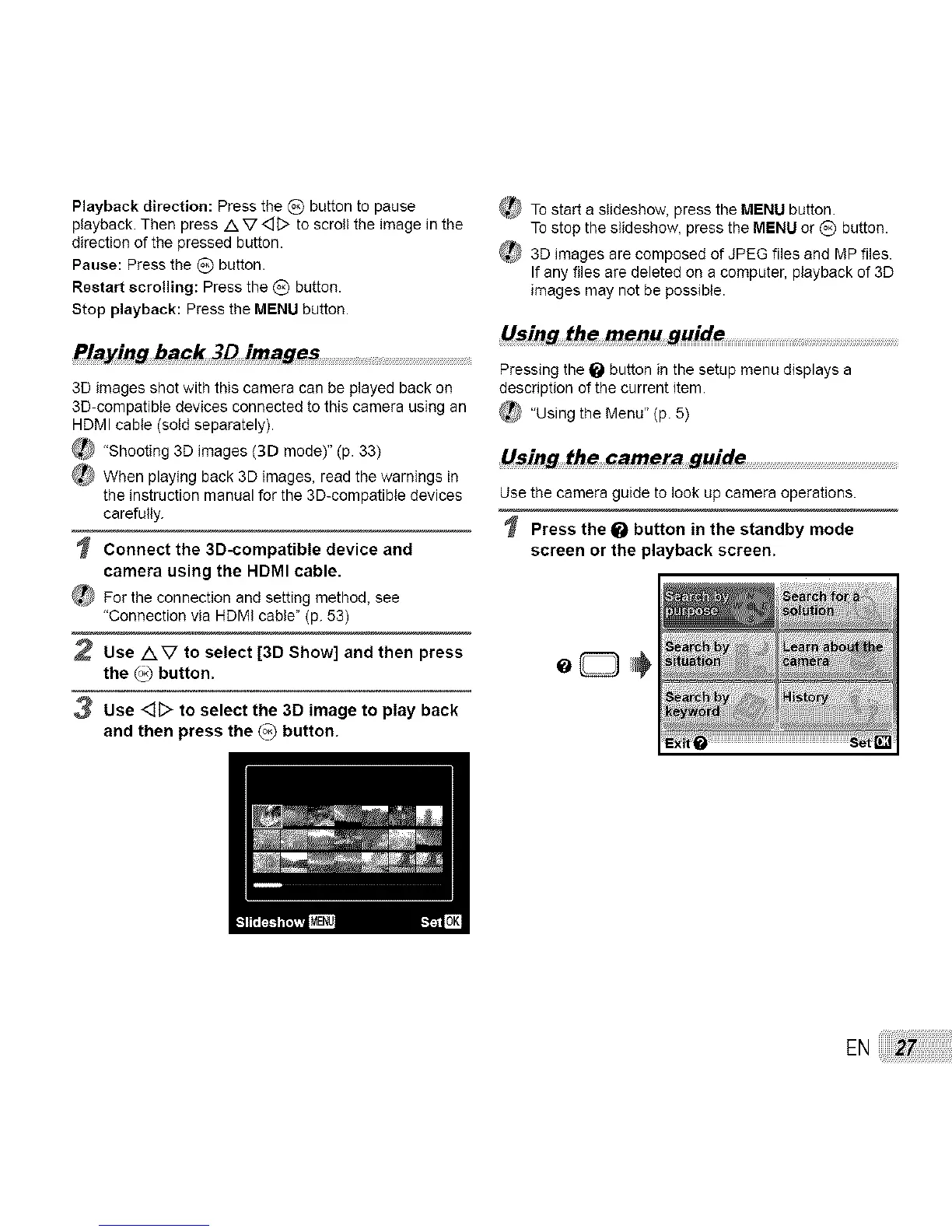
Press the _ button in the standby mode
screen or the playback screen.
EN



 To Next Page