_ing Shooting Modes
To change the shooting mode
_ The shootingmode(P, IAUTO,SCN, MA61C,I_ 3D)
can bechangedusingthefunctionmenu.
"UsingtheMenu"(p.5)
The defaultsettingsofthefunctionare highlightedin
Shooting with automatic settings
(iAUTO mode) ............................................................................................................................
The camera will automatically select the optimal shooting
mode for the scene• This is a fully automatic mode that
allows you to take a picture suited to the scene by simply
pressing the shutter button• in IAUTOmode, some settings
in the shooting menu may not be selected•
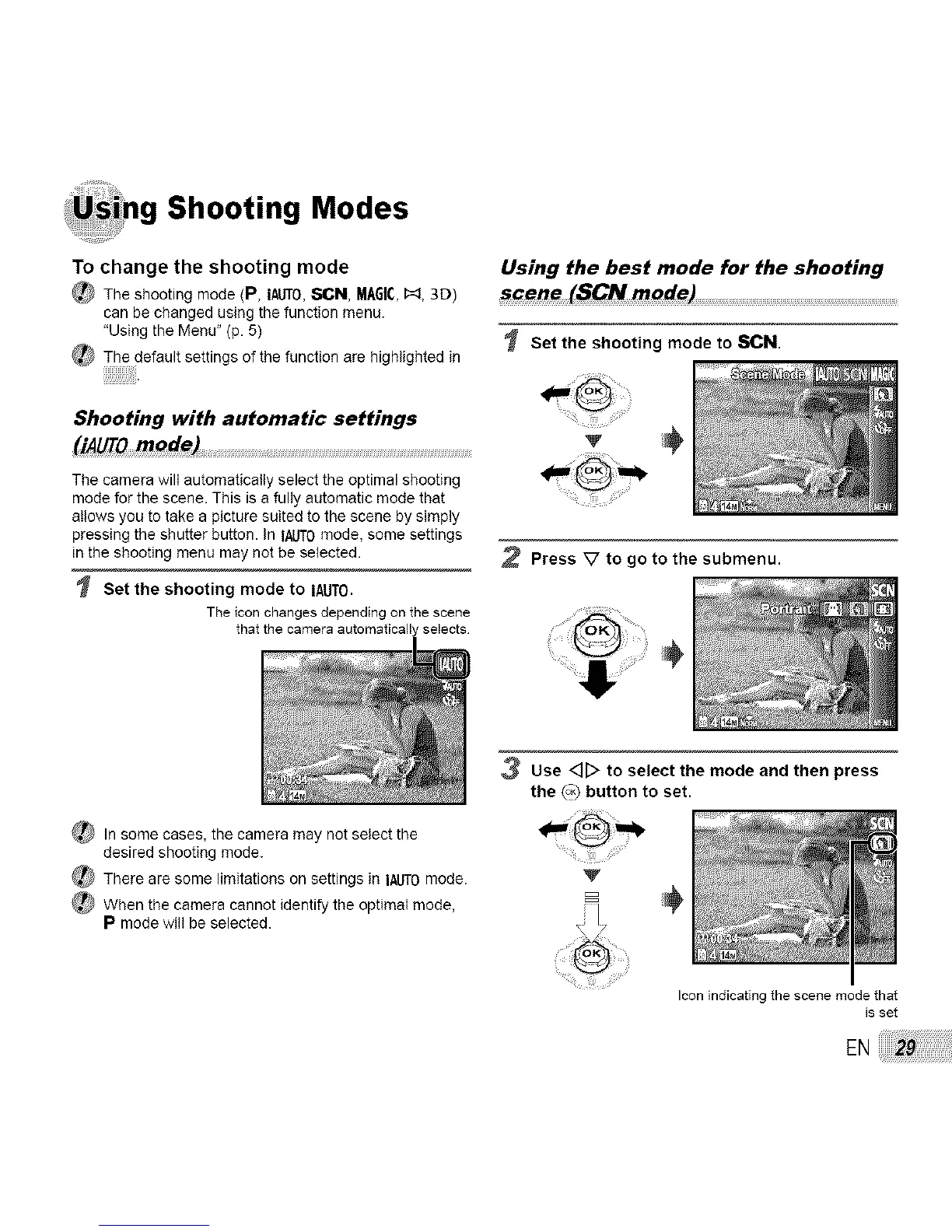
Set the shooting mode to IAUTO.
The icon changes depending on the scene
that the camera automaticallyselects
Using the best mode for the shooting
_cene (SCN mode) ....................................................................................................................................................................................................
Set the shooting mode to SCN.
V
2 Press V to go to the submenu.
_ In some cases, the camera may not select the
desired shooting mode.
There are some fimitations on settings in IALITOmode.
_ When the camera cannot identify the optimal mode,
P mode will be selected•
3 Use <]_ to select the mode and then press
the {o_ button to set.
V
B
Iconindicatingthe scene mode that
isset
EN



 To Next Page