Direct printing (PictBridg_ _).....................................................
By connecting the camera to a PictBridge-compatible
printer, you can print images directly without using a
computer.
To find out if your printer supports PictBridge, refer to the
printeCs instruction manual.
"_ PictBridge is a standard for connecting digital cameras
and printers of different makers and printing out pictures
directly.
The printing modes, paper sizes, and other
parameters that can be set with the camera vary
depending on the printer that is used. For details,
refer to the printer's instruction manual.
For details on the available paper types, loading
paper, and installing ink cassettes, refer to the
printer's instruction manual.
Printing images at the printer's
Inthe setup menu, set [USB Connection] to [Print].
[USB Connection] (p. 50)
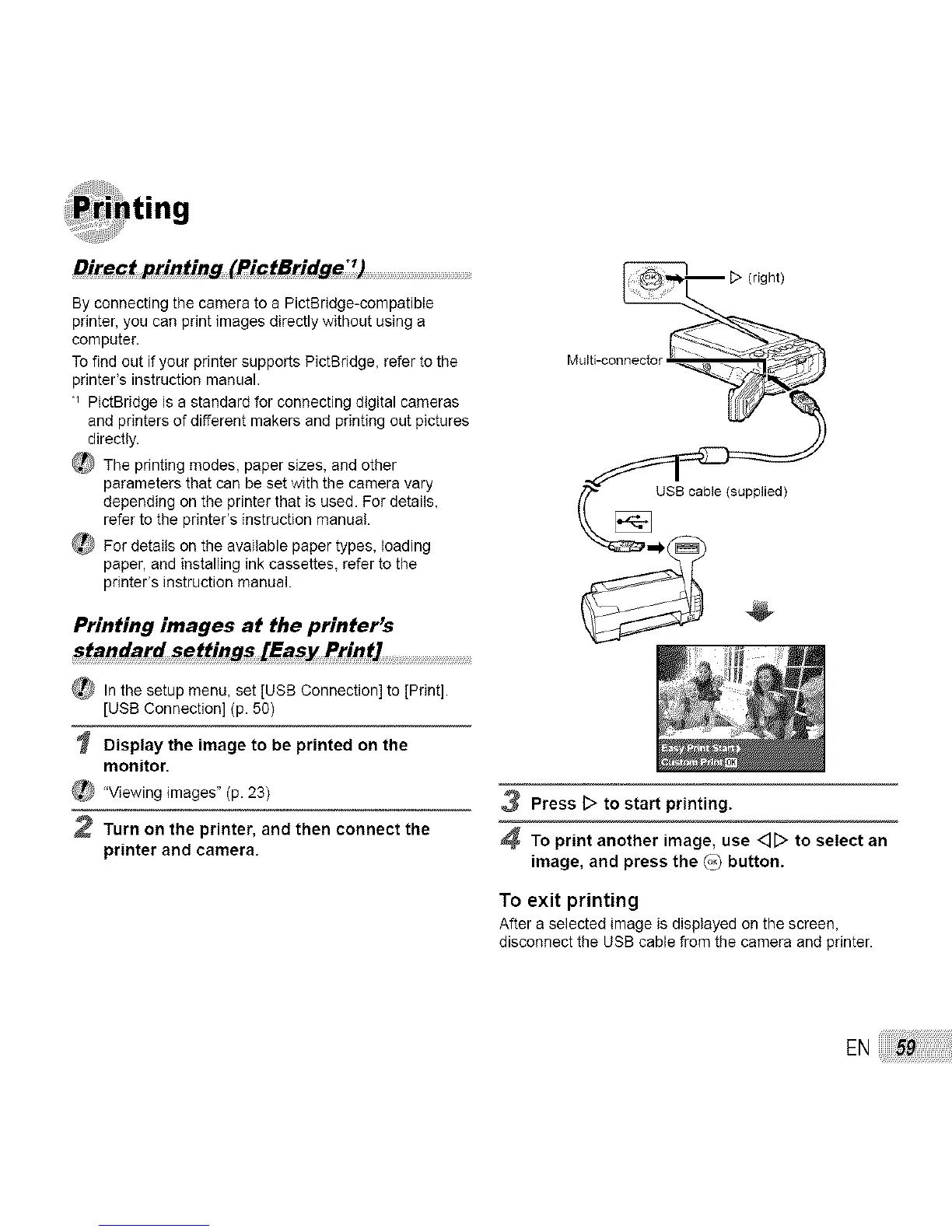
Display the image to be printed on the
monitor.
_ 'Viewing images" (p. 23)
2 Turn on the printer, and then connect the
printer and camera.
3 Press D to start printing.
4 To print another image, use <][:> to select an
image, and press the (°3 button.
To exit printing
After a selected image is displayed on the screen,
disconnect the USB cable from the camera and printer.



 To Next Page