5 - 71
5 Advanced Operations
E5@C Digital Temperature Controllers User’s Manual (H174)
5-22 Logic Operations
5
5-22-2 Using Logic Operations
Operating Procedure
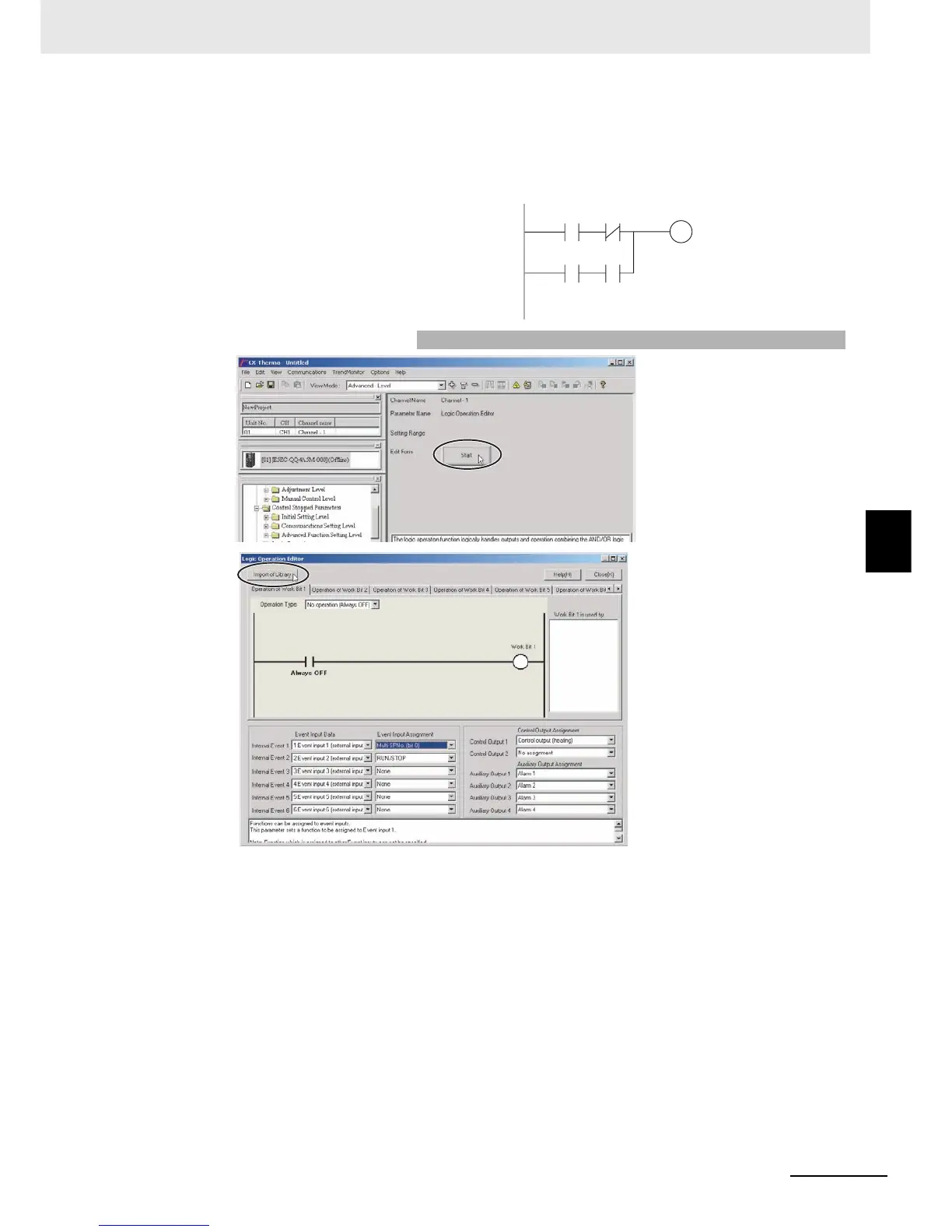
This procedure outputs alarm 1 status to auxiliary output 1 during
operation (RUN). A library object is used to make the setting.
1. Select Logic Operation
Editor from the CX-Thermo
tree, and click the Start
Button.
2. Click the Import of Library
Button.
Alarm 1
RUN/STOP
Work bit 1
Always OFF Always OFF


 To Next Page