2 - 11
2 Preparations
E5@C Digital Temperature Controllers User’s Manual (H174)
2-1 Installation
2
2-1-3 Mounting
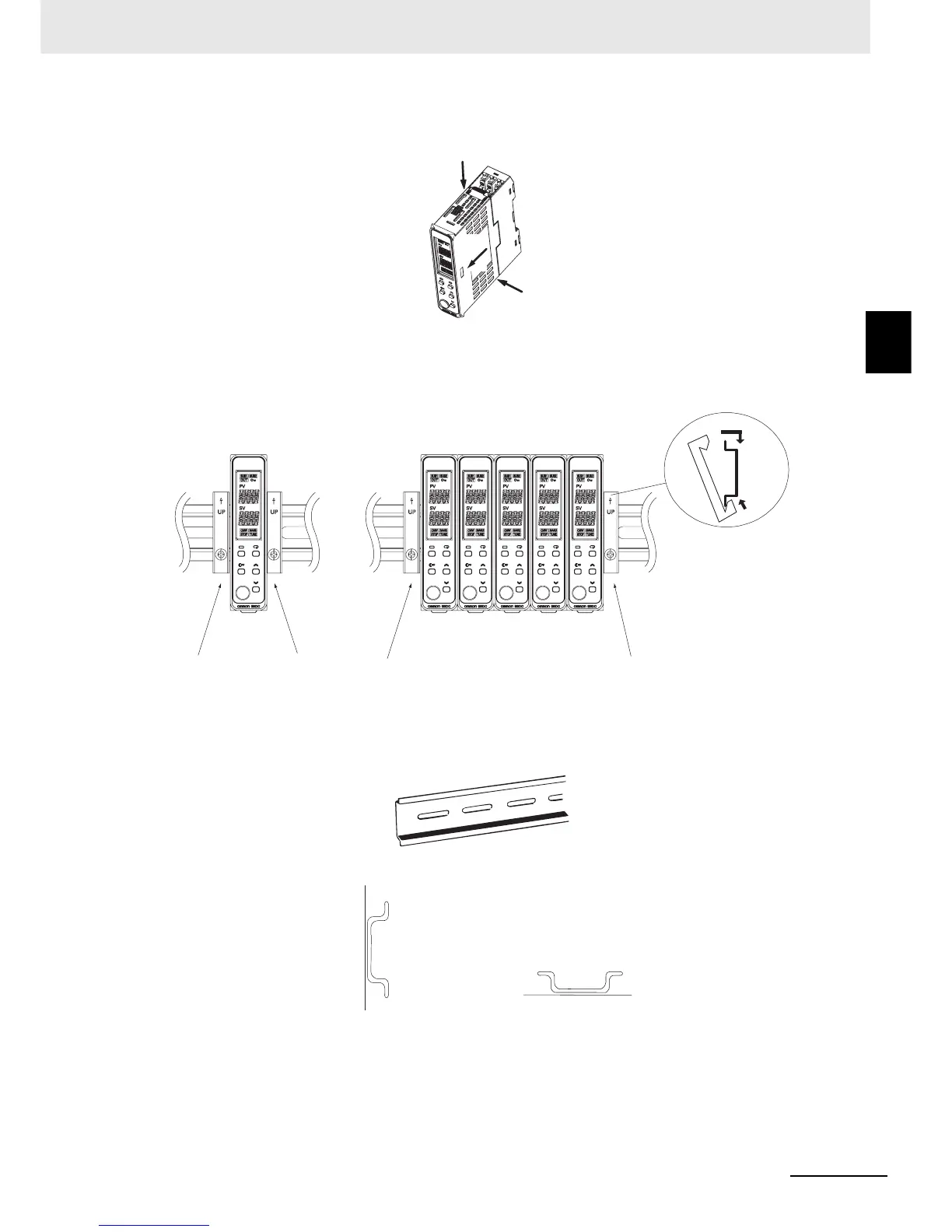
Removing the Main Unit
Press in the two hooks on the Main Unit and remove the Main Unit from the Terminal Unit.
End Plate Installation
Make sure to attach PFP-M End Plates to the ends of the Units.
• End Plate (sold separately)
PFP-M
Mounting the DIN Track
Attach the DIN Track to the inside of the control panel with screws to at least three locations.
• DIN Track (sold separately)
PFP-50N (50 cm) and PFP-100N (100 cm)
Install the DIN Track vertically to the ground.
(1)
(1)
(2)
Individual Mounting Group Mounting
(1)
(2)
Vertical: OK Horizontal: NG


 To Next Page