23
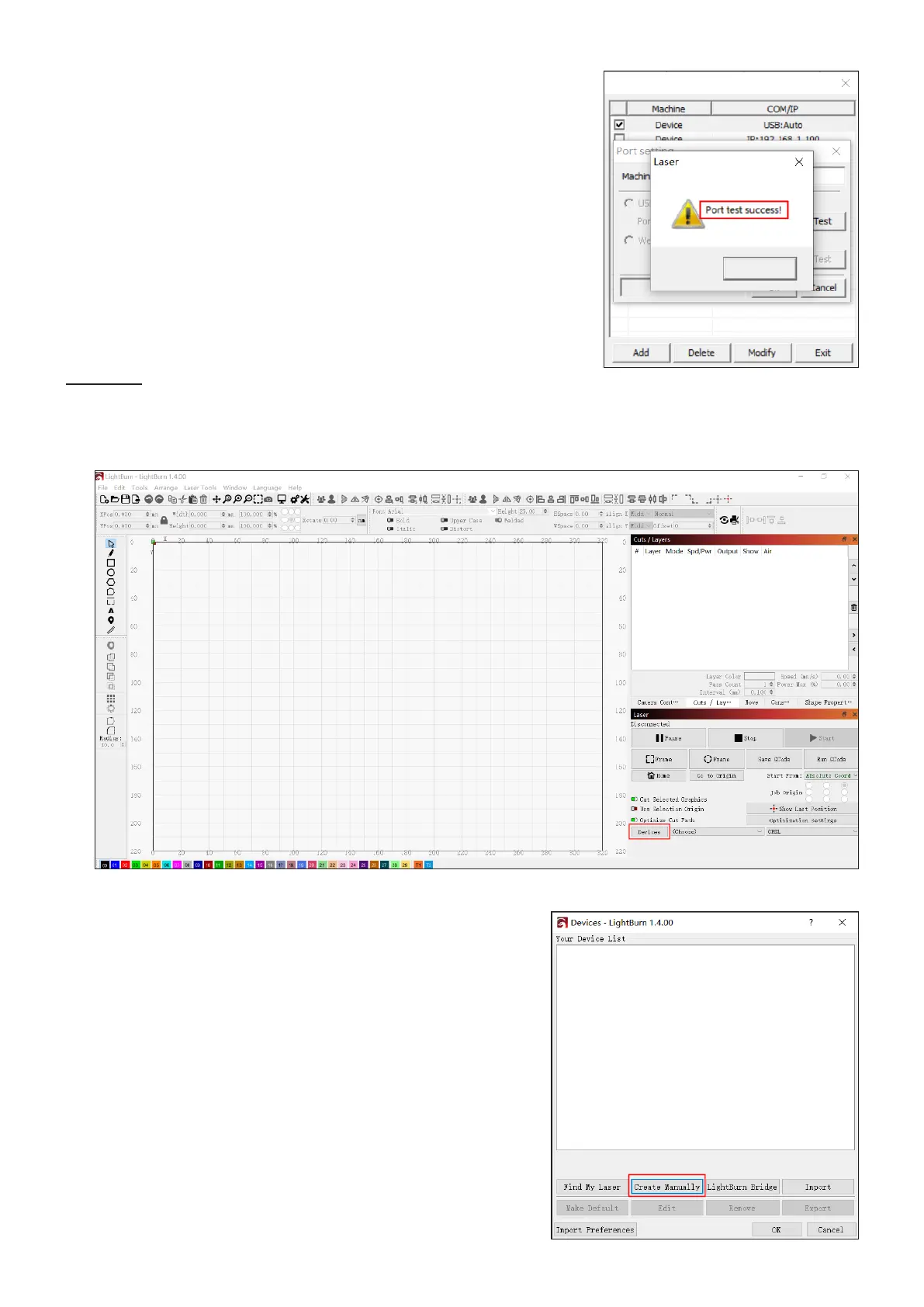
5. The connection is successful when the pop-up as shown shows up.
6. Click OK to conrm the connection and close the dialogue box.
7. Click “Exit” to return to the home interface.
3. Click “Create Manually” in the pop-up that shows up.
OK
Lightburn
1. Initiate RDWorks V8 on your control computer and connect it to the engraver using the provided USB cable.
2. Click “Device” as shown.



 To Next Page