50
Product Activation
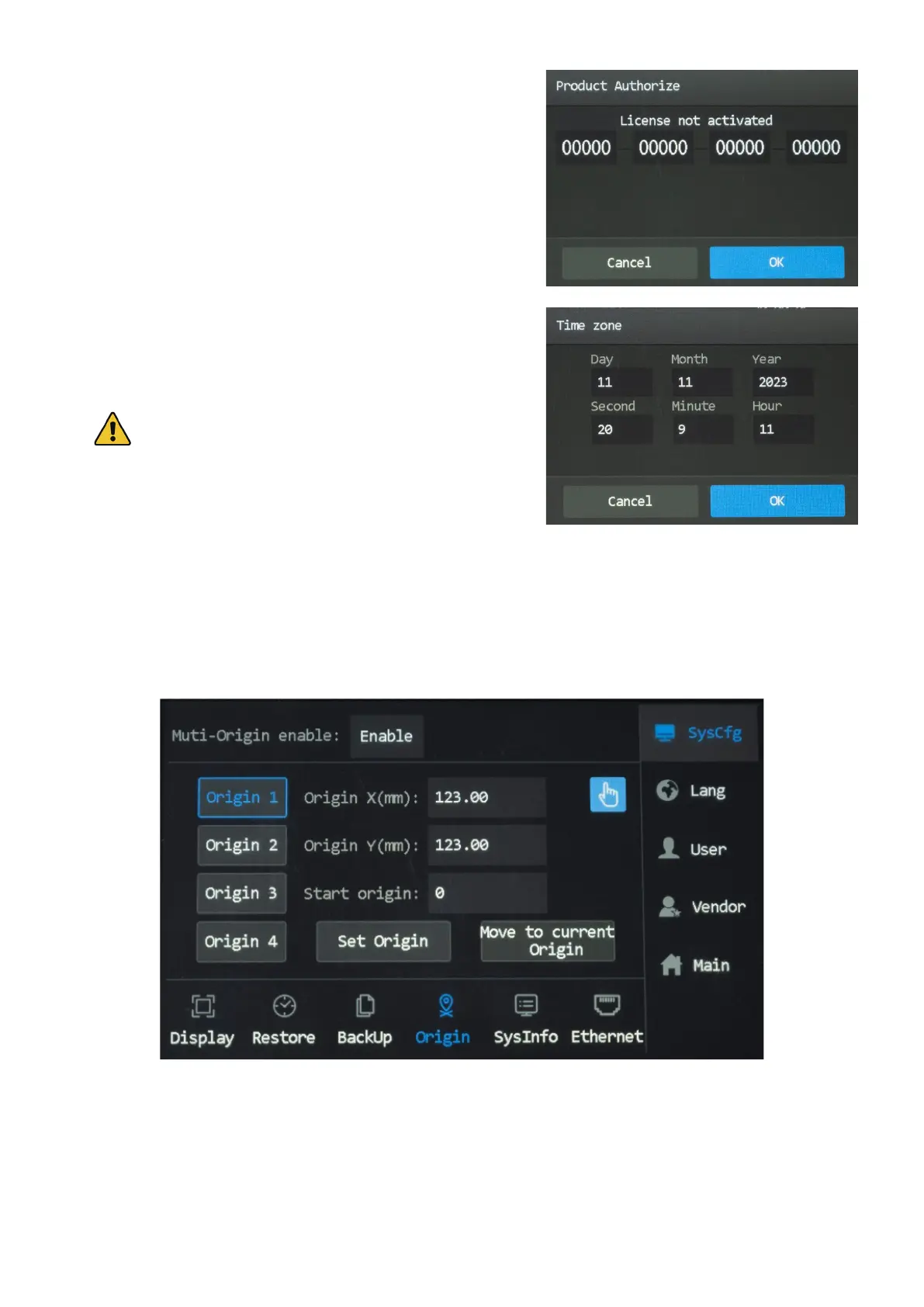
1. Tap menu>SysCfg>Sysinfo>Product Authorization, and the
pop-up as shown shows up.
2. Enter your product authorization/activation code.
3. Tap OK to conrm. Tapping Cancel closes the pop-up and
returns to the SysInfo menu.
Setting Time Zone
1. Tap menu>SysCfg>Sysinfo>Time zone, and the pop-up as
shown shows up.
2. Tap to change the time.
If the change is password protected, enter your passcode.
3. Tap OK to save your change. Tapping Cancel exit the current
menu and returns to the SysCfg menu.
5.9.2 Setting Multi-Origins
Tap “Origin” from the SysCfg menu, and the menu as shown shows up.
To enable this menu, tap the box after “Multi-origins enable” and set the option to Enable. When “Disable” is
selected, the system has a single default origin that the laser head returns to.
There are four customizable Origins. You can set them either through putting in desired coordinates or tapping keys
to move the laser head to desired coordinates.



 To Next Page