39
5.1 Adjustment Overview
Operate this laser engraver only in accordance with all the instructions provided in this manual. Failure to
follow the guidelines detailed here can result in property damage and personal injury.
To get the best eect for your work on dierent materials, however, you should familiarize yourself with the dierent
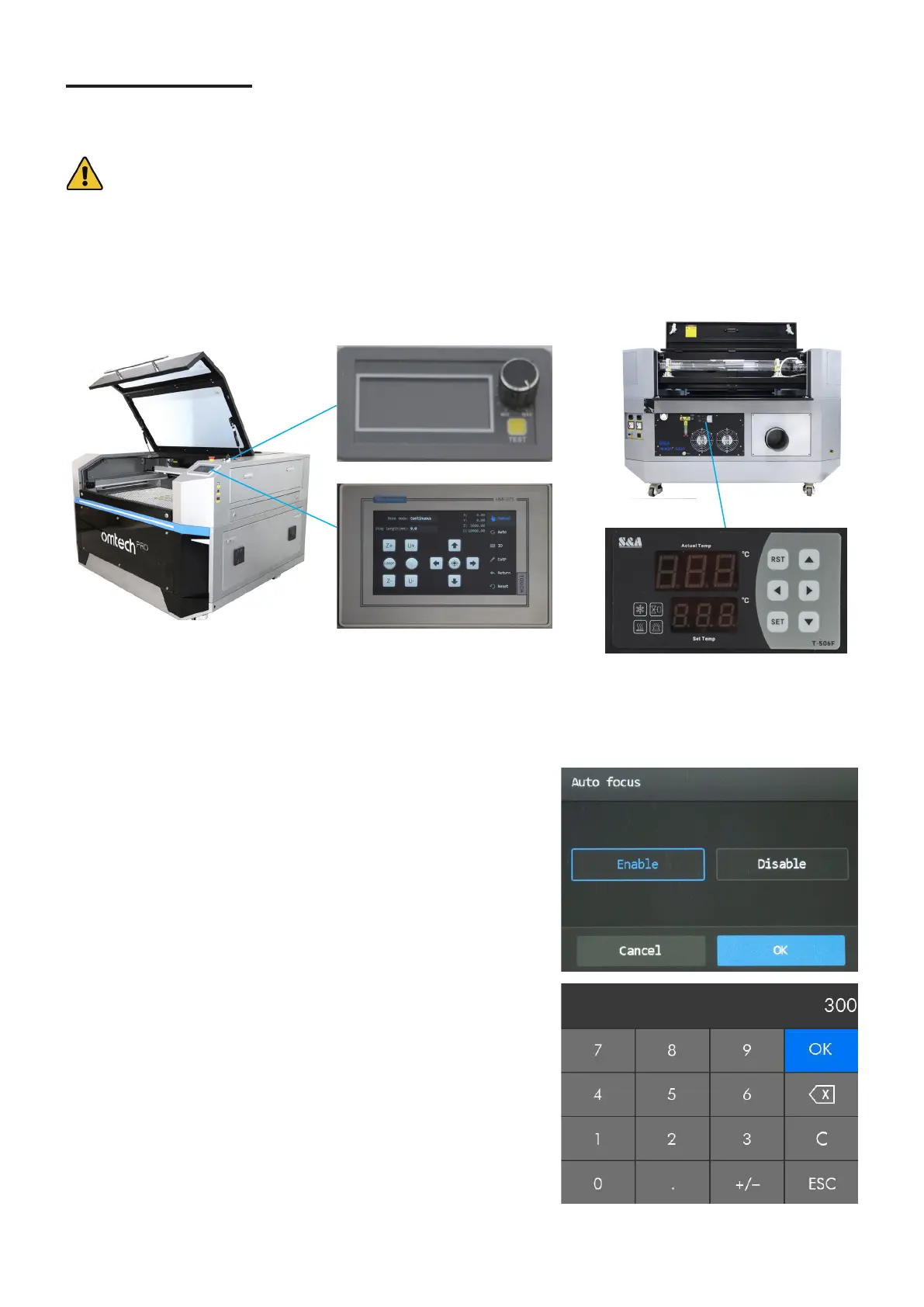
control systems and how and when to adjust them. In addition to your software, the engraver has an ammeter control
knob and a main control panel. There is also a water chiller control panel that should always remain easy to reach.
(Remember that the water chiller requires 5 feet or 1.5 m of unobstructed space for its fans to function properly.)
There are also small adjustable digital displays for the air assist system located behind the bottom left access door
and for the laser power supply located behind the bottom right access door, but these should never be adjusted or
need monitoring during regular use.
All the settings and parameters on the touchpad can be accessed and
changed through tapping. For settings that pop out, their alterations
and conrmations are done through tapping Enable or Disable. Tap
OK to save the change.
For parameters with numeric values,
1. Tap the value to enter the value, and a numeric keyboard shows
up as shown:
2. Enter the value needed and tap OK to save the change and exit
the current menu. Tapping “ESC” cancels the modication and
exits the current menu.
5. Adjustment



 To Next Page