43
5.5 Setting Power Levels
All powers are displayed as percentages (%) of the engraver’s rated power. Running your laser above 70% risks
shortening your laser’s service life. If you nd power settings of 70% or lower do not produce the results that
you need, for most materials it is better if you rst attempt to increase the amount of energy per unit area by
slowing the laser or running more loops before further increasing the power setting itself.
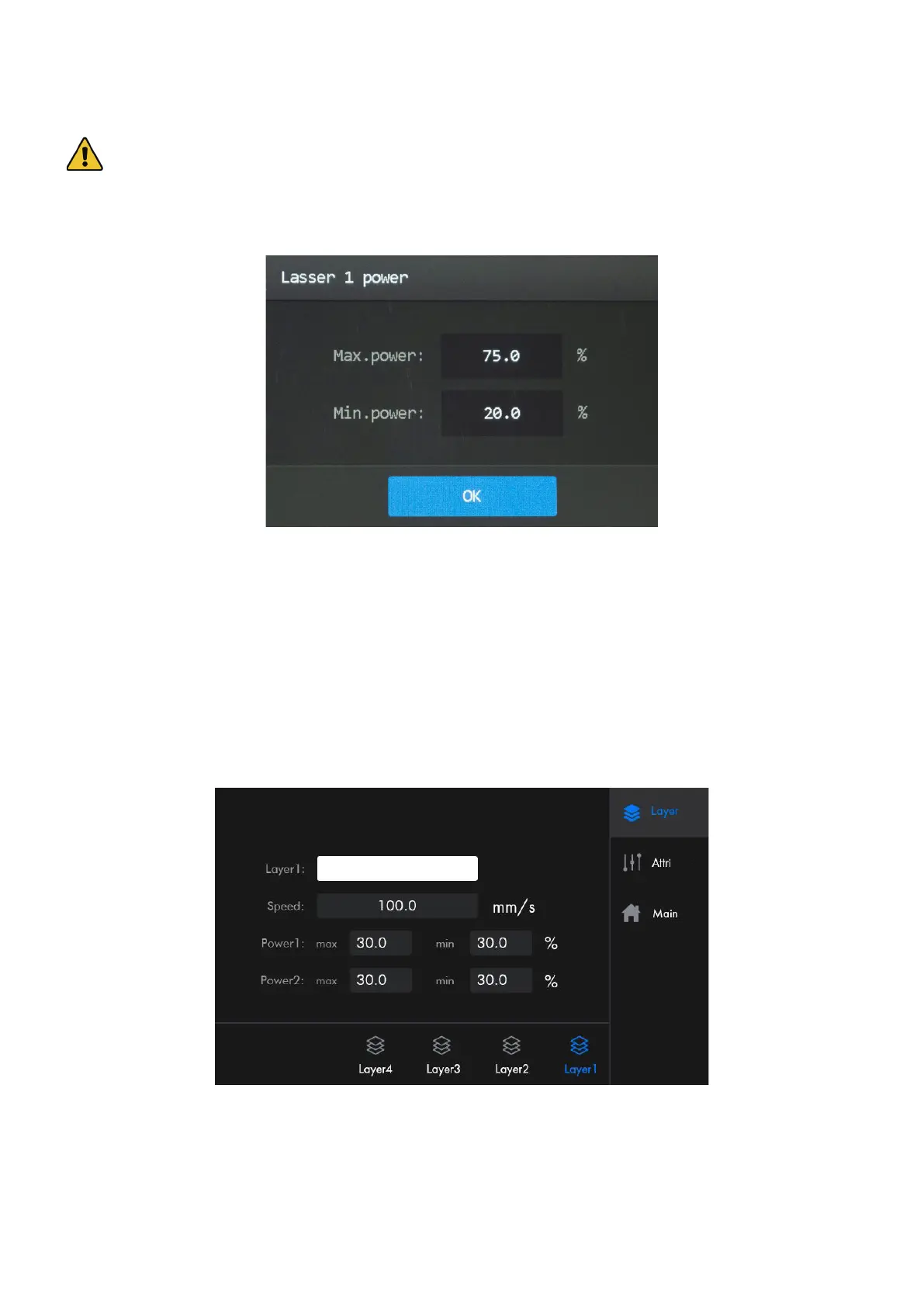
1. Tap Power in Parameter Display Area, and the following menu pops up.
2. Tap the parameter box to enter the power that you desire to use.
3. Tap “OK” to conrm the modication and exit the current menu.
5.6 File Parameters
When in the main menu, tap the lename of the le to be processed on the left upper corner, and the menu as shown
pops up.
Layer: Encompasses the speed and power, which can be customized for each layer of the le under this lename to
your needs.
At the bottom of the menu shows all the layers of the le. If the total number of layers exceeds 6, use the left/right
arrows to browse through the layers. The corresponding layer information will be displayed synchronously after the
icon of each button is tapped.



 To Next Page