60
5.10 Ammeter Adjustment
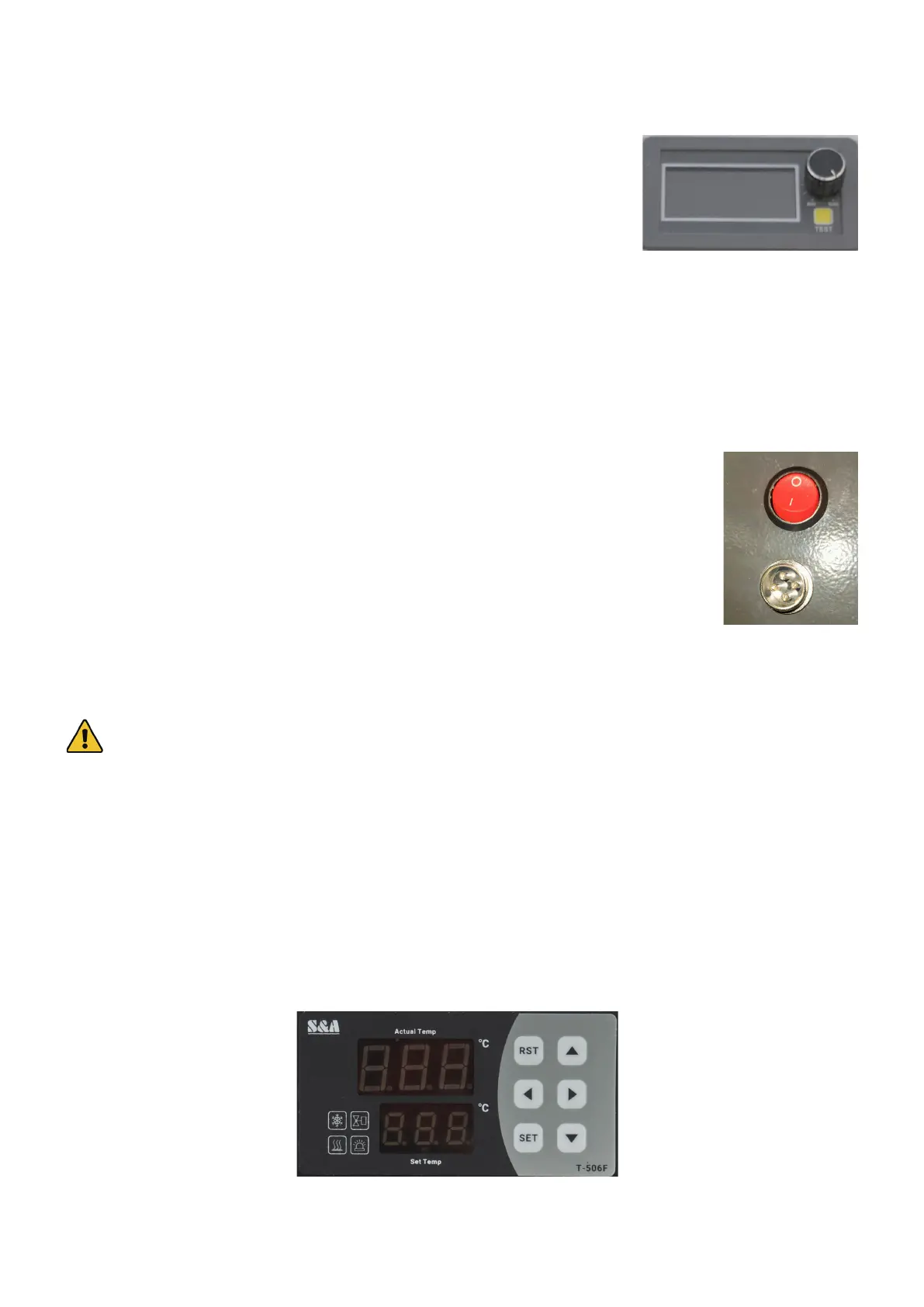
The ammeter knob can be used as a master control for the laser’s power settings.
When it is set to anything other than 100%, it reduces the engraving software or
control panel’s power settings by a proportionate amount.
For example, when the ammeter knob is set straight up at 50% and the design
instructs the laser to cut a line at 20% power, the laser will actually re at 10%.
As such, the knob can be used to ensure that your laser alignment and other tests
are done at low safe power levels and can also be turned completely down to 0%
when making adjustments in the main bay.
General use is not recommended. It is safer to fully deactivate your laser tube during adjustments in the main bay.
Familiarize yourself with your software and control system’s methods of power adjustment and use those for most
purposes. This will ensure you always have full understanding and full control of your laser’s power level. Generally,
use the ammeter knob as another layer of redundancy during setup and shutdown, helping you avoid any potential
accidental ring of the laser.
5.11 Setting Rotary Axis Parameters
The base model of the PRO 2440 does not come with a rotary axis but is compatible with
any standard four-pin model. Attach it to the aviator plug near the back of the workbed and
ip the nearby switch to toggle the engraver from normal operation to using the Y axis for
rotational information.
See the separate manual for the rotary axis for its adjustment.
5.12 Water Chiller Adjustment
Your water chiller should arrive NOT prelled but properly congured to work without adjustment.
Warning! ALWAYS makes sure the chiller has been lled to NORMAL with correct laser safe anti-freeze or
distilled water.
The default setting is to try to keep the provided laser-safe antifreeze within 3.6°F (±2°C) of 77°F (25°C) at all times
and to stop work if the water reaches 104°F (40°C), which should safely handle standard cutting and engraving. An
alarm also sounds if the water temperature falls to 50°F (10°C), preventing use in freezing conditions.
During normal use, the upper display will tell you the current temperature of the cooling water and the lower display
will tell you the current target temperature. Both are given in degrees Celsius. Press ⯈ once to display the ambient
temperature (“t1”) detected by the chiller’s sensors. Press ⯈ again to display the water’s current ow rate in deciliters
per minute (0.1 L/min. or 0.03 gpm). Press ⯈ again or wait 20 seconds without pressing any key to exit.
To quickly change the target temperature, press SET, use ⯅ and ⯆ to adjust the value up or down, and press RST to
save your changes. (When the chiller is in “intelligent mode”, this adjustment will set the relative dierence between
the ambient temperature and the water instead.)
For all other adjustments, hold SET and ⯅ together until the upper window reads “00” and the lower window reads
“PAS”. Use ⯅ and ⯆ to adjust the value to the default passcode “8” and press SET to enter.



 To Next Page