56
5.9.7 User Parameters
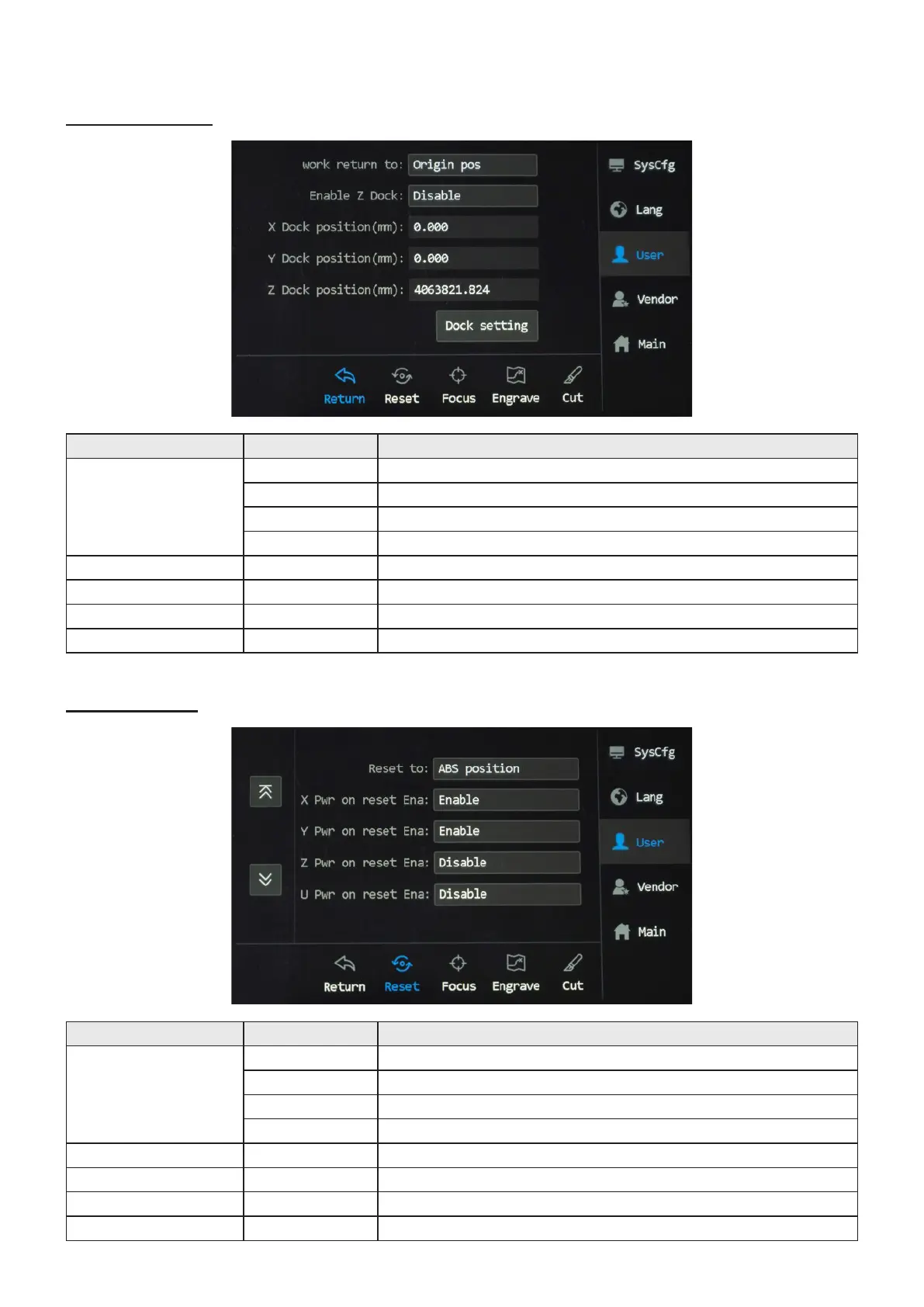
Return Submenu
Reset Submenu
Parameters Options Functions/Meanings
work return to
Origin pos Sets the laser head to return to the default origin.
ABS position Sets the laser head to return to the mechanical origin.
Docking Point Sets the laser head to return to the preset origin(s)
Not return Keeps the laser where it is.
Enable Z Dock Enable/Disable Enables and disables the laser head’s return to a set Z coordinate
X Dock position(mm) Numerical Sets the laser head to return to a set X coordinate.
Y Dock position(mm) Numerical Sets the laser head to return to a set Y coordinate.
Z Dock position(mm) Numerical Sets the laser head to return to a set Z coordinate.
Parameters Options Functions/Meanings
Reset to
Origin pos Sets the laser head to return to the default origin.
ABS position Sets the laser head to return to the mechanical origin.
Docking Point Sets the laser head to return to the preset origin(s)
Not return Keeps the laser where it is.
X Pwr on reset Ena Enable/Disable Sets the laser head to its X origin upon powering up.
Y Pwr on reset Ena Enable/Disable Sets the laser head to its Y origin upon powering up.
Z Pwr on reset Ena Enable/Disable Sets the laser head to its Z origin upon powering up.
U Pwr on reset Ena Enable/Disable Disabled



 To Next Page