49
5.9 Menu Submenu
Tap “Menu” in the main menu, and the menu submenu shows up as shown.
This menu includes SysCfg, Lang, User, Vendor, and Main.
5.9.1 SysCfg
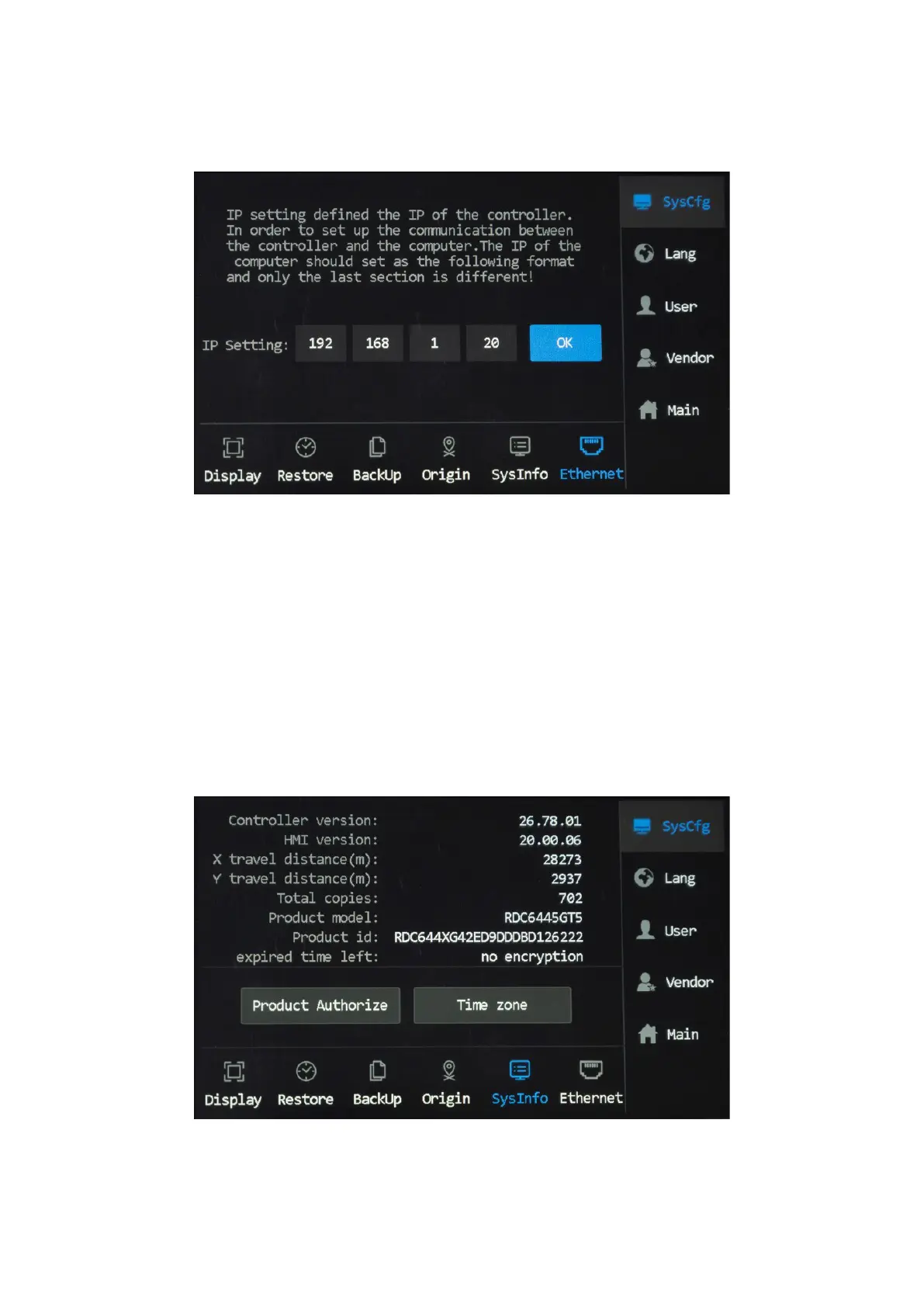
Ethernet
Tapping “Ethernet” accesses the IP setting. Tap to change the value and tap OK to save your change.
Sysinfo
Tapping “SysInfo” accesses the system information menu, where the product activation and time zone can be set.



 To Next Page